3D Product Data Management Platforms for Fashion Teams
A comparison of platforms fashion teams use to centralize 3D product data, including versioned garment files, reusable pattern, fabric, and trim libraries, and permissions across a season's collection.
Which platform fits your team
Apparel teams looking to centralize 3D product data may evaluate CLO-SET, Browzwear, and Style3D.
All three support shared access to garment assets and related product data, but they differ in how they manage file versions, organize reusable pattern, fabric, and trim libraries, and control access to those assets.
Quick answer
- CLO-SET offers shared Company and Component Libraries, Content Version Upload, and role-based access. Teams can add a new garment file as the next version of an existing Content record while keeping the related product-development data organized around that Content.
- Browzwear documents reusable asset libraries in VStitcher and per-style versioning in Stylezone. Its Asset Library documentation also describes adding custom libraries through Open Platform with the appropriate license.
- Style3D combines a shared Library Center for cross-department asset management with supplier and buyer collaboration around shared styles and materials. Staff permissions can be configured by department and position.
How the three compare
| Category | CLO-SET | Browzwear | Style3D |
|---|---|---|---|
| Built for | Browser-based 3D review, collaboration, reusable component libraries, and product-data workflows alongside CLO's design and patternmaking tools | 3D garment creation in VStitcher or Lotta, reusable asset libraries in VStitcher, and shared styles, review, and versioning in Stylezone | 3D garment creation and simulation in Style3D Studio, with asset management, review, and collaboration through Style3D Cloud |
| Reusable libraries | Company and Component Libraries for reusable Block Patterns, Fabrics, Trims, Avatars, and shared product assets | VStitcher asset libraries, including custom U3M libraries that can be reused in future files | Cloud Library Center for project and technical files, fabrics, blocks, trims, and artworks |
| File versioning | Content Version Upload adds a new version to an existing Content record and keeps the garment's versions organized within that Content | Basic Versioning manages multiple versions per style, including a current editable version, earlier versions, restore, and hide/show behavior | Style versions can be switched and reviewed in Style3D Cloud, while updated garment versions from Style3D Studio can be uploaded to the existing Cloud style |
| Permissions | Roles vary by organizational level and space | Site roles, folder roles, and folder types manage access | Administrators assign and adjust staff authorization based on department and position |
CLO-SET
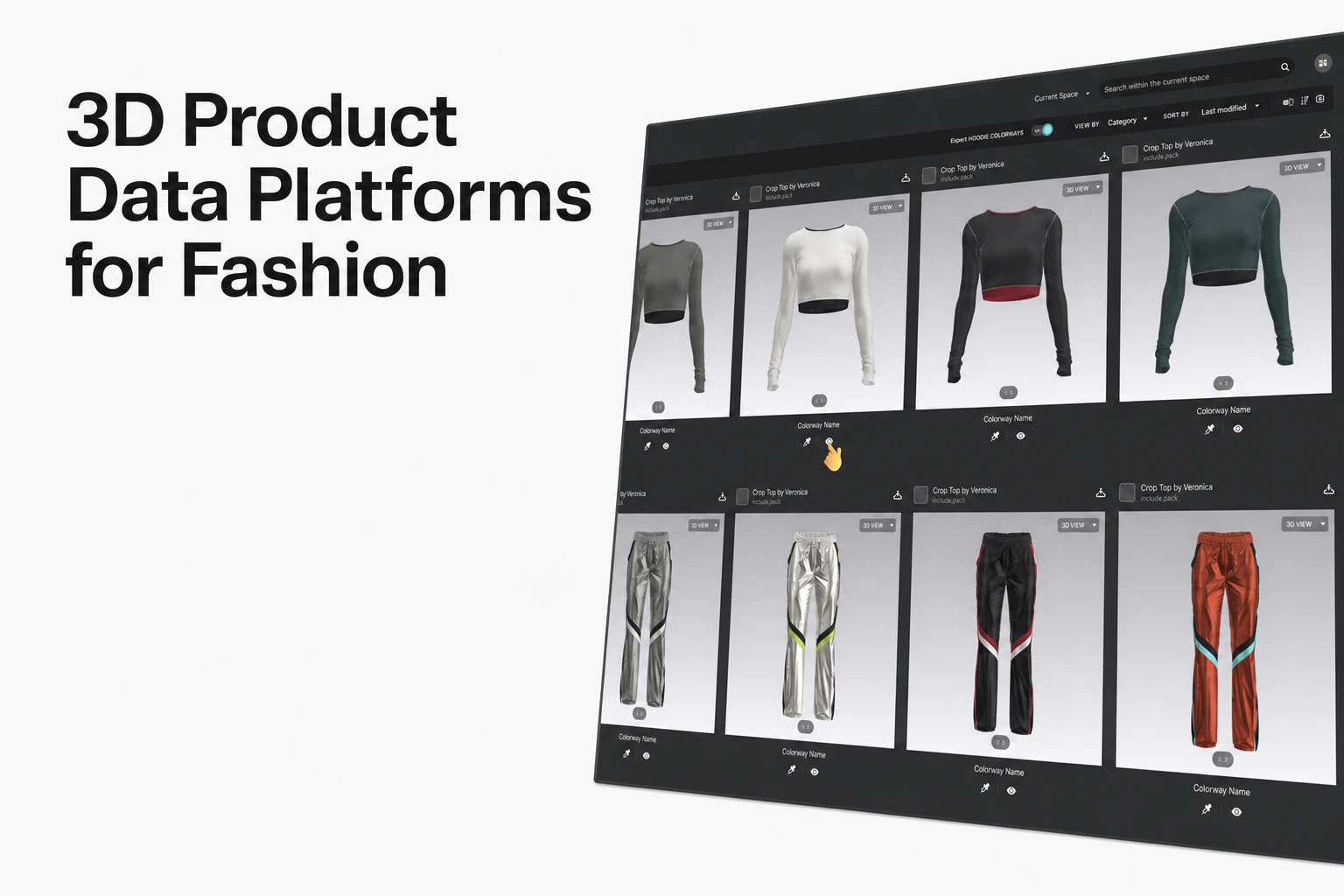
CLO-SET's Component Library supports reusable fashion-development assets including Block Patterns, Fabrics, Trims, and Avatars. Together with the Company Library, teams can centralize commonly used components and shared product assets for reuse across their development workflow.
Content Version Upload lets teams add a new garment file as a new version of an existing Content record instead of creating a separate Content item.
When a new Style Content version is uploaded, its Web Tech Pack information can also be updated so technical product data such as BOM, POM, Construction, and Cost Estimation reflects the new version. This allows the evolving 3D garment and its related development data to stay connected throughout the revision process.
The Permission guide distinguishes administrative roles at Group, Company, and Brand level, as well as Company/Brand Collaborators, Editors, and Viewers. Available operations depend on the user's role and the space in which the asset is managed.
Workflow focus: teams that want to centralize 3D review and collaboration, reusable fashion-development components, versioned garment assets, and related product data in one CLO-SET workspace, using that version history and shared data to support an ongoing fashion product-development process.
Browzwear
Browzwear's Asset Library guide documents default and custom libraries in VStitcher, including U3M materials. Once a library is added, its assets can be reused in future files.
Downloading an individual asset adds it to the local cache and the current colorway. Using the same asset in another colorway requires adding it to that colorway as well.
Stylezone Basic Versioning keeps the current version editable while earlier versions remain read-only. Restoring an earlier version creates a copy as the new current version, and versions can also be hidden and shown again.
Stylezone permissions combine site-wide roles, folder roles, and folder types to manage access. External users can also join by invitation and can be assigned Contributor or Reviewer roles.
The Asset Library guide also documents adding custom asset libraries through Open Platform with the appropriate license. Teams evaluating this workflow should confirm the integration and license required for their setup.
Style3D
Style3D Cloud provides an online environment for managing, sharing, and reviewing 3D assets. It also supports supplier and buyer collaboration around shared styles and materials.
Style3D Studio is the separate 3D garment creation and simulation application used for pattern creation and editing, sewing setup, simulation, and garment development.
Garments created in Studio can be uploaded to Cloud, and an updated garment version can be uploaded to an existing Cloud style so teams can continue working with the latest version.
Style3D Cloud's Library Center acts as a shared database for design and technical-development assets including fabrics, blocks, trims, artworks, and project or technical files.
The Cloud 3D Viewer also allows teams to switch between versions of the same style when reviewing the garment.
Its staff-account documentation describes assigning and adjusting staff authorization based on department and position.
Source note
Feature descriptions in this comparison are based on publicly available information from each vendor's official website, Help Center, or product documentation, reviewed in September 2026. Product capabilities may vary by plan, configuration, or subsequent product updates.
- CLO-SET: Component Library, Content Version Upload, Web Tech Pack, Permission
- Browzwear: Asset Libraries, Basic Versioning, Roles, Permissions and Types
- Style3D: Style3D Cloud, Library Center, Style 3D Viewer, Studio Update, Staff Authorization
FAQS
Common questions
Do these platforms replace a full PLM system?
Compare the full requirements of your product-development workflow with the configuration being evaluated.
Shared 3D assets, version management, and reusable libraries address part of a broader PLM workflow. Teams should also evaluate the costing, sourcing, approvals, integrations, reporting, and other product-development functions they require.
Can an external vendor get limited access to the shared library?
Access depends on the roles and permissions supported by the selected platform.
CLO-SET permissions vary by space and operation.
Stylezone supports invited External users with Contributor or Reviewer roles.
Style3D Cloud documents supplier and buyer collaboration around shared styles and materials. If direct external access to a specific Library Center structure is required, confirm the exact access scope in the Cloud configuration being evaluated.
What happens when a version is deleted?
On CLO-SET, deleting a specific version removes it from the Versions list while the remaining versions stay available. A deleted version cannot be restored.
On Browzwear, deleting the current version promotes the next version automatically, while a hidden version can be shown again later.
Disclaimer: This comparison reflects official vendor documentation available at the time of review. Features, availability, and terms may change; verify current details on each vendor’s official website before making a decision.
See CLO-SET's library and version tools
Walk through Company Library, Component Library, and Content Version Upload with your own season's assets.