Browser-Based 3D Collaboration Tools for Fashion Sample Review
A comparison of browser-based tools fashion teams use for 3D sample review, including annotations, comments, visual options, and status tracking, without requiring reviewers to work inside 3D design software.
Which tool fits your review team
For reviewers outside the 3D design function, compare how each platform presents the garment or 3D asset, records feedback, tracks its state, and shares access with other stakeholders.
CLO-SET, Browzwear Stylezone, Style3D Cloud, and Centric PLM support different parts of this process. Test the same sample, reviewer roles, and decision process in each shortlisted system to understand which workflow fits your team.
The short version
CLO-SET combines 3D and pattern review with comments, Strain Map, Configurator, and Workflow and Colorway Status in a browser-based review workflow.
Teams using the Browzwear ecosystem can evaluate Stylezone for browser-based review around shared styles. Style3D Cloud focuses on online 3D review and collaboration, including supplier participation. Centric PLM connects 3D assets with broader PLM and product-development workflows.
CLO-SET
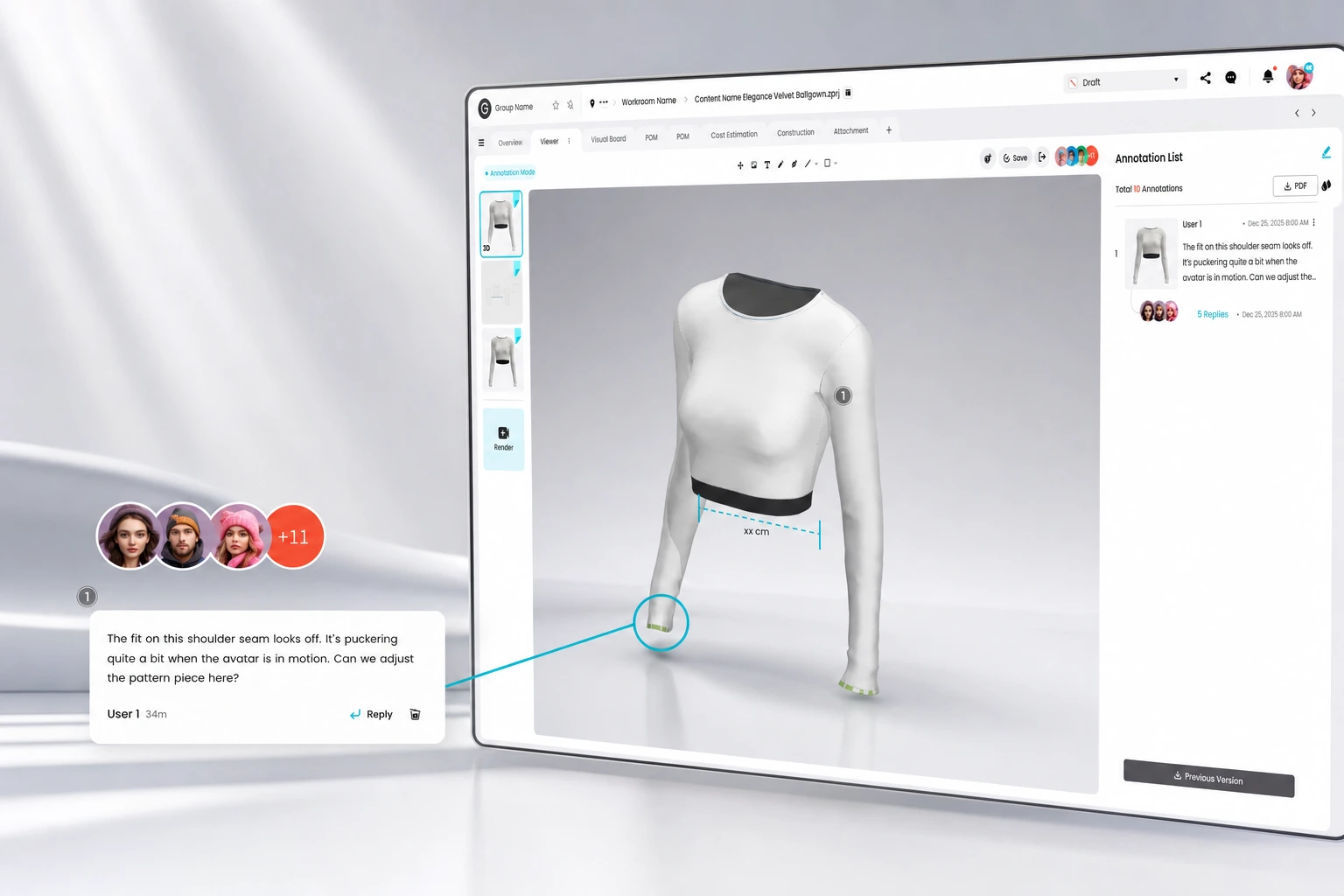
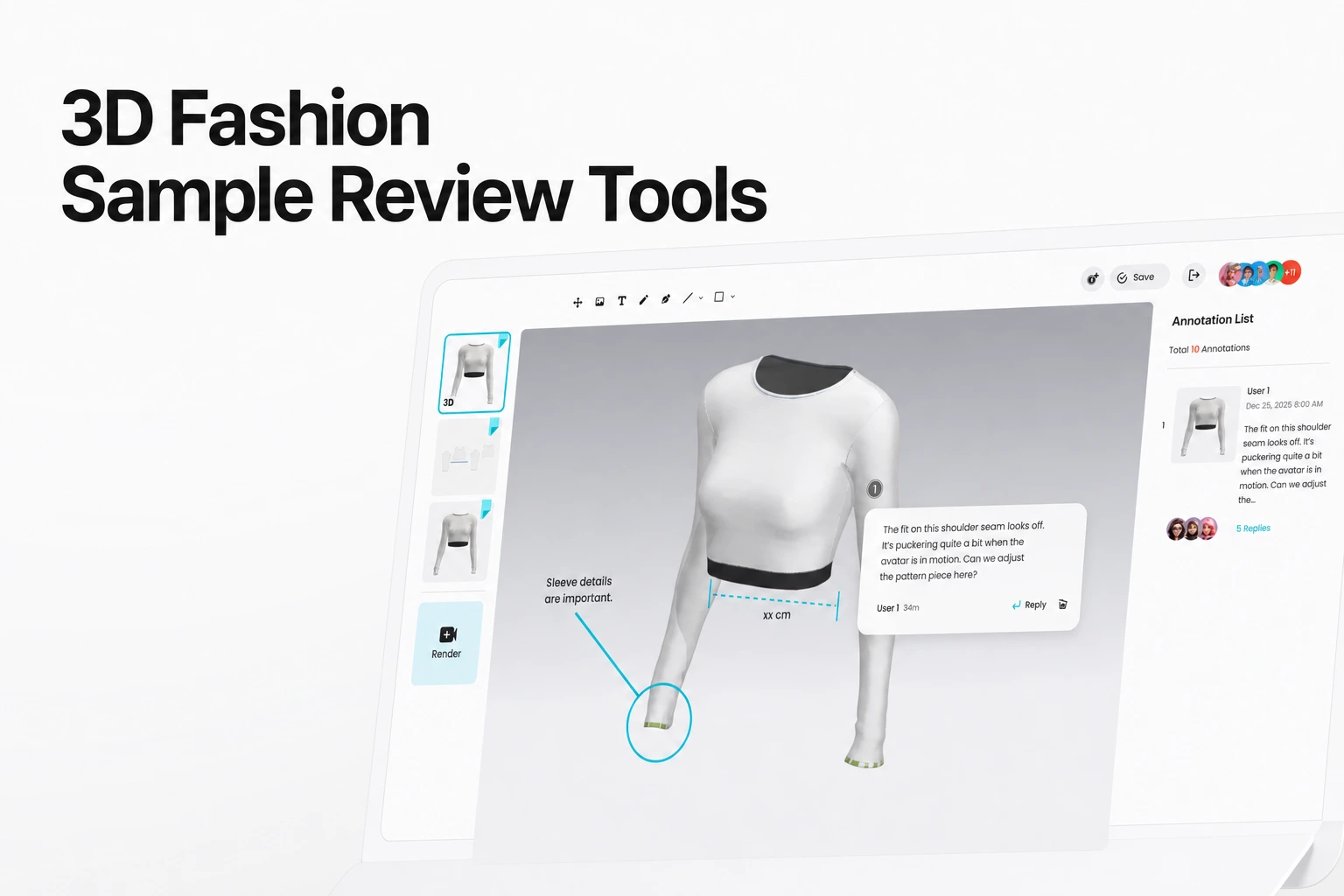
CLO-SET’s Review Design guide covers browser viewing of 3D garments, 2D patterns, and completed renders, together with annotations and comments.
Its Strain Map visualizes the distortion rate between the 2D pattern and the simulated 3D garment.
CLO-SET’s Configurator adds another layer to browser-based review by letting teams explore different colors, textures, and material properties directly on the 3D garment and save alternatives as new colorways. Reviewers can compare visual options on the digital sample before leaving annotations or comments, making feedback more concrete without returning to a 3D design application for every variation.
Comments, annotations, Content Workflow, and Colorway Status help centralize feedback and product-development status across the review process.
Workflow focus: teams that want to review 3D garments, 2D patterns, renders, visual alternatives, feedback, and product-development status in a browser without opening a 3D design application.
Browzwear Stylezone
Stylezone’s Style page documents 3D viewing, version history, style status, and available Fit Review tools.
Comments can be pinned to a style by Moderators, Contributors, and Reviewers. Comments are restricted to a single board. When a style is shared to another board, the original comments remain in the original board.
Workflow focus: teams using the Browzwear ecosystem that want browser-based 3D review, comments, version history, and status tracking around shared styles.
Style3D Cloud
Style3D Cloud documents online 3D model review, direct feedback, sharing, and supplier collaboration across designs, colorways, prints, and fit.
Workflow focus: teams that need to share 3D samples and review feedback with internal colleagues and suppliers.
Centric PLM
Centric PLM connects 3D assets from product-creation tools with broader product-development workflows.
Centric documents 3D Connectors that connect PLM with 3D fashion solutions such as CLO, Browzwear, and Optitex, allowing 3D assets to be used within the wider product-development process.
Centric also documents Lightbox viewing, interactive turntable views, and 3D visualization within PLM.
Workflow focus: teams that want 3D asset review connected to the product’s PLM record and broader product-development process.
How the four compare
| Platform | Review surface | Feedback & status |
|---|---|---|
| CLO-SET | Browser 3D, pattern, and render review; Strain Map; Configurator | Annotations, comments, Content Workflow, and Colorway Status |
| Browzwear Stylezone | 3D viewing, version history, and available Fit Review tools | Role-based pinned comments and style status |
| Style3D Cloud | Shared online 3D model review | Comments, feedback, and supplier collaboration |
| Centric PLM | 3D assets connected to PLM, with Lightbox, turntable, and 3D viewing | Product-development workflow context around connected 3D assets |
How to choose
Test each platform with the same 3D garment and sample images. Check which views can receive feedback, what context the comment retains and how a later revision affects it.
For teams that want reviewers to explore visual alternatives rather than only inspect a fixed sample, also check whether color, texture, or material variations can be reviewed during the process.
Check partner access alongside the review workflow. CLO-SET supports sharing Workrooms and Content with Editors or Viewers and also provides link-based viewing, while Style3D Cloud documents real-time sharing with suppliers. For any shortlisted platform, confirm which external roles can view, comment, edit, or download content before rollout.
Choose based on the review surfaces, product-data context, visual decision-making workflow, and partner access demonstrated in the pilot.
Source note
Feature descriptions in this comparison are based on publicly available information from each vendor’s official website, Help Center, or product documentation, reviewed in September 2026. Product capabilities may vary by plan, configuration, or subsequent product updates.
- CLO-SET: Review Design, Comment, Strain Map, New Configurator, Workflow Status, Invite/Share
- Browzwear Stylezone: Style Page, Comments
- Style3D Cloud: Style3D Cloud
- Centric PLM: 3D Connectors, 3D Viewer, Lightbox, and Turntable
FAQS
Common questions
Do reviewers need to install 3D design software to review a sample?
Browser review can reduce the software required by reviewers, but check the supported files, browser, plan and workflow for the selected product. Centric also documents visual 3D review within its PLM workflow.
Is a comment on a 3D sample the same as a formal approval?
A comment or ordinary status update does not automatically prove a formal approval. Define the evidence your team needs, then test how the selected product records the decision, reviewer, version and history.
Can external suppliers join the review?
CLO-SET supports sharing Workrooms and Content with Editors or Viewers as well as link-based viewing. Style3D Cloud documents sharing and collaboration with suppliers. For any shortlisted platform, test the actual external role and confirm which files, comments, editing functions, and downloads are available before rollout.
Disclaimer: This comparison reflects official vendor documentation available at the time of review. Features, availability, and terms may change; verify current details on each vendor’s official website before making a decision.
See CLO-SET's review surfaces
Look at how Strain Map, Configurator, Quality Render, and Workflow and Colorway Status work together in a browser.