Keeping BOM and POM Data in Sync from 3D Review to the Tech Pack
A guide for technical designers and product developers on keeping BOM, POM, and cost data in CLO-SET's Web Tech Pack matched to the 3D style version the team reviewed, from version updates to CSV and tech pack exports.
Key Takeaways
- Use BOM and POM data from supported 3D files: Compatible ZPRJ and ZPAC files can provide supported garment and material data for BOM, along with the POM measurements included in the file.
- Check Content Versions and Web Tech Pack Versions: When uploading a new Content Version, teams can choose whether to update the related Web Tech Pack and review the applicable technical information.
- Make Web Tech Pack updates deliberately: Selecting an update for a supported new Style Content Version allows relevant BOM, Construction, POM, and Cost Estimation information to be reflected in the new Web Tech Pack Version.
- Connect BOM information with Cost Estimation: Changes to relevant BOM consumption and pricing information are reflected in Cost Estimation. Additional expenses, such as labor and transportation, can be entered by users.
- Export POM data using the selected settings: POM CSV exports reflect the current column visibility, customized column order, and selected measurement units.
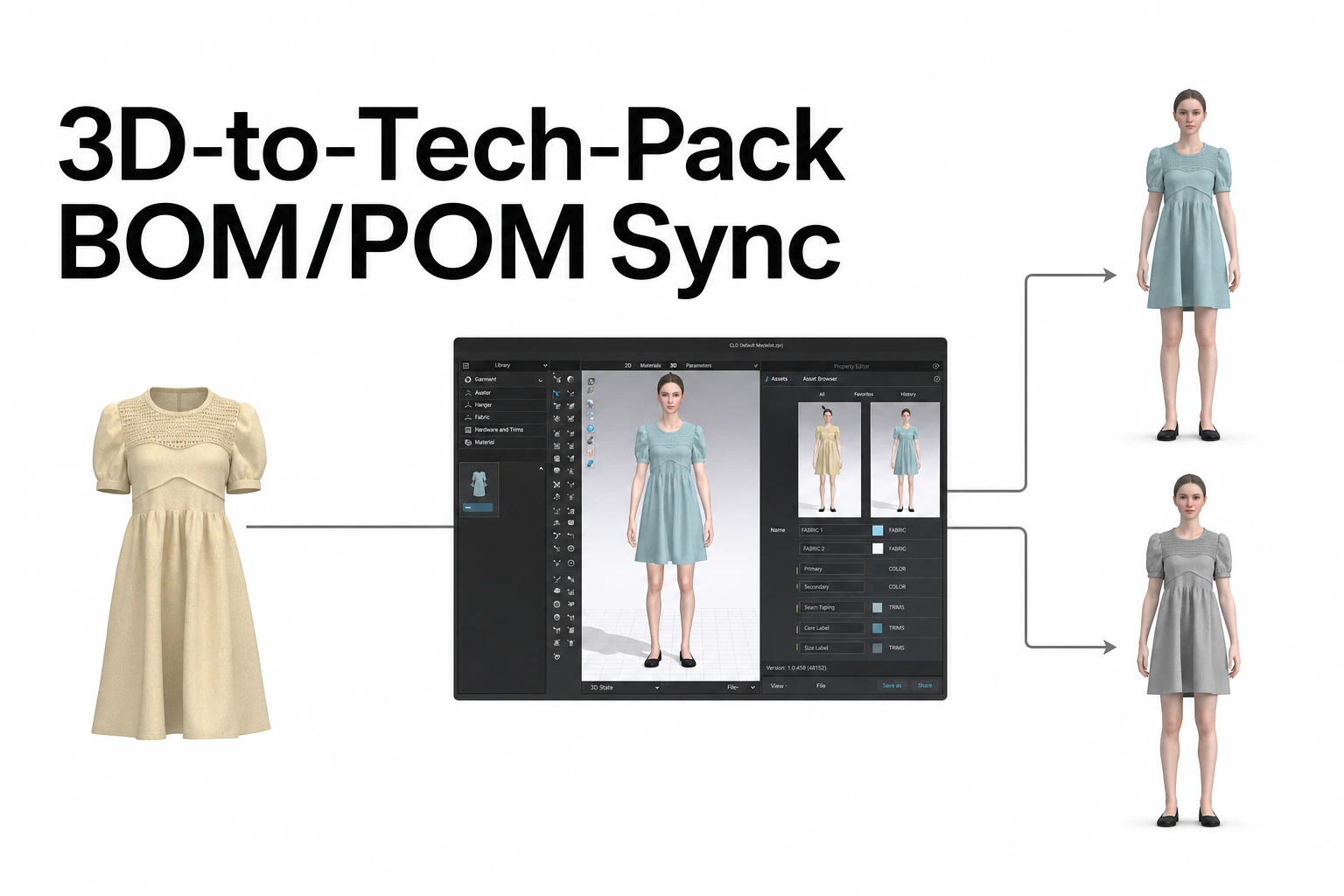
In CLO-SET, apparel teams can manage BOM, POM, and Cost Estimation information alongside the Style Content used during 3D design reviews.
When a compatible CLO garment file is uploaded, its supported material and measurement information can be used in the related technical product data. When a new Content Version is uploaded, users can choose whether to update the Web Tech Pack information.
After each review round, teams can examine the BOM and POM for the relevant version, check related costs, and prepare the technical information needed by manufacturing partners. This process helps keep garment designs and related technical product information aligned throughout development.
Why BOM and POM Information Can Drift After 3D Review
Apparel designs often change during 3D review rounds. For example, a designer may replace a trim, a technical designer may adjust a measurement, or a fabric may change following a material test.
When the garment changes, the related BOM and POM information should also be reviewed. If technical product information is managed in separate spreadsheets, team members may need to re-enter those changes into multiple documents. This can create differences between the current garment design and the technical specifications shared with manufacturing partners.
CLO-SET supports managing 3D garment assets and related technical product information through Style Content.
Main Technical Product Information in CLO-SET
On the current Content Page, teams can review relevant information through tabs such as BOM, POM, and Cost Estimation. Web Tech Pack includes the following main sections:
| Section | Main Information |
|---|---|
| Overview | Basic Style and Content information |
| BOM | Fabric, trim, and related material information by Colorway and Grade |
| Construction | Garment construction details, Annotations, and technical information |
| Measurement (POM) | Measurement points, supported 2D/3D POM data, and target measurements |
| Cost Estimation | Fabric and trim costs, plus user-entered expenses such as labor and transportation |
These areas help product-development teams review technical information in relation to the garment design and the changes identified during each review round.
Start with Supported Style Content Files
To use Web Tech Pack, the Content Type must be Style. Supported ZPRJ and ZPAC garment files can provide data for BOM and POM information.
Use BOM Data from ZPRJ and ZPAC Files
For compatible CLO garment files, BOM uses supported 3D garment data to organize fabric, trim, and related material information. For example, material information associated with fabrics and trims used in the garment can be reflected in BOM. Teams can review and manage the relevant information by Colorway and Grade.
Use POM Data from CLO Files
POM can import measurement information included in supported ZPRJ and ZPAC files. Teams can review supported 2D and 3D POM measurements provided by the garment file. CLO-SET also supports managing additional measurement information such as Target Measurements, Tolerance, and HTM Comments.
Manage Styles Without Existing Measurement Data
When a Style does not include POM information, users can create a measurement table and enter the required information manually. Supported non-CLO files, including images and PDFs, can also be registered as Style Content and use available BOM and POM options.
This allows teams to prepare and maintain technical product information according to the file types and development workflows they use.
Decide Whether to Update Web Tech Pack After Each Review Round
One important step after a design review is confirming how the new Content Version relates to the technical product information. In CLO-SET, users can choose whether to update the related Web Tech Pack information when uploading a new Style Content Version.
Update the Web Tech Pack Version
When uploading a new supported ZPRJ or ZPAC file as a Content Version, users can select the Web Tech Pack update option. Selecting the update allows a new Web Tech Pack Version to be created with supported information from the uploaded garment.
Depending on the available data, relevant information can be reflected in:
- BOM
- Construction
- POM
- Cost Estimation
For example, if a fabric has been changed or added in the revised garment file, related material information can be reflected in the updated BOM. If the POM data in the garment file has changed, the team can review the updated measurements.
Decide When an Update Is Needed
Teams can make the update decision based on the changes introduced during the review round.
Update when technical product information has changed. Examples include:
- A fabric change
- Adding or replacing a trim
- Pattern adjustments that affect garment measurements
- Changes to POM data
- Other revisions affecting manufacturing specifications
Maintain the existing technical information when it remains the working reference. For example, a team may upload a new Content Version following a presentation-related change while continuing to use the existing Web Tech Pack information. The decision should reflect which technical information the manufacturing partner is expected to use.
Record the Update in Comments
After uploading a new Content Version, teams can record which technical information was updated. For example, a Content Comment might say:
Version 4 uploaded after Fit Review Round 2. BOM and POM information updated.
This provides useful context for other reviewers and manufacturing partners. It can also help participants identify which information should be checked during the next review or handoff.
Review Updated Information
After updating the Web Tech Pack, examine the relevant BOM and POM information for the new Version. Pay particular attention to information that was previously entered manually or changed during earlier review rounds.
Previously created Web Tech Pack Versions can also be reviewed to understand how technical product information changed between development rounds. Manual editing is performed on the latest applicable Web Tech Pack Version.
Check BOM by Colorway, Grade, and Version
Once the relevant Web Tech Pack Version has been updated, teams can review the BOM. The BOM tab on the current Content Page allows teams to examine supported material information by Colorway, Grade, and Content Version.
Review Changed Materials and Trims
For example, if a button was replaced with a different size during the review round, the team can verify that the updated BOM contains the correct button information. If a fabric has changed, the relevant material information can also be reviewed for the appropriate Colorway and Grade.
Edit BOM Information
The Web Tech Pack BOM supports editing fields such as:
| Field | Description |
|---|---|
| Consumption | The amount of material or trim used |
| Unit Price | The price per unit |
| Total Price | The total price |
| Remark | Additional notes about the relevant item |
These fields support material management and cost review during product development. Relevant cost changes in BOM are also reflected in Cost Estimation.
Compare Previous and Current Versions
After multiple review rounds, teams can compare the current BOM with information from earlier Versions. For example, they may check whether the same fabrics and trims are used in both Versions or whether a material replacement has been reflected correctly.
This helps the team verify which material information should be used for the current garment design and subsequent manufacturing activities.
Check POM Measurement Types and Units
POM provides important technical measurement information for designers, technical designers, and manufacturing partners. CLO-SET imports supported POM data from compatible ZPRJ and ZPAC files. The related information can be reviewed through the POM tab on the current Content Page.
Review 2D and 3D POM
Teams can inspect supported 2D and 3D POM information and select the relevant measurement type. Target Measurements can also be managed alongside the applicable measurements.
For example, after a Fit Review that changes sleeve length, the team can check the corresponding POM values and compare them with the intended target.
Manage Target, Tolerance, and HTM Comments
CLO-SET supports additional POM information, including:
- Target: The intended measurement value
- Tolerance: The permitted measurement deviation
- HTM Comment: How to Measure instructions or related notes
These details can help brands and factories work with consistent measurement references.
Select the Appropriate Measurement Units
CLO-SET supports the following POM measurement units:
- Millimeters (mm)
- Centimeters (cm)
- Inches (in)
For example, when a manufacturing partner works in centimeters, the team can select centimeters while reviewing the relevant POM information. This makes it easier for participants to discuss measurements using the same units.
Verify Measurements Changed During Review
After a Fit Review, focus on the POM items discussed during that round. For example, if Chest Width or Sleeve Length was revised, examine the updated measurement values and related Targets.
This helps confirm whether the technical measurement information corresponds to the changes agreed during the design review.
Review BOM-Based Costs in Cost Estimation
Cost Estimation allows teams to manage estimated costs associated with a Style. Fabric and trim costs can use relevant BOM information, and users can enter additional expenses.
Review Costs Reflected from BOM
Relevant BOM information, including Consumption, Unit Price, and Total Price, contributes to the Cost Estimation data. For example, when a fabric's consumption or unit price changes, the related material cost can be reviewed through Cost Estimation.
Enter Additional Costs
Cost Estimation also supports user-entered expenses, including:
- Labor Cost
- Transportation Cost
Users can enter the applicable information and use the supported Apply to Subtotal function to reflect the additional costs in the estimate.
Check Costs Before Sharing with Manufacturers
Before sending the technical information to a manufacturing partner, review the BOM and Cost Estimation for the intended working version. For example, after replacing a material, the team can check the current Consumption and Price fields, then review the labor and transportation expenses relevant to the factory.
This supports more consistent communication when preparing samples or discussing manufacturing quotations.
Export the Technical Information Manufacturers Need
After reviewing BOM, POM, and Cost Estimation, teams can prepare the information required by manufacturing partners. CLO-SET supports Tech Pack Export and POM CSV Export through the Content Page.
Tech Pack Export
On the current Content Page, users can access the relevant Export function from the Overview tab. Following the June 2026 update, teams can choose which supported information to include in the exported Tech Pack.
| Export Section | Main Purpose |
|---|---|
| Overview | Basic Style and Content information |
| BOM | Fabric, trim, and material information |
| POM | Garment measurement information |
| Cutter's Must | Cutting-related information |
| Graphic | Graphic-related information |
| Annotation & Comments | Design review notes and feedback |
Selected information can be downloaded in supported Excel or PDF formats. For example, a factory preparing a quotation may need BOM and POM information. A sampling team may also require Cutter's Must or Graphic information depending on the assignment.
POM CSV Export
When only measurement data needs to be shared, teams can export POM as CSV. CLO-SET's June 2026 update allows the exported CSV to reflect the current POM display configuration, including:
- Column Visibility
- Customized Column Order
- Selected Measurement Units
For example, if a manufacturing partner needs centimeter measurements and a limited set of POM columns, the team can apply those settings before exporting the CSV. This helps teams prepare measurement information in a format suitable for the recipient.
Excel Tech Pack
CLO-SET also provides Excel Tech Pack downloads for supported ZPRJ and ZPAC garment files. These documents can be downloaded in relation to the applicable Content Versions.
Excel Tech Pack is a separate document format that uses supported garment file data. Teams can use the available Content Page export and Version-related download functions according to their needs.
Confirm the Handoff Information Before Export
Before downloading and sharing technical information, confirm:
- The Content Version being shared with the factory
- Whether the related Web Tech Pack information has been updated
- The relevant BOM and POM information
- The Cost Estimation details required for the assignment
- The export sections and measurement units needed by the recipient
This helps manufacturing partners receive technical information based on the intended garment design and development stage.
A Data Sync Checklist for Each Tech Pack Handoff
Use this checklist after a 3D design review and before sharing technical product information with manufacturing partners.
- Confirm the Content Version: Identify the garment Version agreed upon during the latest review round.
- Decide whether to update Web Tech Pack: Review changes to fabrics, trims, and measurements, and select an update when the technical information needs to be refreshed.
- Check BOM: Review materials and trims by Colorway and Grade, including relevant Consumption and Price information.
- Check POM: Select the appropriate measurement type and units, then review changed measurement values and Targets.
- Review costs: Verify BOM-based material costs and any additional labor or transportation expenses.
- Export the required information: Select the Tech Pack sections or POM CSV needed by the manufacturing partner.
Following these steps helps brands and factories coordinate sample development and subsequent work using the intended Content Version and its relevant technical product information.
Frequently Asked Questions
Which files fill BOM and POM data automatically?
Supported ZPRJ and ZPAC garment files can provide BOM information from compatible 3D garment data and POM information from the measurements included in the file.
Does uploading a new version update the Web Tech Pack?
Users can choose whether to update Web Tech Pack information when uploading a new supported Style Content Version. When the update is selected, supported new information can be reflected in BOM, Construction, POM, and Cost Estimation.
Can we go back to an earlier Web Tech Pack?
Yes. Previously created Web Tech Pack Versions can be reviewed. Manual editing is performed on the latest applicable Web Tech Pack Version.
What if a style has no measurement data?
Users can create a POM measurement table and manually enter the required measurement information in CLO-SET.
Does the POM CSV keep our measurement units?
Yes. POM CSV exports reflect the column visibility settings, customized column order, and selected measurement units configured in the POM tab.
Source Note
This article is based on official CLO-SET Help Center documentation covering Web Tech Pack, BOM, Measurement, Excel Tech Pack, and the June 2026 product updates, reviewed on October 30, 2026.
The review focuses on using supported ZPRJ and ZPAC files for BOM and POM data, Web Tech Pack Version updates, BOM management by Colorway and Grade, measurement types and units, Cost Estimation, Tech Pack Export, and POM CSV.
The suggested update criteria after each review round, technical data checklist, and manufacturing handoff process are practical recommendations for apparel product-development teams.
Official product and reference sources:
- CLO-SET: Web Tech Pack (WTP), Intro: Web Tech Pack
- CLO-SET: Web Tech Pack — BOM
- CLO-SET: Web Tech Pack — Measurement
- CLO-SET: How To: Excel Tech Pack
- CLO-SET: Expanded Tech Pack Exports — June 2026
- CLO-SET: Style Content Support & Improved POM CSV Exports — June 2026
- CLO-SET: Content Page Renewal — March 2026
- CLO-SET: End of Support for the Legacy Content Page