How to Roll Out 3D Sample Review Across Product Teams and Supplier Factories
A staged plan for product development leads rolling out 3D sample review in CLO-SET, from setting up spaces and stage names to an internal pilot, the first supplier factories, and tracking lead time as the rollout grows.
Key Takeaways
- Start with your workspace and development stages: Company Admins and above can configure Workflow and Status names through Company Settings. Align teams on the development stages before the first review.
- Pilot with an internal product team: Test 3D reviews, feedback, and Content Version management with one product team before establishing a repeatable review process.
- Bring supplier factories into the workflow gradually: Share the Styles or Workrooms each factory needs and assign Editor or Viewer permissions based on their responsibilities.
- Include teams working with non-CLO files: Images, PDFs, and other supported non-CLO files can be registered as Style Content, allowing teams to participate in product-development workflows alongside 3D garment teams.
- Measure development progress using Workflow data: Content Analysis shows Total Lead Time and the time between Workflow updates, helping teams review development timelines as adoption expands.
Introducing 3D sample reviews across an organization can be easier when the rollout happens in manageable stages rather than across every team and factory at once.
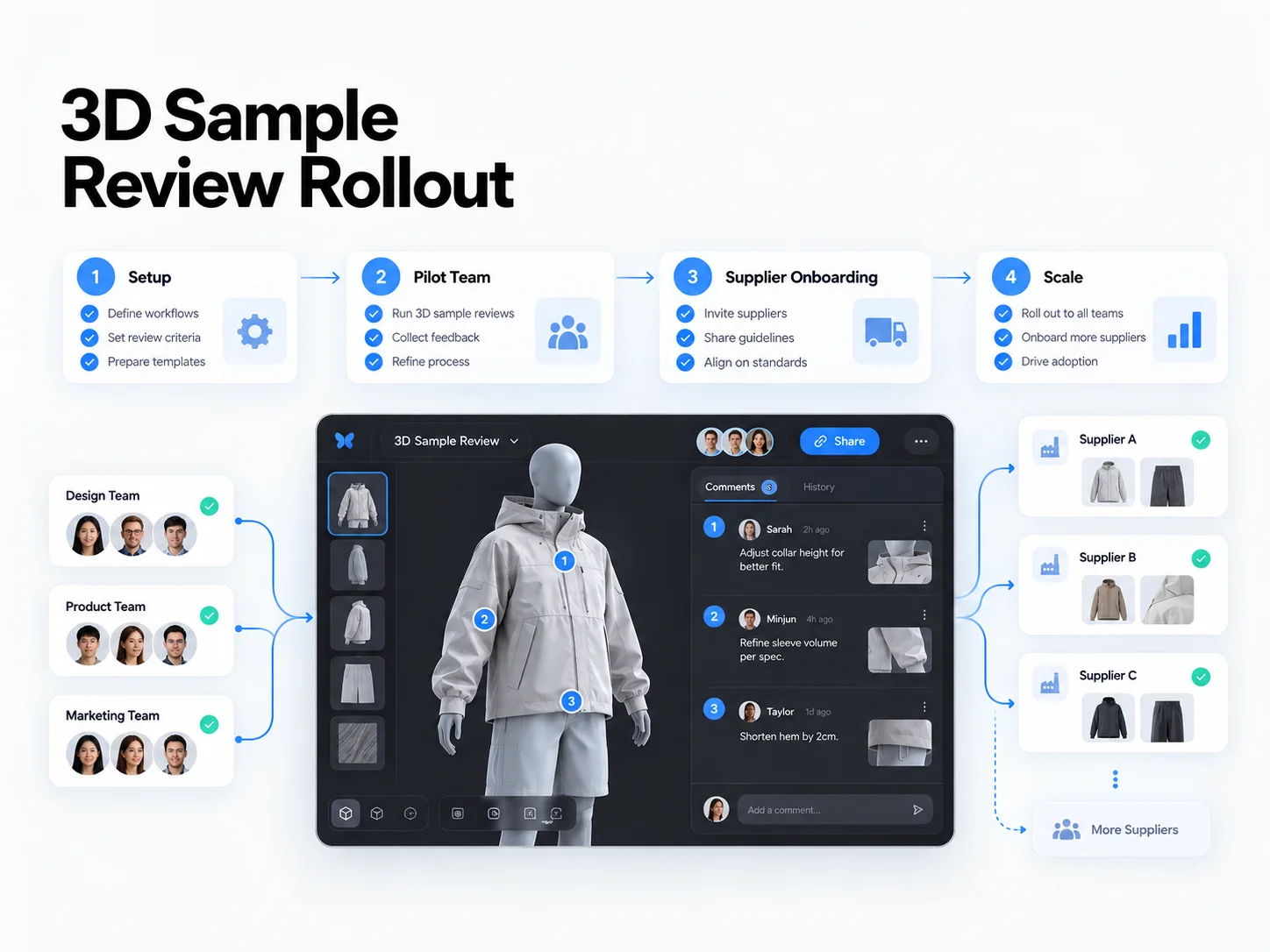
Teams can begin by configuring CLO-SET's Space structure and Workflow stages, then run an internal pilot with one product-development team. Once the review process is established, they can introduce selected supplier factories and gradually expand to additional teams and product categories.
CLO-SET supports this approach through Content-based 3D reviews, Comments, Annotations, Content Versions, role-based sharing permissions, and Content Analysis.
These capabilities allow organizations to introduce 3D review workflows according to their existing development processes, helping product teams and manufacturing partners work from the same garment designs and feedback.
What Changes When Product Teams Move Sample Review into 3D
Apparel sample reviews typically involve designers, technical designers, merchandisers, sourcing teams, and manufacturing partners.
In traditional physical sample reviews, participants may wait for samples to arrive, examine the garments, and exchange feedback before requesting additional revisions.
Introducing 3D sample reviews allows teams to inspect digital garments together, communicate design feedback, and compare revised versions during product development.
CLO-SET supports different responsibilities within this process.
Designer
Designers create or revise garments in CLO and upload the relevant 3D garment files to CLO-SET.
Brand and Product-Development Team
Brand and product-development teams review 3D garments in CLO-SET and use Annotations and Comments to communicate design feedback.
Based on the review results, they can identify required changes and determine the next development steps.
Manufacturer and Supplier
Manufacturing partners can review shared 3D garments and related product information, respond to design or construction questions, and perform follow-up activities according to their responsibilities and permissions.
CLO-SET supports managing multiple Content Versions within a Style Content item, along with related Comments and Attachments.
This allows teams to review the designs discussed during each round and understand which changes were requested.
Before introducing 3D sample reviews more broadly, organizations should establish a shared approach to reviewing garments, communicating feedback, and managing subsequent revisions.
Stage 1: Set Up the Space Structure and Development Stages
Start by identifying the people responsible for the platform and defining how product-development teams will organize their work.
CLO-SET provides a hierarchy of Spaces, including Group, Company, Brand, Season, and Workroom, along with role-based permissions.
Group Admins can manage access across the Group, while Company Admins and Brand Admins can manage relevant Spaces and users within their permitted scopes (CLO-SET Permission guide).
Assign Initial Platform Owners
For organizations managing multiple Brands, it can be useful to identify a person responsible for setup and access requests within each Brand.
For example, a designated Brand administrator may organize the Workrooms used by product-development teams and coordinate the permissions required by participating users.
Teams can also define the responsibilities of designers, technical designers, merchandisers, and sourcing representatives involved in sample reviews.
Configure Workflow and Status Names
In CLO-SET, Workflow is managed at the Content level, while Status is managed at the Colorway level.
Workflow and Status names are configured through Company Settings and can be managed by users with Company Admin permissions or above (CLO-SET Workflow & Status guide).
During initial setup, use development terminology that teams and manufacturing partners already understand.
For example:
| Field | Example Stages |
|---|---|
| Workflow (Content) | Concept, Proto Review, Fit Review, Pre-production, Ready for Production |
| Status (Colorway) | Proposed, In Review, Approved, Dropped |
Organizations can customize these names to reflect their own product-development processes.
Set the Lead Time End Stage
Workflow settings include Set Leadtime End Status, which allows teams to select the final stage used for development lead time analysis.
For example, an organization using Ready for Production as its final development stage may designate it as the lead time endpoint.
This configuration supports subsequent Workflow-based lead time analysis.
Before beginning the pilot, confirm that participating users understand the stage names and when each Workflow or Status should be updated.
Stage 2: Pilot with One Product Team
When introducing 3D sample reviews for the first time, begin with one product-development team and a limited selection of Styles.
For example, the pilot could focus on one product category within a particular season.
Selecting Styles that will go through multiple review rounds allows the team to practice both the initial review and the evaluation of revised designs.
Establish the Pilot Workflow
Begin with internal reviewers and define the following:
- Which Styles are included in the pilot
- Who is responsible for review decisions and follow-up activities
- When feedback should be submitted
- How revised garment files should be uploaded
- When Workflow stages should be updated
Workflow helps teams communicate the current development stage of each Style.
Within a Workroom, users can also filter Content by selecting the color chip associated with a Workflow stage (CLO-SET Workflow & Status guide).
Run Reviews with Comments and Annotations
Reviewers can inspect garments in the 3D Viewer and use Annotations to communicate feedback about specific design areas.
They can also use Content-level Comments for broader product-development discussions.
For example, when a sleeve needs to be shortened, a reviewer can create an Annotation from a viewpoint that clearly shows the sleeve and describe the requested adjustment.
The designer can review the feedback, make the adjustment in CLO, and upload the revised garment as a new Content Version.
Repeating this process helps the team establish a consistent way to conduct reviews and manage design revisions.
Review Each Pilot Round
After each review round, consider three questions.
1. Did reviewers know where to review the garment?
If feedback was shared through separate email conversations instead of the Content Page, the team may need clearer instructions about sharing access and using Comments.
2. Did the designer understand the requested changes?
If feedback was unclear, improve the team's use of Annotations and the wording of revision requests.
3. Was the revised garment uploaded as a new Content Version of the existing Style?
Uploading a revised file as a new Content Version helps the team retain its version history within the relevant Style Content.
Once the team can complete review rounds and coordinate subsequent revisions consistently, the rollout can expand to external manufacturing partners.
Stage 3: Bring in the First Supplier Factories
After the internal product team becomes familiar with the review process, introduce a small group of manufacturing partners that already work closely with the team.
For example, the organization might begin with two or three supplier factories.
This is a suggested pilot approach rather than a required number of participating factories.
Define each factory's responsibilities before the first review.
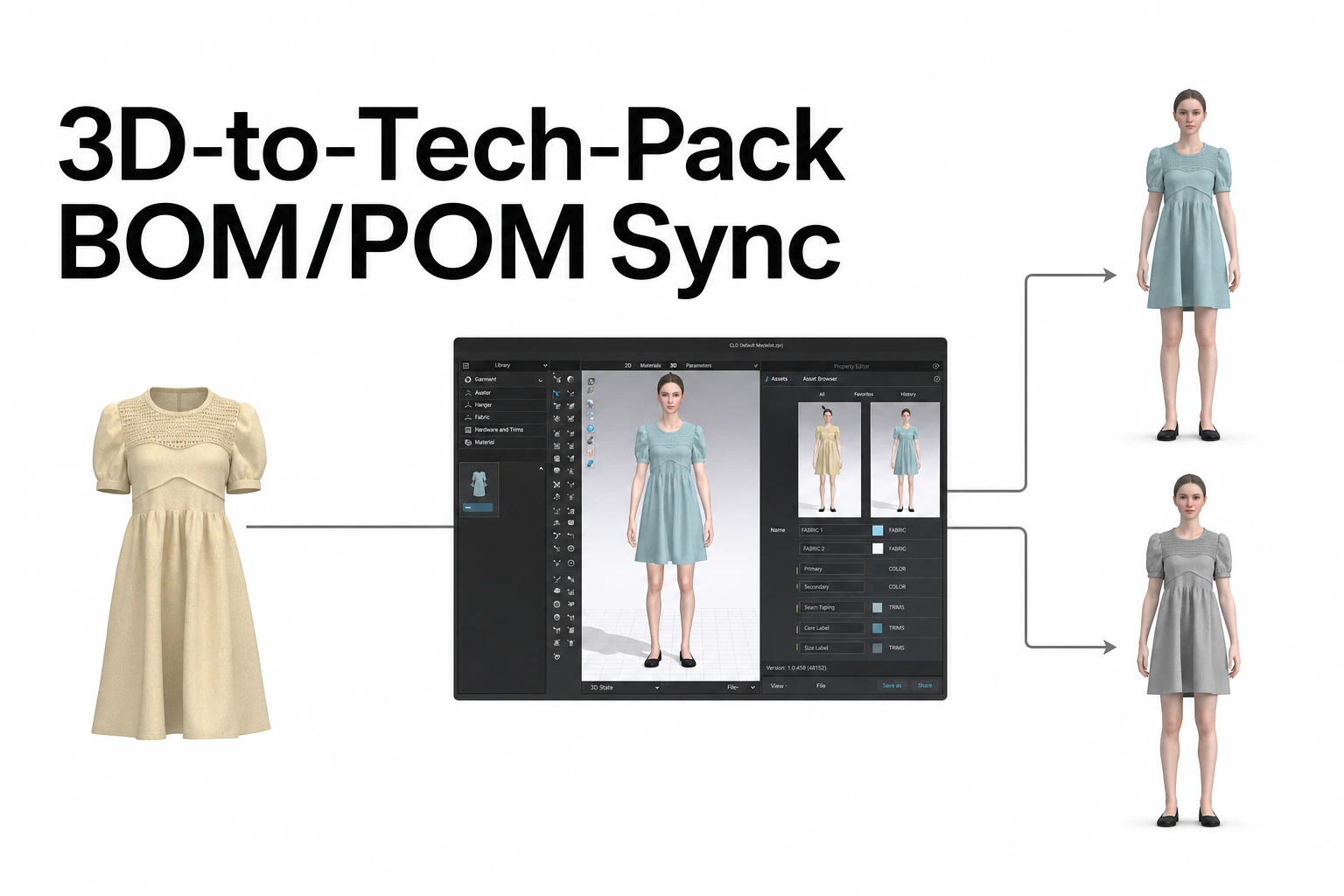
One manufacturer might answer questions about garment construction, while another may review BOM and POM information required for sample development.
Share the Appropriate Work with Each Factory
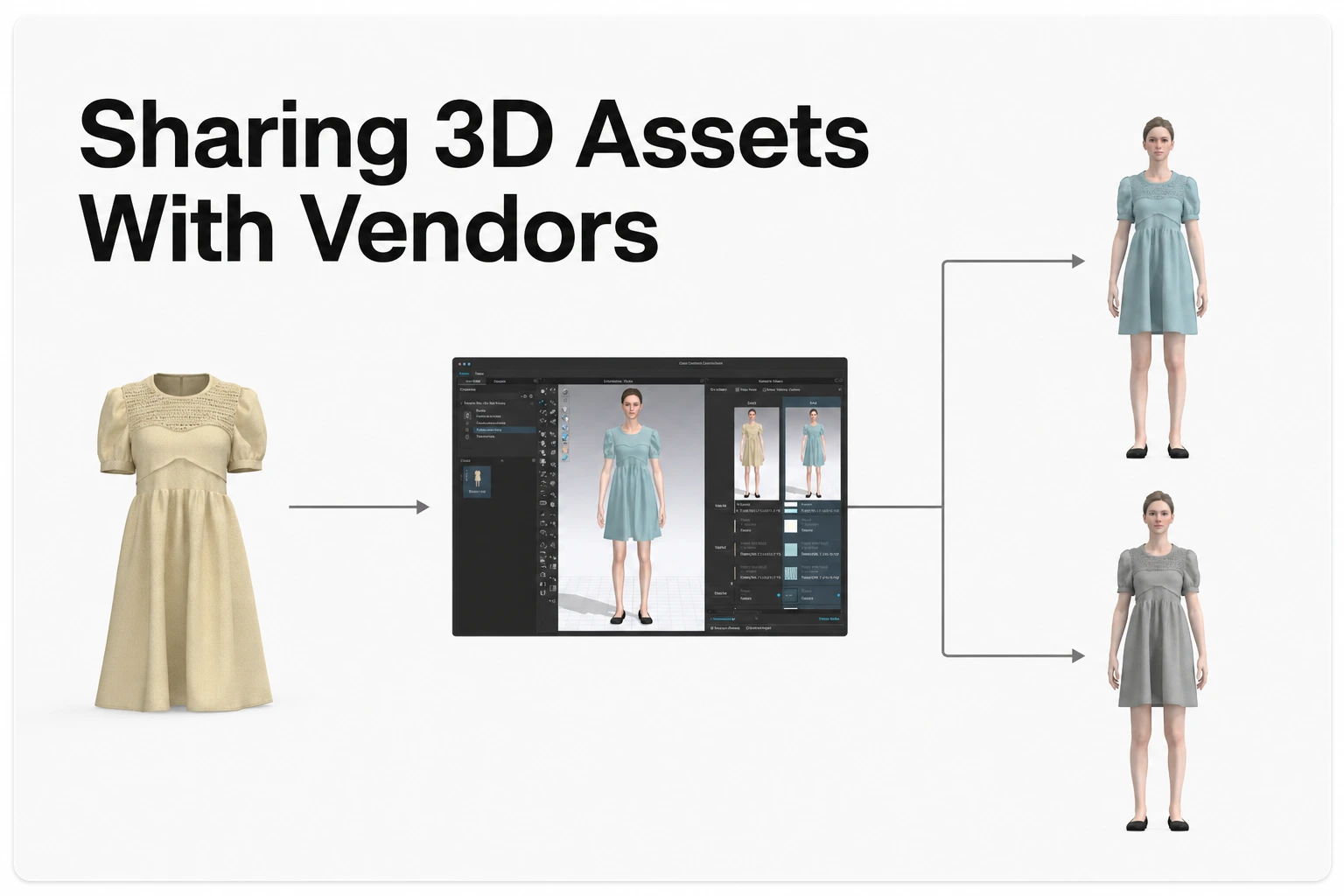
In CLO-SET, users with the appropriate permissions can share Workrooms, Assortments, or individual Style Content with other users (CLO-SET Invite/Share guide).
A team may share a specific Style with the factory responsible for its development or share a Workroom when a manufacturer needs access to several related Styles.
Choose the sharing scope according to the manufacturer's responsibilities.
Assign Editor or Viewer Permissions
External manufacturing partners should receive permissions that match the work they need to perform.
Editor
An Editor can perform supported editing and sharing activities within the Workroom, Assortment, or Content shared with them.
This role can be appropriate for factory representatives who need to update technical product information or perform other supported editing tasks.
Viewer
Viewer access is appropriate for manufacturing partners who need to inspect shared Content and provide feedback through supported Comments.
When sharing a supported Workroom or Style, Group members can also grant Viewers separate Enable Upload and Enable Download options.
Accessing or editing detailed Web Tech Pack information requires the relevant permissions, such as Admin, Collaborator, or Editor (CLO-SET Permission guide, Web Tech Pack guide).
Teams should select permissions according to the activities assigned to each manufacturing partner.
If factories need to download files, confirm the relevant sharing method, download permissions, and Group membership requirements.
Review Web Tech Pack Information with Factories
Manufacturing partners may need access to technical product information in addition to the 3D garment.
CLO-SET's Web Tech Pack includes five main sections.
| Section | Main Information |
|---|---|
| Overview | Style and basic Content information |
| BOM | Fabrics, trims, and related material information |
| Construction | Garment construction and technical specifications |
| Measurement (POM) | Measurement points and target dimensions |
| Cost Estimation | Material and trim costs and additional user-entered expenses |
BOM and POM can use relevant data from supported CLO garment files.
Cost Estimation can include fabric and trim costs along with manually entered expenses such as labor and transportation (CLO-SET Web Tech Pack introduction).
When a new supported Content Version is uploaded, users can choose whether to update the related Web Tech Pack information.
When assigning work to a factory, identify the relevant Content Version and review the corresponding BOM and POM information to confirm that it reflects the current design.
Run the First Factory Review
For factories joining the process for the first time, walk through a complete review using one Style.
A practical sequence is:
- Open the shared Style Content.
- Inspect the garment in the 3D Viewer.
- Review the relevant Comments and Annotations.
- Examine the necessary BOM and POM information.
- Communicate construction questions or feedback through Comments.
- Review the revised Content Version and subsequent tasks.
A short onboarding session can help factory representatives understand the review process before their first round.
It is also useful to designate an internal contact who can respond to questions about permissions, file uploads, and review procedures.
Stage 4: Expand to More Teams and Product Types
After the initial pilot and supplier review rounds, organizations can expand CLO-SET adoption to additional product teams and categories.
New teams can follow the Workflow stages and review practices established during the pilot, helping maintain a consistent development process across the organization.
For example, once the review process has been established for one apparel category, another product team can use it as a reference for its own initial reviews.
Include Non-CLO Files as Style Content
Not every product-development team will have 3D garment files when the rollout begins.
CLO-SET's June 2026 update introduced support for selecting a Content Type when uploading supported non-CLO files, including images and PDFs.
By selecting Style, users can register these files as Style Content and access supported BOM and POM options (CLO-SET June 2026 update).
For example, teams can register reference images or PDF tech packs as Style Content and manage relevant product information.
Supported BOM and POM information can be entered and maintained through the available options, allowing teams working with non-CLO files to participate in product-development workflows.
As teams become ready to incorporate supported 3D garment files, they can gradually extend their workflows to include 3D-based reviews.
Bring More Supplier Factories into the Process
As internal adoption expands, additional manufacturing partners can be introduced gradually.
Internal team members and suppliers who have already completed a review round may help explain the workflow to newly participating factories.
Maintain consistent onboarding practices:
- Share the Styles or Workrooms relevant to each factory.
- Assign Editor or Viewer access according to the required work.
- Identify the Content Version to be used for review or development.
- Designate a person responsible for reviewing and responding to factory feedback.
This allows new teams and manufacturing partners to build on the review process already established during the pilot.
Measure Rollout Performance Using Workflow Data
As organizations expand 3D sample reviews, it is useful to examine both platform adoption and development progress.
CLO-SET provides Content Analysis to help teams review Workflow-based lead times and Content activity records.
What Content Analysis Shows
Total Lead Time
Displays the period and number of days from Content creation to the most recent Workflow update.
Workflow Status & Lead Time
Shows Workflow updates and the duration between them.
Activity Analysis
Provides activity records associated with the Content.
Together, these views allow teams to investigate which stages are taking longer and what activities occurred during the relevant periods.
Content Analysis Requirements
Content Analysis requires Workflow to be assigned to the relevant Content.
According to CLO-SET's official documentation, the feature supports Content uploaded after February 6, 2025. Older files may need to be uploaded again as new Content to use the analysis functionality (CLO-SET Content Analysis update).
Compare Development Performance Before and After Adoption
Establishing baseline data before the pilot helps teams evaluate changes as adoption expands.
For example, an organization can compare Workflow stage durations between the pilot season and a previous season within the same product category, where comparable data is available.
This can help identify changes in review timing and areas where additional process improvements may be useful.
Teams may also track operational indicators such as:
- Participation in 3D review rounds across product teams
- Use of Content Versions during design revisions
- Factory participation in Comments and Annotations
- Consistency of Workflow updates across teams
- Progress in supplier factory onboarding
These are recommended operational measures that organizations can track as part of their rollout evaluation.
They complement the lead time and activity information available in CLO-SET.
Customer Example: APG & Co
Australian fashion group APG & Co has expanded its use of CLO and CLO-SET across its Saba, Sportscraft, and Jag brands.
According to APG & Co's reported FY25 results, also covered by Ragtrader, its adoption of 3D product-development workflows produced the following outcomes.
| Metric | APG & Co Reported Result |
|---|---|
| Development and fit sampling costs | 50% reduction |
| Print strike-off time | 80% reduction |
| Styles developed and managed across three brands | 100% using CLO and CLO-SET |
| Supplier factories onboarded | 10 |
| Woven factories covered by the onboarding | Approximately half |
APG & Co began adopting CLO in 2019.
Saba expanded its use of CLO across its development Styles in 2022, followed by Sportscraft and Jag in 2023.
By 2025, the group had trained and onboarded 10 supplier factories on CLO and CLO-SET.
Ragtrader also reported that APG & Co initially supported supplier factory license costs to encourage adoption.
APG & Co was named a finalist in the Best Use of Technology category at the 2026 Australian Fashion Industry Awards, highlighting its approach to technology adoption.
This example illustrates how an organization can expand 3D product development gradually, from internal product teams to multiple brands and manufacturing partners.
The results reflect APG & Co's reported experience using CLO and CLO-SET together over several years. Organizations can establish their own rollout targets based on their existing development processes and baseline data.
Rollout Checklist
Use the following checklist when introducing CLO-SET across internal product-development teams and supplier factories.
- Assign rollout owners: Identify an administrator responsible for setup and access within each Brand, along with a review decision owner for each pilot Style.
- Agree on Workflow and Status names: Configure development stages through Company Settings before the first review.
- Run an internal pilot: Complete an initial review and follow-up review of revised Content Versions with one product team.
- Bring in the first supplier factories: Share the relevant Styles with selected manufacturing partners and provide appropriate permissions and onboarding.
- Expand across teams and product types: Introduce additional product-development teams, non-CLO Style Content, and more supplier factories.
- Review development performance: Use Content Analysis to examine Workflow lead times alongside operational measures such as review participation and supplier onboarding.
A staged rollout helps organizations establish a consistent internal review process before expanding 3D-based collaboration across manufacturing partners.
Frequently Asked Questions
Who can set up Workflow and Status names?
Users with Company Admin permissions or above can configure Workflow and Status names through Company Settings.
Workflow is managed at the Content level, while Status is managed at the Colorway level.
Do all our Styles need to be in 3D before we start?
No.
CLO-SET supports registering images, PDFs, and other supported non-CLO files as Style Content by selecting the Style Content Type during upload.
These Style Contents can use supported BOM and POM options to manage relevant product information.
How do factories get access?
Users with Editor permissions or above can share eligible Workrooms, Assortments, or Content with manufacturing partners within their permitted scope.
The appropriate Editor or Viewer role can be selected based on each factory's responsibilities.
For supported Workroom or Style sharing, Group members can also grant Viewers separate Enable Upload and Enable Download options.
How can we tell whether the rollout is working?
CLO-SET's Content Analysis provides Total Lead Time and the duration between Workflow updates.
It supports Content uploaded after February 6, 2025, with Workflow assigned.
Organizations can review this information alongside their own operational measures, such as review participation, Content Version management, and supplier factory onboarding progress.
Source Note
This article is based on official CLO-SET product documentation, published customer stories, and industry reporting reviewed on October 30, 2026.
The review covers Space and permission management, Workflow and Status configuration, 3D sample review, Style Content support for non-CLO files, Web Tech Pack information, Content Analysis, and supplier factory onboarding.
The staged rollout sequence, suggested pilot team and factory counts, checklist, and operational measures are practical recommendations for apparel product-development organizations.
APG & Co's reported FY25 results reflect its experience adopting CLO and CLO-SET together over an extended period.
Official product and reference sources:
- CLO-SET: Permission, Invite/Share
- CLO-SET: Workflow & Status
- CLO-SET: Content Page Renewal, Review Design
- CLO-SET: Intro: Web Tech Pack, Web Tech Pack (WTP)
- CLO-SET: Style Content Support for Non-CLO Files — June 2026
- CLO-SET: Content Analysis — April 2025
- CLO-SET Customer Story: What 8 Years of 3D Adoption Actually Delivers: 50% Lower Sampling Costs and 80% Faster Strike-Offs
- Ragtrader: AFIA Finalists 2026: Best Use of Technology