Digital Sample Review Coordination for Product and Sourcing Teams: Workflow, 3D Annotations, and Signoff (2026 Guide)
Centralize digital sample reviews across merchandising, sourcing, and design. Learn how browser-based 3D annotation, 2D pattern review, workflow visibility, and structured review statuses can reduce reliance on disconnected email handoffs.
Key takeaways
- One place to review across teams: In CLO-SET, design, sourcing and merchandising teams can review 3D designs, 2D patterns and renders in a browser.
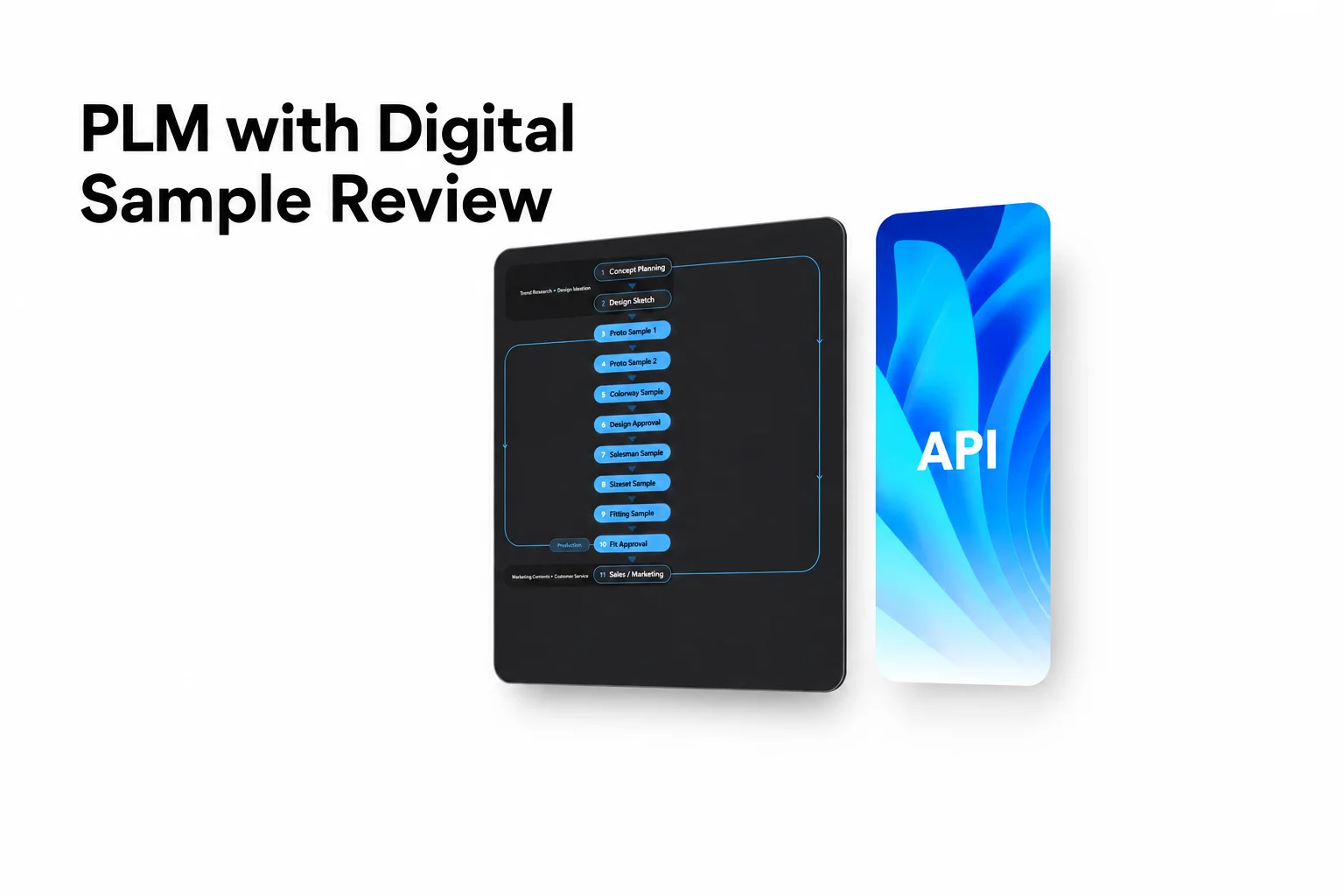
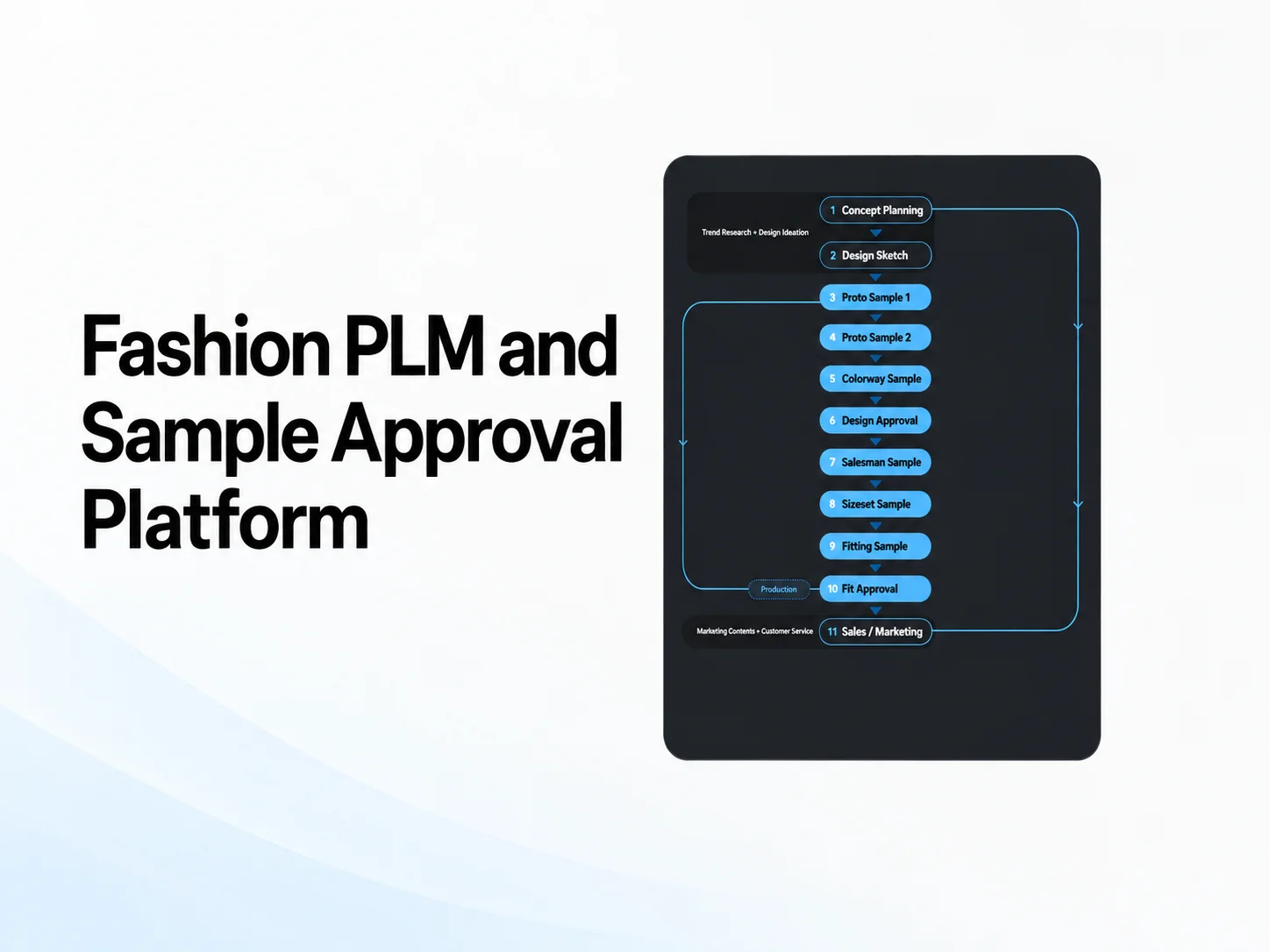
- Workflow visibility: CLO-SET provides configurable Workflow fields at the Content level and Status fields at the Colorway level for product-development processes.
- Inspection in 3D and 2D: CLO-SET includes a 3D Viewer, 2D Pattern Viewer, Strain Map and Quality Render with Depth Peeling.
- Explore design options during review: Users with supported permissions can use CLO-SET Configurator to adjust color, texture, and material properties online, compare visual options, and save the result as a new Colorway.
- Feedback and workflow status serve different roles: Comments, annotations, and 3D Quality Check provide review context, while Content-level Workflow and Colorway-level Status show where the product stands in the team’s review process.
- Handoff to production: CLO-SET Web Tech Pack connects 3D content with product information such as BOM, POM and cost information. Export options include Excel, PDF and POM CSV, depending on the feature and data.
The operational friction of traditional sample coordination
Apparel product development requires structured collaboration across fashion designers, patternmakers, merchandisers, product developers, and manufacturing partners. While garment design, patternmaking, simulation, and virtual sampling are created in dedicated 3D CAD software like CLO, coordinating reviews, communication, and milestone signoffs across distributed teams requires connected platform workflows. Centralizing 3D visual reviews, digital asset management, and web tech packs provides a unified environment for cross-functional stakeholders.
Centralizing review workflows addresses these coordination requirements by maintaining visual assets and feedback context in a shared system rather than across disconnected files.
Versioned Content provides teams with context for review as sample iterations progress.
Unified 3D and 2D visual review surfaces
A digital sample review platform should support technical review for patternmakers alongside visual review for merchandising stakeholders.
CLO-SET provides browser-based review surfaces, including the 3D Viewer, 2D Pattern Viewer, Strain Map and Quality Render with Depth Peeling (Review Design, 3D Viewer, 2D Pattern Viewer, Strain Map). These browser-based surfaces allow teams to review shared 3D content without opening CLO.
Configurator
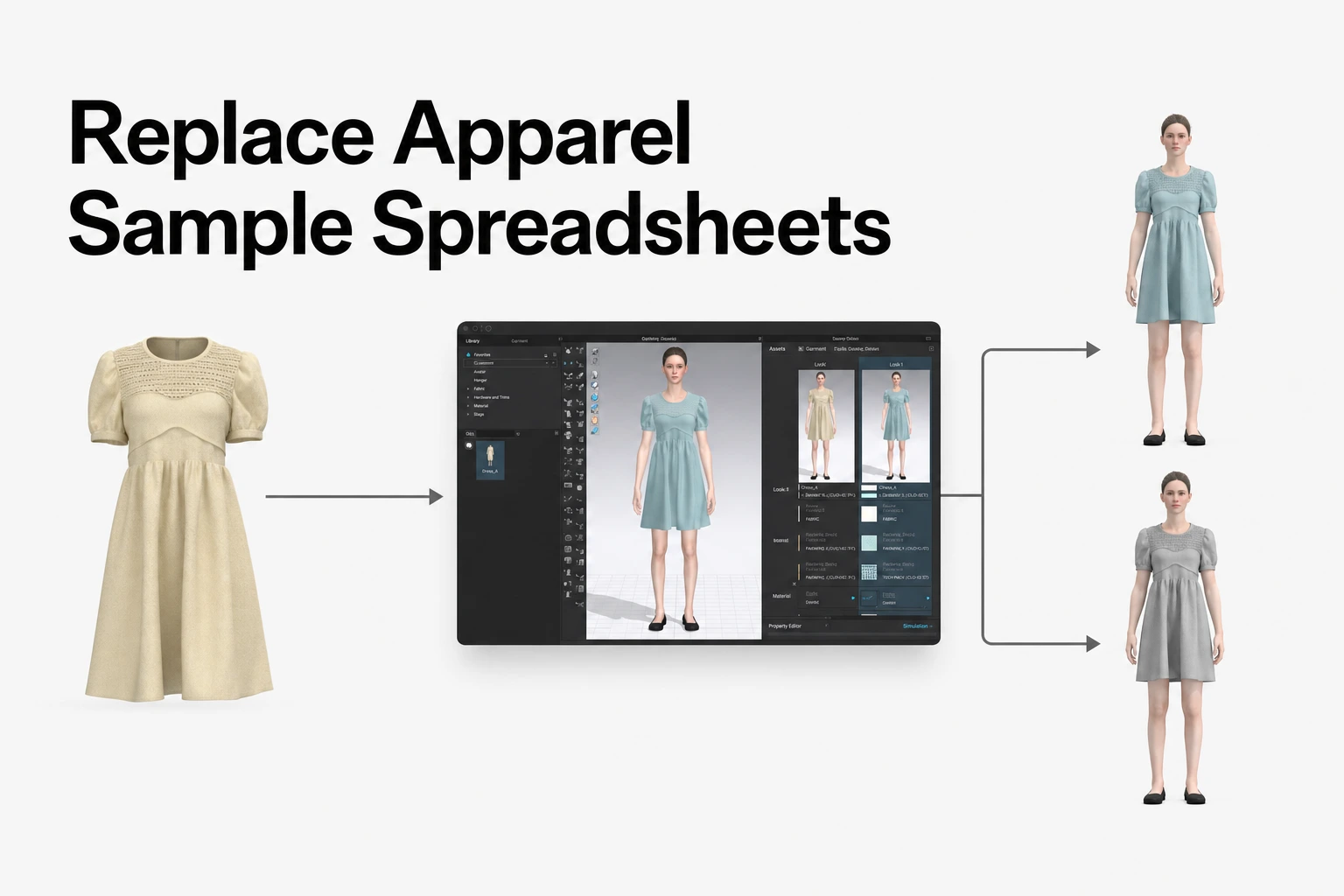
Users with Admin, Collaborator, or Editor permission can use CLO-SET Configurator to explore design options online. Teams can adjust supported color, texture, and material properties, compare visual alternatives, and save the result as a new Colorway. This allows teams to review visual options directly in CLO-SET without reopening the file in CLO for each visual change.
Keeping feedback on the style: annotations, versions, and translation
Coordinating sample revisions across distributed teams requires clear visual context and structured communication. When feedback is disconnected from 3D models or 2D patterns, communicating specific design alterations like fit adjustments or trim placements can create ambiguity between technical designers and manufacturing partners.
Annotations and comments
CLO-SET supports annotations and comments as ways to provide review feedback on shared content (Review Design, Annotation). The Annotation List allows teams to review annotations and their related discussion in one place.
Comments across versions
Comments can be viewed across Versions, and annotations can be copied to a new Version. This helps teams understand the context of feedback across sample iterations (Content Version Upload, Comment, Annotation).
AI-assisted comment translation
CLO-SET supports AI translation for comments. Where translation accuracy is important, have partners confirm technical terms, measurements and production-critical instructions.
Structuring approval governance and milestone tracking
A digital sample review workflow requires distinct boundaries between exploratory feedback, quality checks, and internally defined review or signoff stages.
- Review and comment: Comments and annotations provide review feedback.
- Check the file: CLO-SET 3D Quality Check checks supported CLO file properties against criteria configured by the organization. AI QC Bot (Beta) analyzes detected QC data and summarizes potential issues. Neither tool makes a formal approval decision.
- Update Workflow and Status: Workflow applies at the Content level, while Status applies at the Colorway level. These fields provide shared context for product-development workflows.
Clarifying feedback vs. formal approval
Comments and annotations capture working-level feedback and revision requests. Workflow and Status provide shared visibility into the team’s review and signoff process.
- Annotations and Comments: Working-level discussion and revision requests.
- 3D Quality Check and AI QC Bot (Beta): 3D Quality Check checks supported CLO file properties against criteria configured by the organization. AI QC Bot (Beta) analyzes detected QC data and summarizes potential issues. These features provide review context; they do not establish formal approval.
- Workflow & Status: CLO-SET provides configurable Workflow and Status fields for product-development processes. Workflow applies at the Content level, while Status applies at the Colorway level. Teams can use these fields to show where a Content or Colorway stands in their review or signoff process. Whether a particular Workflow or Status value constitutes formal signoff depends on the organization’s own approval process, responsibilities, and authority rules.
Agree in advance what each Workflow or Status value means within the team’s review process, including which stage indicates that a sample is ready for the next step.
Bridging review decisions to Web Tech Packs and production
Once a digital sample moves through development, product information must transition cleanly to manufacturing partners. Keeping review context and technical product information connected helps reduce the manual work between 3D review and a vendor-ready technical package.
CLO-SET Web Tech Pack connects 3D content with product information across five documented areas: Overview, BOM, Construction, Measurement, and Cost Estimation. These areas support product-development information including material details, construction information, POM data, measurements, and cost information (Web Tech Pack).
Overview: Provides an at-a-glance view of the Content’s overall product information. Teams can review key information such as Content details, Workflow, category, tags, description, version information, and other configured product fields. Schedule information can also support timeline management (Web Tech Pack Overview).
Teams can export product information using available formats including Excel and PDF, and export POM data as CSV. Available export content can vary by feature and update; not every data field is available in every format. Check that the Tech Pack reflects the intended current Version before sharing it externally (Excel Tech Pack, POM CSV export update).
Role-based workspace architecture and implementation
Structuring a scalable digital sample review workflow requires clear permission boundaries across internal teams and external reviewers or partners, including suppliers. CLO-SET uses a hierarchical organizational structure (Terms & Interface):
Group → Company → Brand → Line (optional) → Season → Workroom / Assortment → Content
Documented platform roles and permissions
CLO-SET roles include Group Admin, Company Admin, Brand Admin, Collaborator, Editor, Viewer and Group Operator. Viewer upload and download permissions can be configured. Group Operator accesses the Admin Console for group-level operational work and is not counted toward member billing (Permission, Billing Guideline).
Industry adoption in practice
CLO and CLO-SET customer stories show how fashion and manufacturing teams use digital workflows for sample review, product presentation, and remote collaboration.
- Deniz Textile: Deniz Textile uses CLO and CLO-SET to exchange virtual samples. Its digital workflow also reduces email back-and-forth and unnecessary physical sampling.
- TYH Textile: TYH Textile uses CLO to resolve fit tests quickly and reduce time during the sampling process. For customer presentations, the team uses CLO and CLO-SET with 3D Turntable videos to provide a detailed 360° view of the product.
- BMB Manifattura Borse Firenze: BMB uses CLO-SET to share 3D projects so participants can remotely review and modify virtual prototypes in real time.
- Fadinha 3D Studio: In CLO-SET’s published case study, Fadinha 3D Studio reduced review cycles by approximately 67%. This is an individual case-study result and should not be treated as a guaranteed outcome for other customers.
Do external reviewers or suppliers need CLO to review digital samples in CLO-SET?
CLO is not required for browser-based review in CLO-SET. External reviewers or partners, including suppliers, can review shared content in CLO-SET through a web browser. Available actions depend on the assigned role and sharing permissions.
How does CLO-SET help teams keep feedback in context between sample revisions?
CLO-SET supports Version context for collaboration and review. Comments can be viewed across Versions, and annotations can be copied to a new Version, helping teams understand the context of feedback across sample iterations.
What is the difference between review comments and formal signoffs?
Comments and annotations capture feedback and revision requests. Workflow and Status can show where a Content or Colorway stands in the team’s review and signoff process. Workflow applies at the Content level, while Status applies at the Colorway level. Whether a particular Workflow or Status value constitutes formal signoff depends on the organization’s defined approval process, responsibilities, and authority rules.
How does the platform assist communication with non-English-speaking suppliers?
CLO-SET supports AI translation for comments. Have partners confirm technical terms, measurements and production-critical instructions where translation accuracy is important.
What product information can Web Tech Pack support?
CLO-SET Web Tech Pack documents Overview, BOM, Construction, Measurement, and Cost Estimation areas, supporting product-development information such as material details, construction information, POM data, measurements, and cost information. Export formats and available content depend on the relevant feature and update.
Explore CLO-SET solutions
Streamline Your Digital Sample Reviews
Connect design, sourcing, and external reviewers with browser-based 3D review, feedback, and product information workflows.
Source note
CLO-SET feature descriptions in this guide are based on publicly available official CLO-SET Help Center documentation and official CLO/CLO-SET customer stories reviewed in October 2026. Product capabilities and availability may change. Customer outcomes are presented as individual case-study results and should not be treated as guaranteed performance.
- Visual review and feedback: Review Design, Annotation, 3D Viewer, 2D Pattern Viewer, Strain Map, Comment, and Content Version Upload.
- Configurator: Configurator, New Configurator.
- Workflow and review status: Workflow & Status.
- 3D Quality Check: 3D Quality Check, QC Bot (Beta), and AI QC Bot (Beta).
- Web Tech Pack: Web Tech Pack, Web Tech Pack Overview, Web Tech Pack Measurement, Excel Tech Pack, and POM CSV export update.
- Structure, roles, sharing, and billing: Terms & Interface, Permission, Invite/Share, and Billing Guideline.
- Deniz Textile: Deniz Textile CLO User Story.
- TYH Textile: TYH Textile CLO User Story.
- BMB Manifattura Borse Firenze: BMB CLO User Story.
- Fadinha 3D Studio: CLO-SET Fadinha case study.