Keep PLM, Add Digital Sample Review? An Architecture Comparison
Compare enterprise PLM alone with enterprise PLM alongside CLO-SET for fashion design, product-development collaboration, review, and practical system coordination.
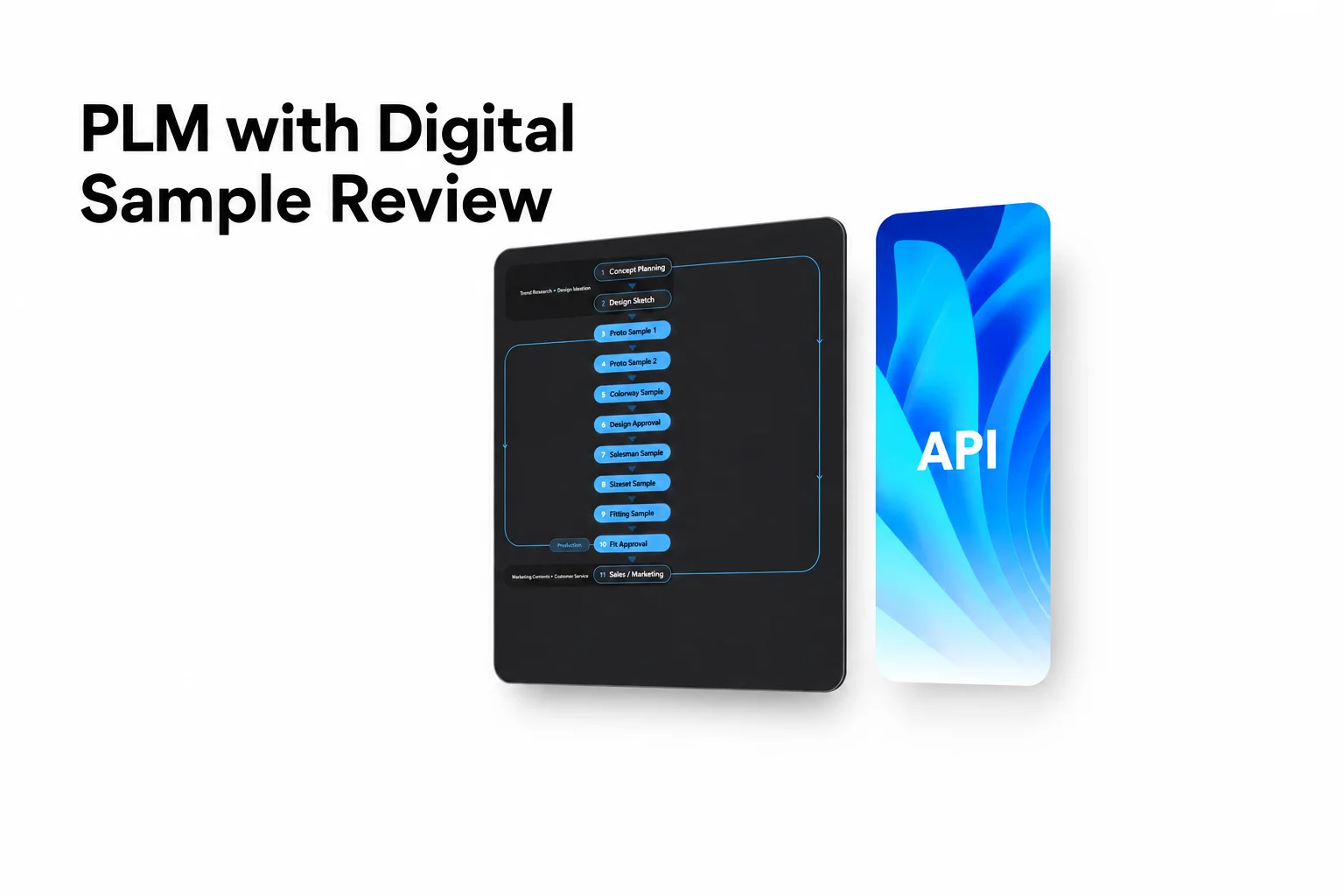
Fashion teams can keep their existing PLM while strengthening design collaboration, digital sample review, product information management, and cross-functional workflows with CLO-SET.
Key Takeaways
- Keeping enterprise PLM does not mean keeping every product-development activity inside PLM. Fashion companies can evaluate whether their existing setup meets their collaboration needs or whether an additional workspace would improve day-to-day work.
- CLO-SET supports more than visual sample review. It connects digital design assets, browser-based 3D reviews, product information, Web Tech Packs, Content Versions, and collaboration across fashion teams.
- PLM and CLO-SET can serve complementary purposes. A company may retain its existing PLM for governed product records and lifecycle processes while using CLO-SET for connected design and product-development collaboration.
- Teams do not need to begin with a custom API integration. Supported exports, shared product references, and agreed manual workflows can help teams coordinate between systems. Automated integration can be evaluated when needed.
- Start with a practical workflow. Test how designers, product developers, merchandisers, and external partners review the same product, communicate changes, and move information into the next stage of development.
Why Fashion Teams Consider CLO-SET Alongside PLM
Fashion product development involves more than maintaining product records.
Designers create and revise garments. Merchandising teams review collections and product options. Technical and product-development teams work with measurements, materials, and construction information. Sourcing teams and manufacturing partners need access to the relevant product details as development progresses.
Enterprise product lifecycle management (PLM) systems can support product information, lifecycle processes, and organizational controls. Their exact capabilities depend on the selected software, modules, integrations, and implementation.
Yet some fashion teams still use separate images, PDFs, spreadsheets, and email threads when reviewing digital samples or discussing changes with external partners.
For example, a brand may already manage its official product specifications in PLM while designers exchange rendered images by email, technical teams track revision feedback in spreadsheets, and manufacturing partners review downloaded files outside the main product record.
In that situation, the question is not necessarily whether to replace PLM.
A more useful question is:
How can fashion teams improve design and product-development collaboration while keeping the systems and processes they already rely on?
CLO-SET provides one option.
As a designer-first fashion collaboration platform, CLO-SET brings together digital design assets, product information, browser-based garment review, and collaborative workflows. It supports the work of designers and other fashion teams while connecting relevant information across product-development activities.
Organizations can evaluate CLO-SET alongside an existing PLM without assuming that the two platforms must perform identical roles.
Enterprise PLM Alone vs. Enterprise PLM + CLO-SET
There are two practical approaches for fashion companies evaluating their existing PLM environment.
Architecture Comparison
| Comparison Area | Enterprise PLM Alone | Enterprise PLM + CLO-SET |
|---|---|---|
| Overall approach | Continue using the existing PLM for product information and established workflows. | Maintain the existing PLM while adding a connected fashion collaboration workspace. |
| Product information | Manage product specifications and lifecycle information through the configured PLM environment. | Keep governed product records in PLM while using CLO-SET for relevant product information and Web Tech Pack workflows. |
| Digital design review | Use the review and visualization capabilities available in the deployed PLM configuration. | Use CLO-SET's browser-based 3D Viewer, 2D Pattern Viewer, Strain Map, and related review tools. |
| Design collaboration | Coordinate design feedback through the PLM's available collaboration functions. | Connect garment reviews with Comments, Annotations, Content Versions, and visual feedback. |
| Digital asset management | Use the PLM or associated asset-management environment. | Organize digital garment assets through Workrooms, Assortments, Company Library, and Linked Contents. |
| Product-development progress | Use the PLM's configured workflows and lifecycle states. | Continue existing PLM processes while using CLO-SET's Content-level Workflow and Colorway-level Status for development visibility. |
| External partner collaboration | Use the external access and collaboration features available in PLM. | Share selected Workrooms, Assortments, or Content with external reviewers and partners such as suppliers. |
| System coordination | Continue using the existing PLM's product information and established workflows. | Maintain the existing PLM while connecting CLO-SET's design and product-development collaboration outcomes through the approach that fits the team's workflow. |
| When to consider | Existing PLM capabilities sufficiently support the team's product-development and collaboration needs. | Teams want stronger digital design, visual review, product information, and cross-functional collaboration alongside their existing PLM. |
Option 1: Continue with Enterprise PLM Alone
An existing PLM environment may already support the collaboration and product-development processes a company needs.
Some PLM configurations provide product records, file management, sample workflows, review tools, permissions, and related workflow controls.
If designers, product developers, and external partners can perform their required work efficiently within the current setup, adding another platform may not be necessary.
The evaluation should focus on the capabilities actually available in the organization's deployed system rather than assuming that every PLM implementation has the same features.
Useful questions include:
- Can the relevant teams access and review the digital assets they need?
- Can reviewers identify the correct product and revision?
- Can designers and product developers communicate changes in context?
- Can external partners participate in the required collaboration activities?
- Does the existing environment support the team's product-information handoffs?
If the current system meets those requirements, the organization can continue improving its existing workflow.
Option 2: Keep Enterprise PLM and Add CLO-SET
A different approach is to retain the existing PLM while using CLO-SET for connected design and product-development collaboration.
In this arrangement, the company can continue managing its governed product records and lifecycle processes in PLM.
CLO-SET provides a workspace where fashion teams can organize digital design assets, review garments, share feedback, manage related product information, and collaborate with internal and external partners.
For example, a designer can upload a garment developed in CLO to CLO-SET. Merchandising and product-development teams can inspect the garment in a browser, discuss changes through Comments and Annotations, and review relevant product information.
The organization can then use its established PLM process for any official product-record updates.
The value of this approach is not simply adding another viewer. It is connecting design, product information, and collaboration around the work fashion teams perform every day.
How CLO-SET Supports Design and Product-Development Collaboration
CLO-SET brings together several capabilities that support different stages of fashion work, from creative planning and design review to product information and supplier collaboration.
1. Browser-Based Design and Digital Sample Review
Design reviews often involve multiple people who do not need to edit the original garment file.
A designer may create or revise a garment in CLO, while a merchandiser needs to evaluate its appearance and a product developer needs to discuss measurements or construction details.
CLO-SET lets teams review supported 3D garment content directly in a browser without installing CLO desktop.
Its review capabilities include:
| CLO-SET Capability | Product-Development Use |
|---|---|
| 3D Viewer | Rotate, zoom, and inspect supported garments from different angles. |
| 2D Pattern Viewer | Inspect supported pattern pieces and available pattern information. |
| Strain Map | Review the distortion rate between 2D patterns and their 3D state. |
| Quality Render | Review garments using enhanced browser-based visual quality. |
| Render Viewer | Examine available rendered images and Colorways. |
| Comments | Share questions and feedback related to product content. |
| Annotations | Mark a specific area or viewpoint to communicate visual feedback. |
Consider a designer reviewing a jacket with colleagues in different locations.
One reviewer may comment on the overall silhouette. Another may annotate the collar area to explain a suggested adjustment. A product developer can inspect the relevant pattern view and provide additional feedback.
These discussions remain connected to the product content rather than being scattered across unrelated emails and screenshots.
The garment can then be revised in CLO and uploaded to CLO-SET as a new Content Version for further review.
2. Creative Planning and Visual Collaboration
Fashion teams also need to communicate ideas before every product detail is finalized.
Visual Board supports creative work such as moodboards, concept presentations, and lookbooks using relevant visual assets.
Assortment allows teams to organize and review multiple styles together.
These tools can help designers, creative teams, and merchandisers align on the visual direction of a collection and review related products in context.
For example, a team preparing a seasonal collection can use Visual Board to communicate design direction and Assortment to review several developed styles together.
This makes CLO-SET relevant beyond a technical sample-inspection workflow.
It supports how fashion teams communicate concepts, review products, and connect creative work with subsequent product-development activities.
3. Digital Asset Organization and Content Versions
As a collection develops, designers and product teams work with multiple garment files, materials, pattern blocks, and revised designs.
Without a consistent structure, identifying the correct asset or understanding its development history can become difficult.
CLO-SET organizes work through a hierarchy that includes:
Group → Company → Brand → Line (optional) → Season → Workroom / Assortment → Content
Within this environment, teams can use Content Versions to maintain successive revisions of the same product content.
They can also use Linked Contents to create relationships between separate assets, such as an original pattern block and a style developed from that block.
The Company Library provides a shared resource for managing and reusing relevant digital assets.
Together, these features help teams:
- Organize digital garments and related product files
- Maintain a history of product revisions
- Identify relationships between reusable assets and developed styles
- Share relevant assets across authorized teams
- Keep product-development work connected to its digital content
Content Versions and Linked Contents serve different purposes.
A new Version represents a revision of existing Content. Linked Contents connect separate but related Contents through a Parent–Child relationship.
4. Product Information and Web Tech Packs
Fashion product development depends on accurate product information as well as visual design.
CLO-SET supports Web Tech Pack workflows connecting supported garment data with information used during product development.
Relevant areas include:
- Overview: Style-related information and development context
- BOM: Materials and trim information
- Construction: Garment construction information and related annotations
- Measurement (POM): Points of measurement and related measurement information
- Cost Estimation: Product costing information, including applicable fabric, trim, labor, and transportation costs
Supported BOM and POM information can be obtained from compatible CLO garment files.
Teams can review and manage additional information according to their product-development requirements.
When a revised garment file is uploaded as a new Content Version, users can select UPDATE to refresh supported Web Tech Pack information for that Version.
Available exports include Excel and PDF Tech Packs, along with POM CSV.
These capabilities help teams work with technical product information in the same broader environment as digital garment assets and collaboration.
When CLO-SET is used alongside PLM, a company can determine which information is maintained for collaborative development in CLO-SET and which records remain authoritative in PLM.
5. Workflow Visibility and External Collaboration
Product-development work frequently involves people outside the original design team.
CLO-SET supports collaboration between designers, merchandisers, product developers, sourcing teams, and external reviewers or partners such as suppliers.
Teams can use:
- Content-level Workflow to communicate product-development stages
- Colorway-level Status to manage progress at the Colorway level
- Comments and Annotations to exchange feedback
- Editor and Viewer permissions to share relevant Workrooms, Assortments, or Content
- Content Versions to review successive design iterations
For example, a brand can share selected Content with a manufacturing partner for review.
The partner can inspect the garment through the browser and provide relevant feedback according to the assigned permissions.
The internal team can then evaluate that feedback, coordinate the next design changes, and continue development.
This connects internal and external collaboration without requiring every participant to work directly in the original garment-authoring application.
A Designer-First Approach to Connected Fashion Workflows
CLO-SET's value is broader than any single technical function.
Designers and fashion teams work across creative planning, visual development, product information, reviews, and collaboration. These activities are closely related, even when different departments or software systems are involved.
A designer-first collaboration approach keeps the creative work and the people working with it at the center.
For example, a collection concept may begin with a Visual Board. The team can then organize garment designs, review variations, discuss changes, and manage related product information as development progresses.
External partners can participate in the relevant reviews and product-information handoffs.
This creates a connected workflow across:
Design → Product Planning → Product Development → Supplier and Production-Related Collaboration
The emphasis is on making these activities easier to coordinate while keeping digital assets and product information accessible in context.
For organizations that already use enterprise PLM, this approach can complement their existing lifecycle-management environment.
It allows CLO-SET to support day-to-day design and product-development collaboration while the organization continues using its established systems for other responsibilities.
Keeping Review Outcomes Connected to Product Information
When fashion teams use multiple platforms, they need a clear way to understand which product has been reviewed and what should happen next.
This does not require every discussion to become a formal approval record.
Instead, teams can establish a practical method for connecting review feedback, product revisions, and follow-up work.
Consider a product developer reviewing the fourth Version of a jacket.
A reviewer leaves an Annotation requesting an adjustment to the collar. Another team member adds a Comment explaining the design intent.
The product developer reviews the feedback and coordinates the next action.
If the organization maintains an official product-development record in PLM, the relevant owner can update that record according to the company's existing process.
Useful Information for Review Coordination
| Information | Why It Matters |
|---|---|
| Product identity | Identifies the Style, product, Season, or Colorway being discussed. |
| Reviewed Version | Clarifies which garment revision received the feedback. |
| Review scope | Identifies whether the discussion concerns design, construction, measurement, or another requirement. |
| Review participants | Helps teams understand who contributed feedback and who owns the next action. |
| Feedback or outcome | Summarizes the discussion and what the team decided to do next. |
| Supporting context | Connects relevant Comments, Annotations, or visual references. |
| Open actions | Identifies outstanding changes and responsible team members. |
| PLM reference, if applicable | Helps connect the collaboration activity with the organization's product record. |
These are suggested fields for organizing a workflow, not a list of automatic CLO-SET approval-record features.
CLO-SET provides review and collaboration capabilities that can support the process.
Organizations determine how final decisions are documented and which system maintains the official record.
When a New Garment Version Is Uploaded
A design change can affect the relevance of earlier feedback.
For example, an Annotation on Version 3 may describe a construction detail that has already been changed in Version 4.
Teams should make it clear which Version is being reviewed and whether a previous comment still requires attention.
Content Versions help keep iterations organized.
The team can then decide whether the revised garment needs another review, which open items should be revisited, and what information should be updated in the existing product-management process.
Practical Ways to Coordinate CLO-SET and an Existing PLM
Using CLO-SET alongside PLM does not automatically require a new systems-integration project.
The appropriate coordination method depends on the company's existing systems, collaboration requirements, and the information that needs to move between teams.
Common Coordination Approaches
| Approach | How It Can Work |
|---|---|
| Agreed manual workflow | Relevant team members review information in CLO-SET and update their existing PLM processes when required. |
| Supported file exports | Teams use available Tech Pack or data exports to support product-information handoffs. |
| Shared product references | Teams use agreed Style IDs, product references, and Version information to identify corresponding records. |
| Custom integration | An organization evaluates available APIs and builds supported connections according to its requirements. |
A company can begin with a simple, clearly defined workflow.
More extensive automation may be useful as the number of products, users, or information exchanges increases, but it is not a prerequisite for beginning collaborative work in CLO-SET.
What the CLO-SET API Supports
CLO-SET provides APIs for supported structure and Style operations, along with supported rendering requests and result retrieval.
Organizations considering a custom PLM integration should review the current API documentation and identify which operations are available for their intended use case.
An API does not, by itself, mean that CLO-SET automatically synchronizes product records, approval decisions, or lifecycle states with a particular PLM.
Those capabilities depend on the specific implementation and the features supported by both systems.
Five Steps for Defining a Practical Handoff
1. Agree on product identifiers
Determine how teams identify the corresponding Style or product in CLO-SET and PLM.
If necessary, include Season, Colorway, or Sample Type information.
2. Identify the relevant Version
Ensure that the product review refers to the correct garment revision.
This helps prevent teams from acting on feedback associated with an earlier design.
3. Define which information needs to be shared
Not every Comment or Annotation must be copied into PLM.
The team can decide which review outcomes, product changes, and supporting references are relevant to the established product-management process.
4. Assign responsibility
Identify who reviews feedback, coordinates design changes, and updates the relevant product information.
Different organizations may assign these responsibilities to designers, technical teams, product developers, or sourcing teams.
5. Test the workflow
Run an actual product-development example to confirm that participants can locate the correct product, understand the feedback, and complete the required handoff.
These steps are operating recommendations rather than a requirement to implement a particular API or technical connector.
Example Workflow: CLO, CLO-SET, and Enterprise PLM
Consider a fashion brand that already manages its official product records through enterprise PLM.
The brand wants to improve collaboration between its design, merchandising, product-development, and manufacturing teams.
One possible workflow is:
Step 1. Create or Revise the Garment in CLO
A designer works on the garment in CLO, creating or modifying the digital design and related pattern information.
The designer prepares the supported garment file for team review.
Step 2. Organize the Design in CLO-SET
The garment is uploaded to the relevant CLO-SET Workroom.
If the product already exists as Content, a revised file can be uploaded as a new Version.
The team can identify the garment and its revision within the broader collection or development context.
Step 3. Conduct Cross-Functional Review
Designers, merchandisers, and product-development teams open the garment in CLO-SET.
They inspect its appearance and use available 3D or 2D review tools as appropriate.
Comments and Annotations help them communicate design observations and proposed changes.
Step 4. Involve External Partners
Where required, the brand shares selected Workrooms, Assortments, or Content with external reviewers or partners such as suppliers.
Partners can review relevant product information and provide feedback according to their permissions.
The team can continue the discussion in the context of the shared product content.
Step 5. Review Product Information
The product-development team reviews relevant BOM, POM, Construction, and Cost Estimation information.
When a new Garment Version is uploaded, the team can use UPDATE to refresh supported Web Tech Pack information.
Excel/PDF Tech Packs or POM CSV exports can support appropriate downstream handoffs.
Step 6. Coordinate Relevant PLM Updates
If the review results in changes that must be reflected in the organization's official product records, the responsible team member follows the existing PLM process.
The company can use an agreed manual handoff, supported exports, or a custom integration where appropriate.
Step 7. Continue Product Development
The designer makes the next required changes in CLO.
The updated garment can be uploaded to CLO-SET for further collaboration.
Product-development teams continue working with the relevant design assets, information, and feedback while maintaining the established PLM responsibilities.
This example illustrates how the three environments can support complementary activities.
It does not imply automatic synchronization between CLO-SET and a specific enterprise PLM.
How to Pilot CLO-SET Alongside an Existing PLM
Before introducing a new collaboration workflow across an entire organization, fashion teams can test it with a representative product.
The goal is to understand whether the approach improves actual product-development work.
A pilot does not have to begin with a complex integration project.
Instead, start with one Style, a small number of participants, and a defined review activity.
Step 1. Select a Representative Product
Choose a garment with an existing PLM record and a supported 3D file.
A product currently undergoing design or sample review is especially useful because the pilot can observe a real collaboration process.
Step 2. Define What Needs to Improve
Identify the practical problem.
For example:
- Feedback is scattered across email threads.
- Reviewers struggle to identify the latest garment revision.
- Designers need a clearer way to communicate changes.
- Product-development information is difficult for external partners to review.
- Teams spend time preparing separate images or documents for visual feedback.
Step 3. Prepare Two Garment Versions
Upload an initial garment Version and prepare a revised Version.
This allows the team to test how participants interpret feedback and identify changes across revisions.
Step 4. Run a Browser-Based Review
Ask the relevant designers, merchandisers, or product developers to inspect the garment in CLO-SET.
Use Comments and Annotations to communicate feedback.
When useful, include supported 2D Pattern Viewer or Strain Map views.
Step 5. Review the Updated Version
Upload the revised garment.
Ask reviewers to confirm whether the previous feedback has been addressed and identify any remaining changes.
Evaluate whether the Version history makes the discussion easier to follow.
Step 6. Test the Agreed PLM Handoff
If the company's workflow requires a PLM update, test the process chosen for transferring the relevant information.
This may be a manual action, a supported export, or an integration already available to the organization.
Confirm that the intended product and Version are clearly identified.
Step 7. Include the Relevant Teams
Repeat the process with the roles expected to use it.
These may include designers, product developers, technical teams, merchandisers, sourcing teams, and external partners.
Check that users can access the relevant assets and understand how feedback should be handled.
Evaluate the Pilot
| Evaluation Area | Questions to Ask |
|---|---|
| Review usability | Can participants find and inspect the correct garment without unnecessary file exchanges? |
| Version traceability | Can reviewers distinguish the original design from the revised Version? |
| Feedback clarity | Do Comments and Annotations help explain the requested changes? |
| Handoff reliability | Can the necessary information reach the established product-management process? |
| Role ownership | Does each participant understand what they need to review, update, or communicate? |
A successful pilot should demonstrate that the collaboration workflow is useful to the people performing the work.
From there, the company can decide whether to extend the approach to more products, teams, or manufacturing partners.
Choosing the Right Setup for Your Fashion Team
The best architecture depends on the organization's existing systems and collaboration requirements.
Keep Enterprise PLM Alone When
- The current PLM supports the required design and product-development workflows.
- Relevant reviewers can access the visual information they need.
- Feedback and product revisions are already easy to manage.
- Existing external collaboration processes meet the team's requirements.
- The organization does not identify a meaningful gap that another workspace would address.
Consider Enterprise PLM + CLO-SET When
- Designers and other teams need a connected environment for digital garment review.
- Visual feedback is scattered across separate images, PDFs, or emails.
- Product teams want to organize 3D assets, Versions, and related information more effectively.
- BOM, POM, and Web Tech Pack workflows would help connect design work with product information.
- Merchandising teams need visual tools for reviewing styles or collections.
- External reviewers and partners such as suppliers need to collaborate around shared product content.
- The organization wants to strengthen fashion product-development collaboration while maintaining its existing PLM.
The decision should reflect the team's actual workflow rather than an assumption that every platform must handle every stage of the product lifecycle.
For many fashion organizations, the important question is not which system replaces the other.
It is how the systems they choose help designers and product teams move from creative work to coordinated product development.
Frequently Asked Questions
Can Comments and Annotations Support a Formal Approval Process?
Yes. Comments and Annotations can provide useful context and supporting evidence during a team's review and approval process.
They help participants communicate observations, identify specific garment details, and discuss proposed changes.
Organizations can manage any required final approval decisions, responsible approvers, reviewed revisions, and outcomes through their established workflow, including PLM where applicable.
Does Every Review Comment Need to Be Copied into PLM?
No.
Detailed design discussions can remain in CLO-SET while relevant product changes and final decisions are handled according to the organization's PLM process.
Teams should decide which information needs to be included in the official product record and how participants can find the associated feedback when required.
What Happens When a New Sample Version Is Uploaded After a Review?
CLO-SET allows teams to upload a revised garment as a new Content Version.
Reviewers can identify the relevant Version and evaluate whether earlier feedback has been addressed.
The organization determines whether further review is needed and how any resulting product changes should be reflected in its established processes.
Does a Company Need an API Integration Before Using CLO-SET Alongside PLM?
No.
Fashion teams can begin by using CLO-SET and their existing PLM alongside each other with clearly defined responsibilities.
Supported exports, shared product references, and agreed manual handoffs can help coordinate information.
If the organization later needs more extensive automation, it can evaluate the available APIs and the implementation requirements of both systems.
Source note
This article is based on publicly available official CLO-SET product documentation, Help Center materials, and relevant fashion-industry PLM research reviewed in October 2026. The architecture comparison, system-coordination examples, and pilot workflows are illustrative and should be adapted to each organization's existing PLM configuration and product-development requirements.
- CLO-SET — Product and design collaboration: Official Features, 3D Viewer, 2D Pattern Viewer, Review Design, Workflow & Status
- CLO-SET — Digital assets and product information: Web Tech Pack, Content Version Upload, Company Library, Linked Contents
- CLO-SET — Collaboration and presentation: Permission, Visual Board, Assortment, Virtual Showroom
- CLO-SET — API: Official CLO-SET API Documentation
- PLM — Fashion industry research: Fashion-industry PLM implementation case study
Disclaimer: This article was prepared in October 2026 based on publicly available official product pages, Help Center documentation, research materials, and other published sources available at the time. Product features, APIs, integrations, permissions, availability, and other specifications may change over time. Readers should verify the latest information through official documentation or directly with the relevant provider at the time of evaluation.
Learn More
See how these criteria hold up on the real thing.