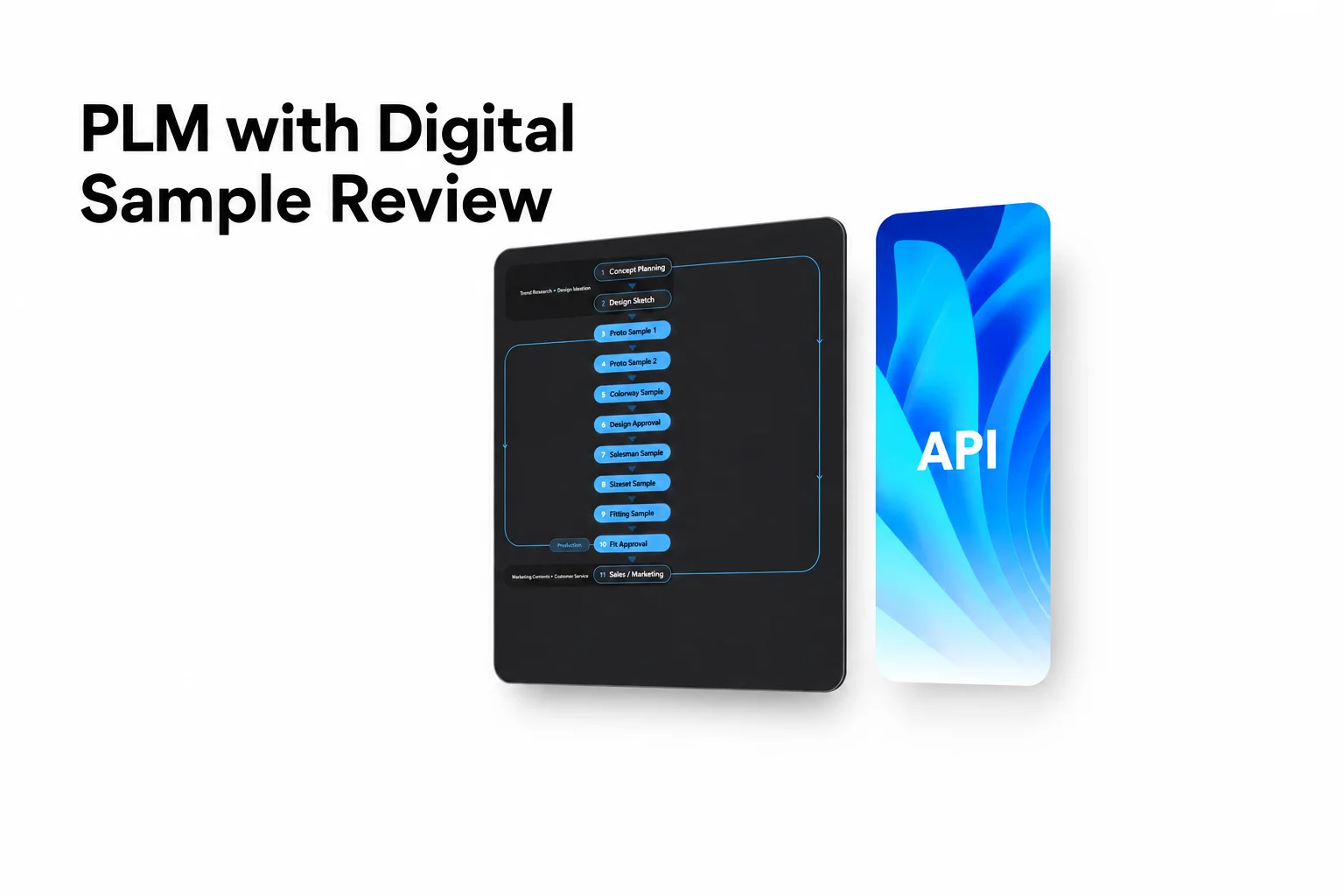
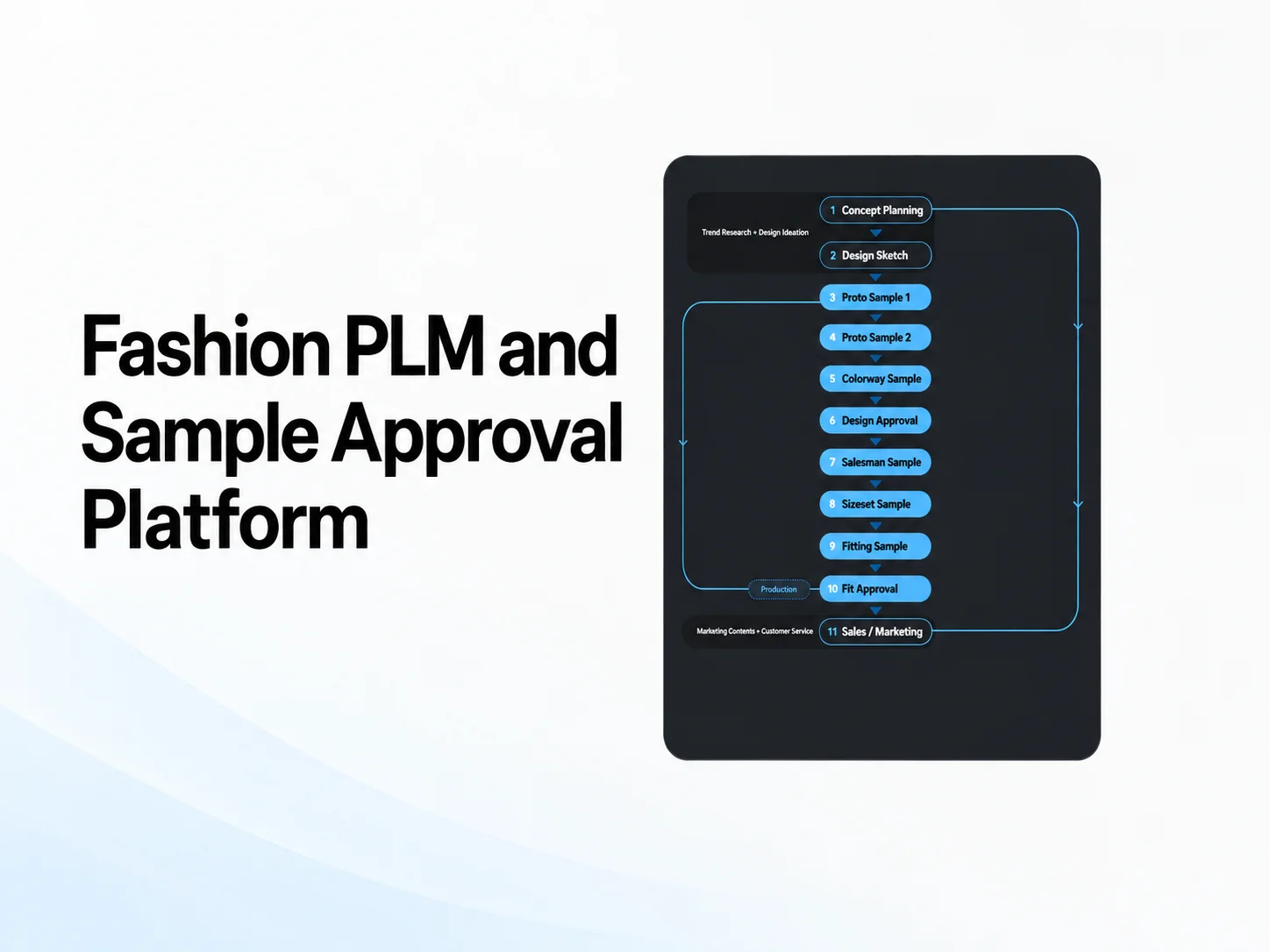
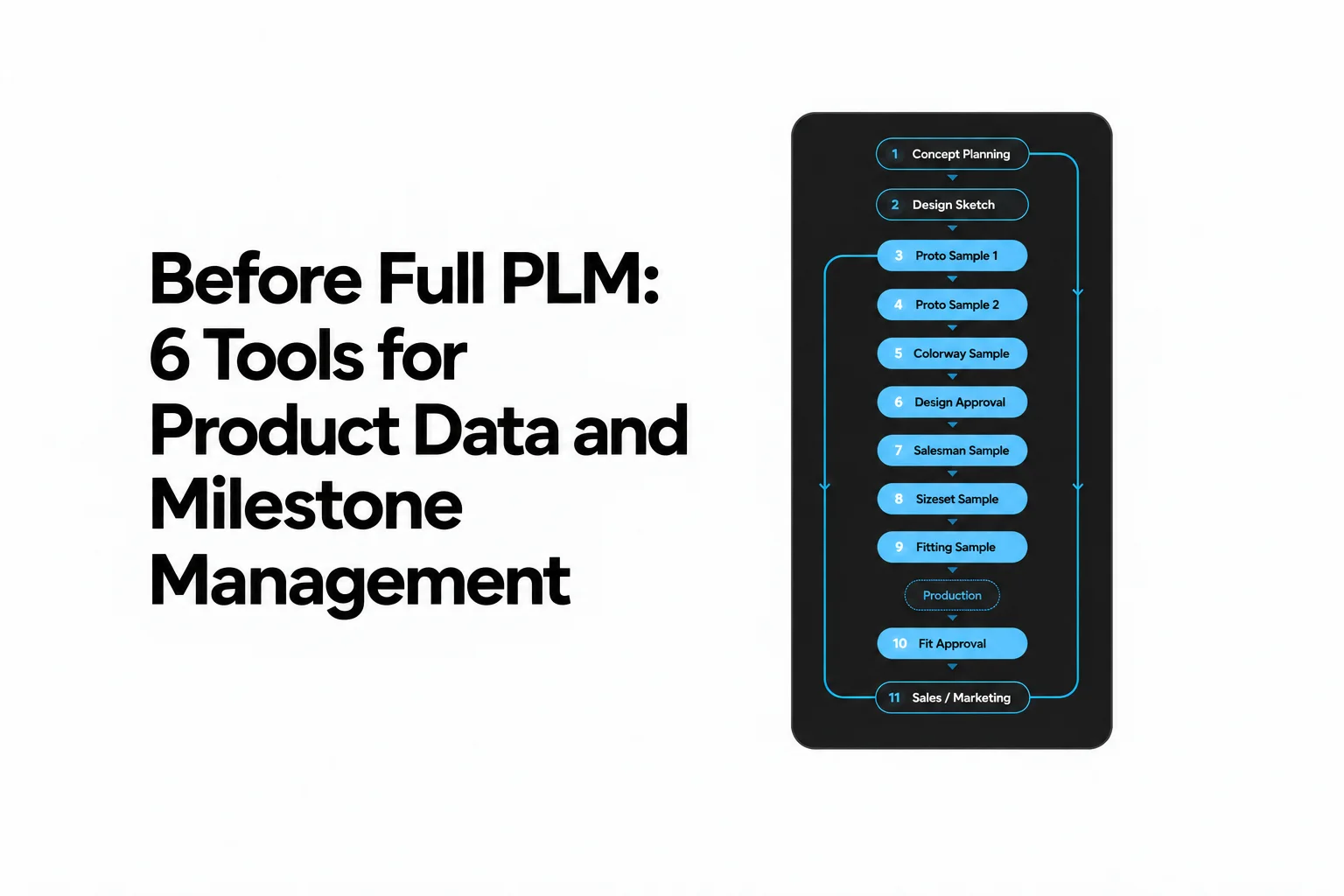
How to Replace Apparel Sample Spreadsheets: 3D Reviews, Web Tech Packs, and Asset Governance (2026 Guide)
A practical workflow guide for fashion brands to eliminate sample spreadsheets, connect 3D reviews with automated Web Tech Packs, and govern versioned garment assets.
Key takeaways
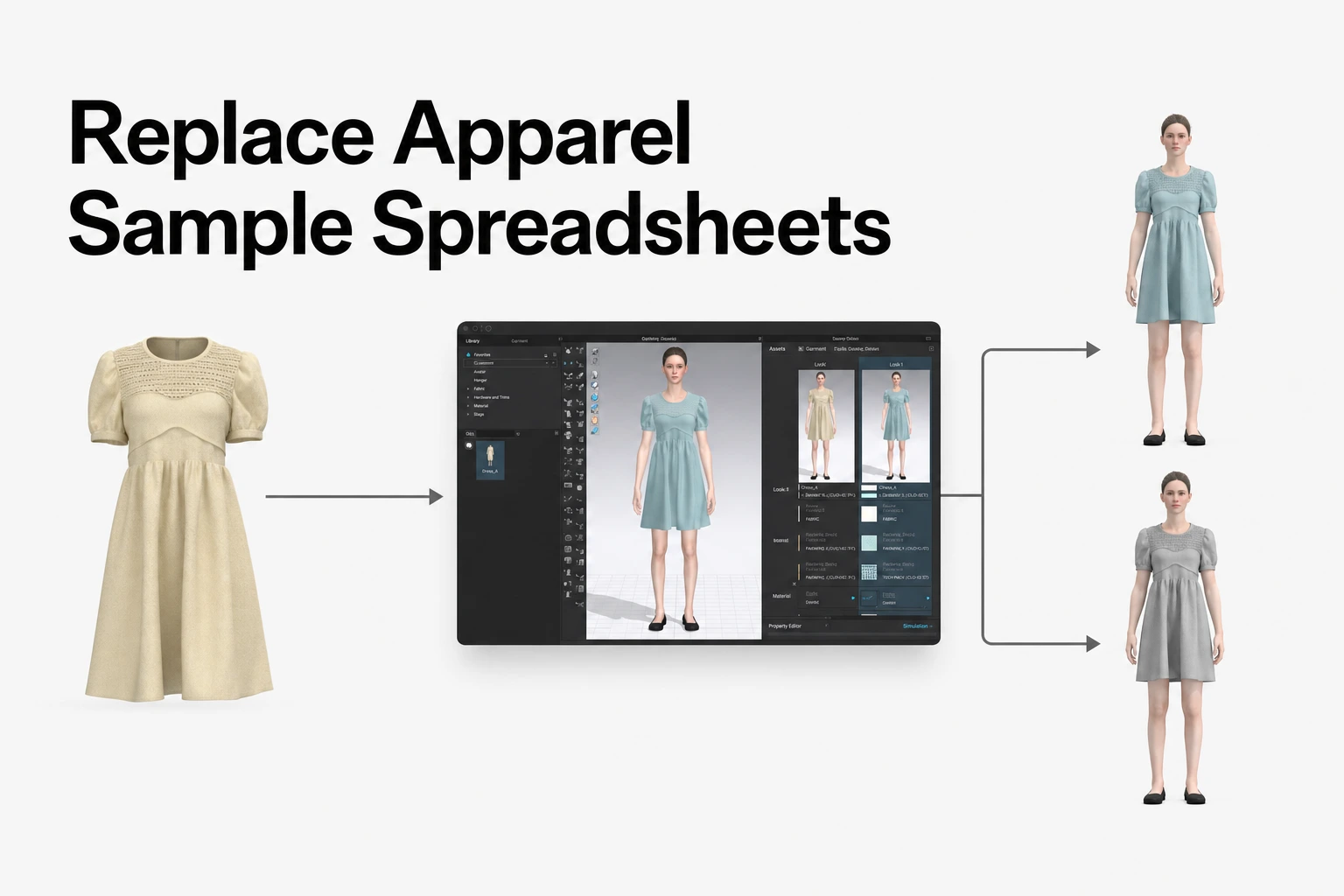
- Bring reviews and product information together: Use CLO-SET to review supported 3D garment files in a browser, keep feedback with product content, and organize Web Tech Pack information, versions, and digital assets in one connected workspace.
- Connect visual review with product details: Review garments in the 3D Viewer, inspect supported patterns in the 2D Pattern Viewer, and use Strain Map views to inform fit and pattern discussions.
- Use Web Tech Pack information as a shared working record: Review Overview, BOM, Construction, Measurement (POM), and Cost Estimation information, then use available Excel, PDF, and POM CSV exports for supplier handoffs.
- Organize content with a flexible hierarchy: Structure work as Group → Company → Brand → optional Line → Season → Workroom / Assortment → Content, with the Company Library kept as a shared resource for reusable assets.
- Collaborate with suppliers at the right level: Share selected Workrooms, Assortments, or Content with Editor or Viewer permissions, and use browser-based review, Comments, and Annotations to keep discussion connected to product information.
The spreadsheet bottleneck in sample development
Fashion product development brings together design, technical design, merchandising, and manufacturing partners. When sample rounds, measurements, material changes, and approvals are tracked in separate spreadsheets, static tech packs, and email threads, teams can lose the link between a garment revision and the information used to discuss it.
A connected workflow keeps product content, review context, and technical information accessible together:
| Spreadsheet workflow | Connected 3D workflow |
|---|---|
| Design a garment and record sample notes separately | Upload supported garment content to CLO-SET |
| Retype measurements and materials into spreadsheets | Review supported BOM and POM information alongside the garment content |
| Email images or PDFs and collect replies across threads | Review the garment in a browser and discuss it with Comments and Annotations |
| Track changes manually across files and folders | Keep Content Versions, comments, and product information associated with the Content |
| Send a static handoff file to suppliers | Share the relevant Workroom, Assortment, or Content and use available exports when needed |
When a garment is revised, separate Point of Measure (POM) tables, Bill of Materials (BOM) lists, and construction notes can become difficult to keep aligned with the current digital sample. A shared product-development workspace helps teams refer to the same garment content and its associated records instead of repeatedly moving information between disconnected files.
Common sources of friction include:
- Specification synchronization: Separate files can diverge from a garment revision when measurement or material changes are not reviewed together.
- Contextual fit review: A written note is harder to interpret when it is separated from the garment view or pattern piece it describes.
- Asset traceability and reuse: Digital fabrics, trims, and pattern blocks become harder to find when they are spread across folders without clear relationships to styles and seasons.
Replacing apparel sample spreadsheets is therefore less about eliminating every spreadsheet and more about establishing a shared workflow for review, product information, assets, and partner communication.
Browser-based 3D sample review and cross-functional feedback
CLO-SET connects browser-based product review with content organization, version history, and collaboration. Teams can open supported garment files in the 3D Viewer without installing CLO desktop, then use review tools to discuss a specific garment or pattern view. The CLO-SET 3D Viewer guide describes browser viewing controls, while Terms & Interface outlines the Viewer options available on Content.
| Review area | How teams can use it |
|---|---|
| 3D Viewer | Rotate, zoom, and pan a supported garment to review its overall appearance and details. |
| 2D Pattern Viewer | Inspect supported 2D garment pattern data and available pattern display information. Check file compatibility in the 2D Pattern Viewer guide. |
| Strain Map | View the distortion rate between 2D patterns and their 3D state for compatible garment content. Use the view to support pattern and fit discussions, not as a substitute for technical judgment. See the Strain Map guide. |
| Render Viewer | Review available rendered images and colorways in context. |
| Assortment | Organize and review multiple styles together, with available viewing modes and shared discussion. |
| Comments and Annotations | Keep written discussion and visual feedback connected to relevant product content and views. |
Visual fit and pattern review
Technical teams can use the 3D Viewer, 2D Pattern Viewer, and Strain Map to examine different aspects of a digital sample before deciding whether to revise the design or proceed to a physical prototype. CLO-SET's Strain Map displays the distortion rate from 2D patterns to 3D patterns. Its 2D Pattern Viewer shows supported pattern data, and its display options include items such as pattern names, angles, and grainlines where available.
These views support collaborative inspection, while garment authoring and design changes remain part of the CLO workflow. Teams should review digital information alongside their fit standards, fabric data, construction requirements, and supplier input.
Published customer stories illustrate how organizations combine digital garment design and collaboration:
- Deniz Textile reported sending samples through CLO and CLO-SET instead of relying on the same physical sample exchanges, and described less email traffic in its design discussions. The account is from the published CLO customer story.
- TYH Textile said its team resolves fit tests in CLO and uses 3D Turntable videos when presenting products with CLO and CLO-SET. The reported fit-testing work relates to CLO garment design and simulation, while CLO-SET supports product presentation and sharing. Read the TYH Textile story.
- BMB Manifattura Borse Firenze described sharing 3D projects through CLO-SET so others can review and modify virtual prototypes remotely. See the BMB customer story.
- Fadinha 3D Studio reported approximately 67% shorter review cycles and product decisions up to three times faster after connecting assets, versions, annotations, and feedback in CLO-SET. These are results from that studio's experience, not a promised outcome for other teams. See the CLO-SET case study.
Annotations on the garment and multilingual collaboration
Spreadsheet notes can be difficult to connect to the exact garment view they describe. CLO-SET lets reviewers create Annotations from a selected viewpoint in supported 3D, 2D pattern, and render views. Text and Pen tools can help identify a specific area, such as a collar edge or pocket placement, while Comments provide a place for broader questions and replies. See the Review Design documentation and the Comment guide.
| Manual spreadsheet method | Browser-based product review |
|---|---|
| “Collar point too low on left” recorded in a separate tab and row | Annotation placed on the relevant garment view, with replies available in the annotation discussion |
| Comments translated manually outside the workflow | Readers can use the AI Translator on supported CLO-SET comments to view a translation |
| Progress tracked in a separate email thread | Content-level Workflow and Colorway-level Status help teams track development progress alongside garment Versions, Comments, and Annotations |
For international teams, CLO-SET's AI Translator supports translation of Comments in Spaces and Content. Teams should confirm critical technical terms, measurements, and construction instructions with the relevant reviewer or supplier, especially when a translated comment is used to guide a production decision.
Web Tech Pack generation from 3D design iterations
The Web Tech Pack connects supported garment information with the practical product details teams use during development. For supported Style Content based on CLO garment files, CLO-SET provides five information areas: Overview, BOM, Construction, Measurement (POM), and Cost Estimation. Teams can review and manage relevant information with product content, then export files for suppliers who need an offline handoff. See the Web Tech Pack documentation.
Core components of the Web Tech Pack
- Overview: Provides a summary of the Content and space information, along with scheduling information teams can use to coordinate development work.
- Bill of Materials (BOM): Supported CLO garment data can populate BOM information by Colorway and Grade. Teams review and complete the relevant materials and trims for their product.
- Construction: Provides a structured area for construction information and annotations related to garment components such as fabric, pattern, and graphic details. Teams review and add information relevant to their construction process.
- Measurement (POM): Supported POM data from a CLO garment file can be brought into the measurement information. Teams can add or manage target measurements, tolerances, and how-to-measure notes as required. Refer to the Measurement guide.
- Cost Estimation: Provides an area for estimating costs such as fabric, trim, labor, and transportation. Teams enter and review the applicable cost information for their workflow.
The Web Tech Pack is a working product record. It does not mean every field, cost component, or construction annotation is automatically created from the garment file. Teams should confirm that each area contains the information needed for the style and supplier.
When a revised garment file is uploaded as a new Content Version, users can select UPDATE to refresh supported Web Tech Pack information. Review the updated BOM, Construction, Measurement, and Cost Estimation details before using the revised pack. A refreshed record still requires team review to confirm its accuracy and completeness.
When suppliers need downloadable files, teams can export available Web Tech Pack information to Excel or PDF. POM data can also be exported to CSV. CLO-SET's Excel Tech Pack documentation describes available Excel and PDF exports. The June 2026 update describes POM CSV exports that retain the configured columns, column order, and measurement units.
Centralized 3D asset governance and version management
A connected product-development workflow needs a clear way to organize files and distinguish a new garment revision from a relationship between related assets. CLO-SET uses spaces to organize work and Content to represent uploaded files. The workspace structure is Group → Company → Brand → optional Line → Season → Workroom / Assortment → Content. The Line level can be included when useful, but it is not mandatory. See Terms & Interface.
Hierarchy, Versions, and Linked Contents
- Content Versions: Upload a revised file as a new Version of the same Content to retain a version history for that item. Use clear names for iterations, such as “Proto 1,” “Fit revision,” or “Colorway update,” so colleagues can identify the relevant stage.
- Linked Contents: A Parent-Child relationship connects separate Contents that are related, such as a reusable pattern block and a finished style, or a prior-season style and its successor. Linked Contents are distinct from Versions. CLO-SET's Linked Contents guide describes creating that relationship when uploading a new Content from CLO, rather than uploading a new Version.
- Search and organization: Use a consistent naming approach for styles, seasons, Workrooms, and Assortments so teams can find product assets and understand where they belong.
- Non-CLO references: Images, PDFs, and other supported non-CLO files can be added to the workspace. When uploading a non-CLO asset, teams can select its Content Type. Selecting Style enables BOM and POM options for that Content, as described in the June 2026 product update.
Company Library and reusable assets
The Company Library is a separate shared resource for organizing reusable content. Teams can use it for assets such as master pattern blocks, digital fabrics, and standard trims, then reuse relevant assets across styles and seasons according to their access permissions. CLO-SET documentation covers the Company Library and Linked Contents.
| Reusable asset | Product-development use |
|---|---|
| Pattern blocks | Maintain a starting point for related styles and record relationships to styles developed from the block. |
| Digital fabrics | Keep digital material references available to teams working across relevant styles. |
| Trims | Organize reusable zippers, buttons, labels, and other trim assets for use in product records. |
| Color references | Keep visual color references accessible during design and collection review. |
The exact organization will depend on the brand's product data practices. Agree on naming, ownership, and update responsibilities so teams can identify the current source asset and its related styles.
External partner access and supplier handoff
CLO-SET supports role-based access for external reviewers and partners, including suppliers. Teams can share selected Workrooms, Assortments, or Content with Editor or Viewer permissions, allowing partners to review 3D garments and provide feedback directly in the browser.
Editor and Viewer roles support different levels of collaboration. Editors can edit relevant shared items according to their permissions. Viewers can review shared content and provide supported Comments and Annotations. Upload and download options depend on the applicable sharing configuration. Sharing should be scoped to the assets and activities required for each partner. The official Permission and Share Space guides explain the available access model.
| Role | Review and inspection | Comments and Annotations | Content collaboration | Primary purpose |
|---|---|---|---|---|
| Admins | Access within their authorized organizational scope | Manage applicable collaboration settings | Manage spaces and users within their authorized scope | Set up and govern the workspace |
| Collaborators | Review permitted product-development spaces and content | Participate in permitted collaboration | Manage permitted product-development content and spaces | Coordinate work within an authorized Company or Brand scope |
| Editors | Review shared Workrooms, Assortments, or Content | Add supported feedback | Edit relevant shared items according to their permissions | Work directly on shared product-development items |
| Viewers | Review shared Workrooms, Assortments, or Content | Add supported Comments and Annotations | Upload or download only when enabled by the applicable sharing configuration | Review products and provide feedback |
A practical supplier handoff can begin with one Workroom, Assortment, or Content and a defined review task. Agree which product information the supplier should review, how they should provide feedback, and which internal owner will assess that feedback. This gives internal teams and external partners a shared place to discuss product content while keeping access aligned with the intended collaboration.
Merchandising review and product presentation
CLO-SET's presentation tools can help teams organize multiple styles for review and communicate product concepts to internal or external audiences.
- Assortment: Organizes multiple styles together for collection or product review. Teams can review available content in different viewing modes and add comments at the Assortment level. See the Assortment guide.
- Visual Board: Uses accessible digital assets to create visual presentations, lookbooks, moodboards, and design reviews. Teams can arrange assets and export a presentation to PDF. See the Visual Board guide.
- Virtual Showroom: Presents selected products in a visual environment. Depending on the showroom configuration, viewers can select products and submit product inquiries. See the Virtual Showroom guide.
These tools support product presentation and assortment review alongside the main work of garment review, technical information management, and supplier collaboration.
Practical comparison: CLO-SET and desktop CLO
CLO-SET and CLO support complementary stages of digital apparel development. CLO is the desktop garment-design and simulation application. CLO-SET is the connected workspace for organizing product content, reviewing garments, managing related information, and collaborating with internal and external partners.
| Capability | CLO-SET | CLO desktop |
|---|---|---|
| Primary role | Connected workspace for garment review, product information, digital assets, and collaboration | Garment authoring, patternmaking, and simulation |
| Garment review | Browser-based review of supported garment files, including 3D and available 2D pattern views | Review the garment during design and simulation work |
| Design changes | Supports review and collaboration on shared content | Create garments and make pattern, garment, and simulation adjustments |
| Product information | Organizes available BOM, POM, Web Tech Pack, and Cost Estimation information | Creates and edits the supported garment files used downstream |
| Versions and assets | Organizes Content Versions, Linked Contents, and shared digital assets | Provides the garment-design source files and assets prepared for downstream use |
| Feedback and progress | Supports Comments, Annotations, Content-level Workflow, and Colorway-level Status | Supports design iteration and garment adjustments in the desktop application |
| Partner work | Shares selected Workrooms, Assortments, or Content with role-based permissions | Used by garment designers and technical teams for authoring and simulation |
CLO-SET's browser Viewer supports review, not the same garment-authoring and simulation-editing work performed in CLO desktop. A typical workflow is to create or revise supported garment files in CLO, upload and organize them in CLO-SET, review the product content with colleagues or suppliers, and update the design in CLO when technical changes are required.
Step-by-step implementation roadmap for brand teams
The following four-phase plan is an illustrative eight-week roadmap for a team replacing fragmented sample trackers with a connected product-development workflow. It is not a required or guaranteed deployment period. Teams with prepared supported 3D garment files can begin basic browser-based review sooner, then expand the process across teams and suppliers at a pace that fits their operations.
Phase 1: Foundation (Weeks 1–2)
- Configure the workspace: Set up the Group, Company, Brand, optional Line, Season, and Workroom or Assortment structure to reflect how the team develops products.
- Organize reusable assets: Place relevant pattern blocks, digital fabrics, and trim references in the Company Library.
- Assign roles: Identify the appropriate Admins and Collaborators for workspace setup, then define which external work will need Editor or Viewer access.
- Define progress labels: Establish initial Content-level Workflow and Colorway-level Status names that match the team's development stages. Clarify how the team uses these fields without treating them as an automatic signoff process.
Phase 2: Review standardization (Weeks 3–4)
- Move appropriate reviews into CLO-SET: Start with suitable supported garment files and use the browser-based 3D Viewer for cross-functional review.
- Use relevant review views: Use the 2D Pattern Viewer and Strain Map where supported and useful to the product team.
- Standardize feedback: Agree when to use Comments for discussion and Annotations for feedback tied to a specific garment or pattern view.
- Support international collaboration: Use translation capabilities where applicable, and confirm critical technical terms and measurements with the relevant participants.
- Connect feedback to decisions: Define how reviewers, technical owners, and suppliers resolve comments through the team's existing decision-making process.
Phase 3: Tech Pack handoff (Weeks 5–6)
- Review supported BOM and POM information: Confirm that relevant materials, measurements, colorways, and grades are represented as expected.
- Check Construction and Cost Estimation: Review the construction notes and cost details required for each product and supplier.
- Update supported information for new Versions: When uploading a new garment Version, select UPDATE where appropriate, then review the refreshed Web Tech Pack information.
- Set export procedures: Agree when suppliers need Excel or PDF Tech Pack exports and how the team will prepare POM CSV files.
- Reduce parallel tracking carefully: Retire duplicate spreadsheet entries only after the corresponding connected workflow has been tested and adopted by the people responsible for the information.
Phase 4: Supplier onboarding and scaling (Weeks 7–8)
- Share relevant product spaces: Give external partners access to the Workrooms, Assortments, or Content required for their tasks.
- Choose the collaboration level: Use Editor or Viewer access according to whether the partner needs to work on shared items or review and provide feedback. Configure upload or download only as appropriate.
- Standardize supplier review: Agree on how suppliers review 3D content, submit Comments or Annotations, and identify the item under discussion.
- Review progress: Use Content-level Workflow, Colorway-level Status, and available Content Analysis information to understand workflow progress and activity.
- Expand in stages: Apply the tested process to additional product categories, internal teams, or suppliers, and update the workflow based on practical feedback.
Frequently asked questions
How do Web Tech Packs handle updates when a 3D garment file is modified?
When a revised garment file is uploaded as a new Content Version, users can select UPDATE to refresh supported Web Tech Pack information, including relevant BOM, Construction, Measurement, and Cost Estimation details. Review the updated information for completeness and accuracy before sharing or exporting it.
Can merchandising, sourcing, and executive teams review samples without 3D CAD software?
Yes. CLO-SET supports browser-based review of supported 3D garment files without installing CLO desktop. Reviewers can inspect garments in the 3D Viewer, use the 2D Pattern Viewer and Strain Map where supported, and review multiple styles together in an Assortment.
What permissions should be assigned to external apparel factories and suppliers?
Share the relevant Workroom, Assortment, or Content with Editor or Viewer access based on the supplier's task. Editors can collaborate on relevant shared items according to their permissions. Viewers can review shared content and add supported Comments and Annotations. Upload and download options depend on the applicable sharing configuration.
Does transitioning to a 3D review platform guarantee fewer physical sample rounds?
No. Digital garment review can help teams discuss fit, proportion, and construction before making a physical sample, but it does not guarantee a specific reduction. Deniz Textile described sending samples through CLO and CLO-SET instead of making the same physical samples, while BMB Manifattura Borse Firenze described remote review of virtual prototypes. Outcomes depend on the team's workflows, supplier coordination, and the accuracy of its digital garment information.
Can non-CLO files and auxiliary development documents be managed in the same workspace?
CLO-SET supports relevant non-CLO content such as images and PDFs. During upload, teams can select a Content Type. Selecting Style enables BOM and POM options for that Content. The available functions depend on the selected type and the information provided.
Source note
This article is based on publicly available official CLO-SET product documentation, CLO and CLO-SET customer stories, Help Center articles, and product-update materials reviewed in October 2026. The workflow examples and eight-week implementation roadmap are illustrative and should be adapted to each team's product-development requirements.
CLO-SET — Product documentation
- Terms & Interface, Web Tech Pack, and Content Page Renewal
- Workflow & Status, Permission, and Share Space
- Content Versions, Linked Contents, and Company Library
- 2D Pattern Viewer, Strain Map, and Comments and translation
- Visual Board, Virtual Showroom, and Excel Tech Pack exports
- June 2026 update: non-CLO Content Types and POM CSV exports
CLO — Customer stories
CLO-SET — Customer story
Disclaimer: This article was prepared in October 2026 based on publicly available official product pages, Help Center documentation, product updates, and published customer case studies available at the time. Product features, integrations, permissions, availability, and other specifications may change over time. Readers should verify the latest information through official documentation or directly with the provider at the time of evaluation.
Streamline Your Apparel Product Development
Connect browser-based 3D reviews, Web Tech Pack information, digital assets, and supplier collaboration in one product-development workspace.