Apparel Product Data Workspace for Collection Status
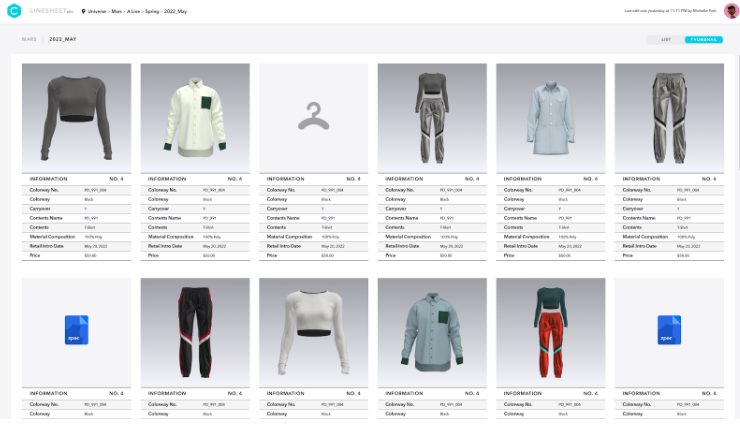
One live collection-status view helps apparel teams replace spreadsheets, reduce handoff gaps, and connect approvals with 3D assets.
Key takeaways
- Apparel teams managing growing collections often outgrow spreadsheets.
- A product data workspace provides a shared environment for apparel style data.
- Lightweight workspaces may suit teams that need a narrower operational scope for managing seasonal styles without implementing the full breadth of an enterprise PLM system.
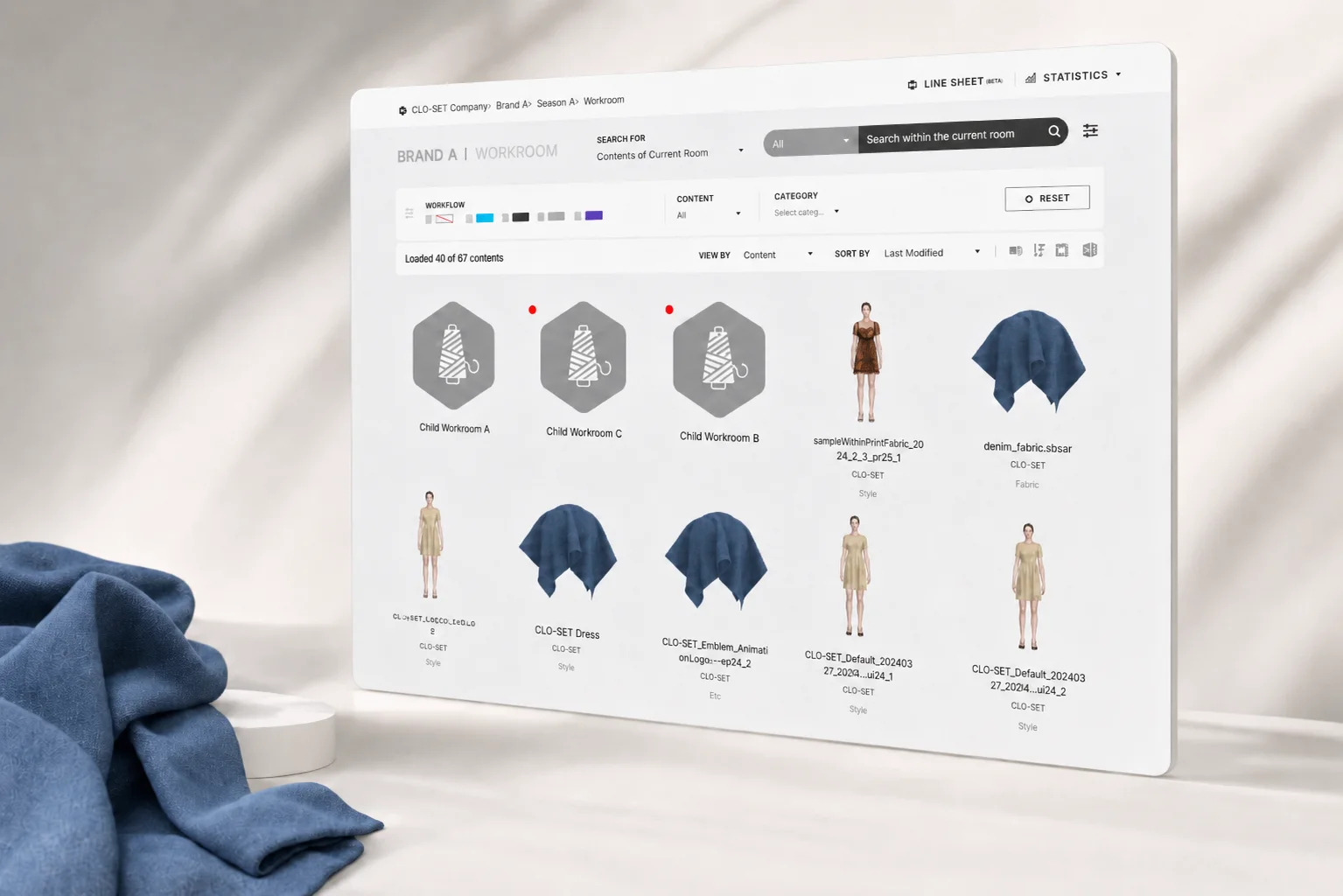
A product data workspace is a shared operating layer for apparel style data, collection status, approval activity, and product files. For teams replacing spreadsheet-based product lifecycle tracking, the practical goal is not more software. The goal is a live source of truth that shows which styles are in range planning, which samples need review, which files are approved, and which version vendors should be working from.
CLO-SET documents product and asset organization, comments, versions and Workflow and Colorway Status. Compare those functions with the collection records and handoffs your team needs.
When should apparel teams move beyond spreadsheets for collection management?
Apparel teams should move beyond spreadsheets when collection status depends on manual updates across design, merchandising, sourcing, and vendors.
Spreadsheets usually work at the earliest stage, when a small team tracks a handful of styles and one person owns most updates. They can become harder to maintain when seasonal work spreads across roles, calendars, sample rounds, 3D files, tech packs, and supplier communication. At that point, teams do not just need a place to list SKUs. They need a product lifecycle platform to replace spreadsheets as the working record for collection decisions.
Use your own coordination problems as the adoption trigger: missed updates, conflicting versions, unclear review ownership and time spent preparing collection-status reports. A broad market-adoption estimate does not establish the right system for your team.
A practical trigger is collection complexity. As a team manages more styles per season, a dedicated product data workspace can help reduce manual coordination and the risk of errors. The same is true as teams grow in size, where coordination costs start to increase because updates no longer live with one person.
A unified workspace addresses that coordination problem. Instead of asking a developer to check one spreadsheet, a sourcing manager to check another, and a designer to send the newest file link by email, the workspace becomes the place where collection status is visible and current.
How do lightweight product data workspaces compare with enterprise PLM?
Lightweight workspaces may suit teams that want to reduce reliance on manual updates and simplify seasonal coordination.
The decision is not simply spreadsheets versus PLM. For some apparel teams, the practical choice sits between the two.
Enterprise PLM remains a common choice for some organizations. A global enterprise with many divisions may need that depth.
A lightweight product data workspace may be a fit when the immediate problem is seasonal coordination. The team needs single view collection status reporting, current product files, visible approvals, and cleaner handoffs between product development, sourcing, and vendors. A unified space supports that use case.
The important buying question is scope. A lightweight workspace can address a narrower operational scope while a larger enterprise system is being evaluated or implemented.
How can a product data workspace streamline workflows and reduce manual entry?
A product data workspace can streamline apparel workflows by supporting unified views and approvals.
Manual entry is the hidden tax in spreadsheet-led product development. A style name changes in one tab, but the older name remains in a sample tracker. A material update appears in an email thread, but the sourcing sheet is not changed. A vendor receives the previous file because the approved version sat in a local folder. None of these errors look large in isolation. Across a season, they create late clarification loops and avoidable rework.
Dedicated product data workspaces can support earlier digital review, helping teams identify issues before physical sampling begins.
Centralized handoffs also affect speed. Integrated platforms can help unify sample approvals. That matters most at handoff-heavy points in the season:
- Merchandising confirms the range and needs product development to see the latest assortment direction.
- Design uploads a new 3D asset or file version and needs review comments attached to the right style.
- Sourcing needs to know the current sample status.
- A supplier needs the current file package, not the version that was attached to last week’s email.
Reducing prototype rounds can also compress the path from concept to buy decision. The value is reducing the number of times people must restate, reformat, and chase information before a decision can be made.
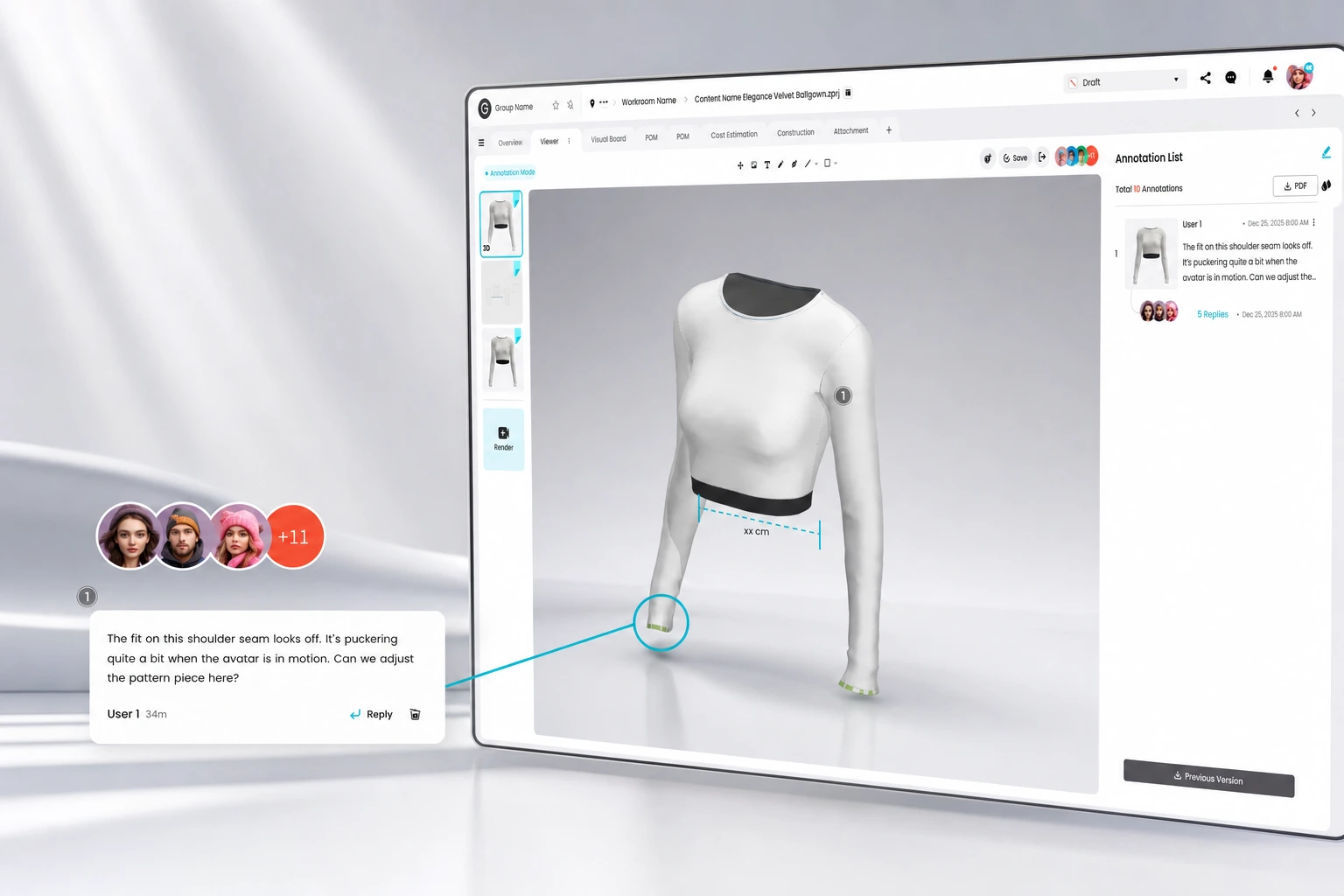
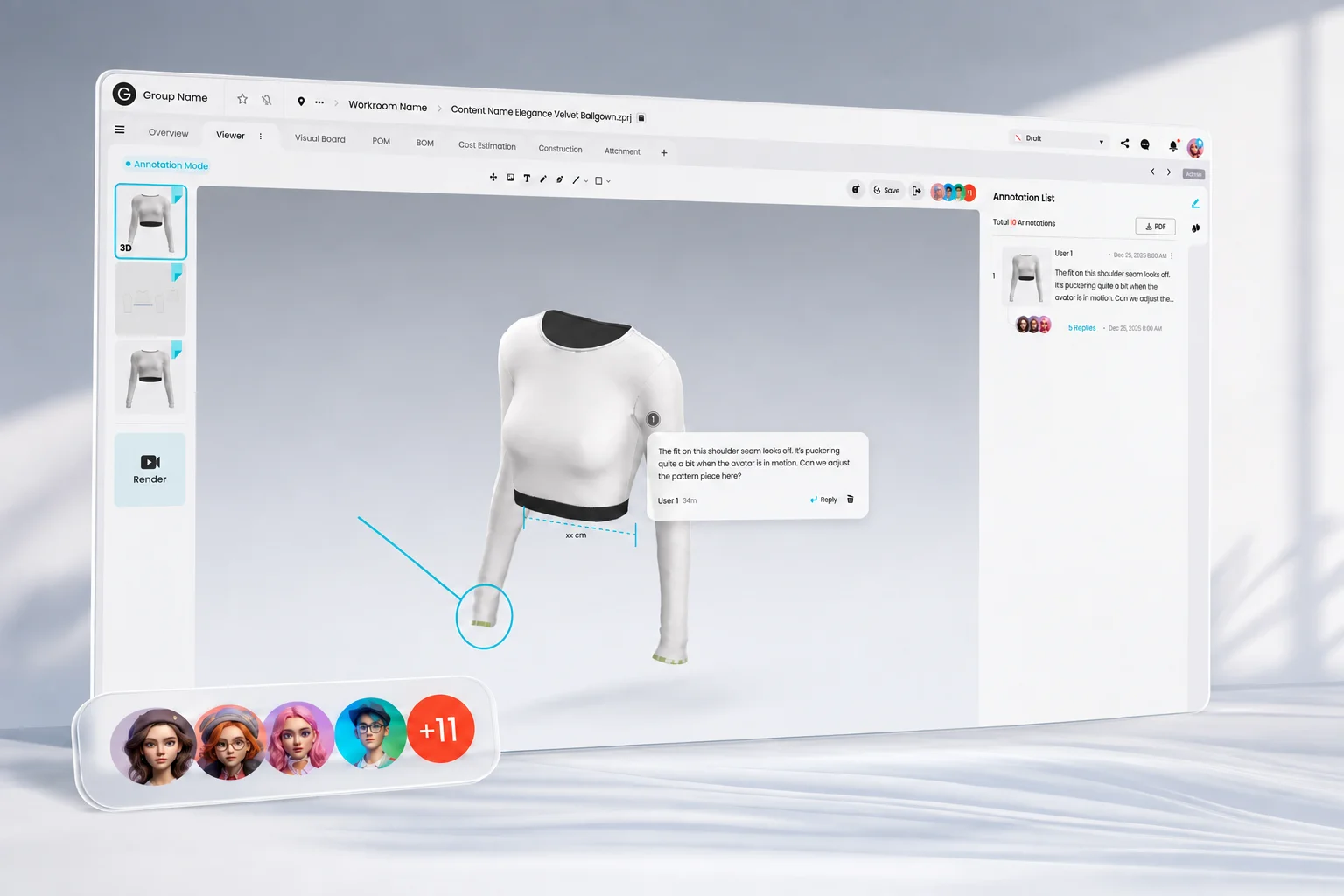
A comment on a garment, a collection-level status update, and a file handoff should point to the same product context. That is what turns a workspace from a storage folder into a connected apparel review and approval workflow.
How can unified views streamline prototype rounds and sample approvals?
Spreadsheet-based tracking can create delays when updates do not reach every team at the same time. A sample may be requested before a design revision is visible to sourcing. A factory may begin from an older file. A buyer may review a prototype without seeing the latest comments from product development.
Cleaner digital review before physical sampling, clearer version context, and more consistent instructions can help reduce the risk of avoidable errors.
Sample approval coordination can improve when status is visible to everyone who depends on it. For apparel teams, that can mean fewer cases where a factory cuts from the wrong file, a fit comment is missed, or a sample status cell is updated after the next action has already been taken.
What data model does a lightweight apparel product platform need?
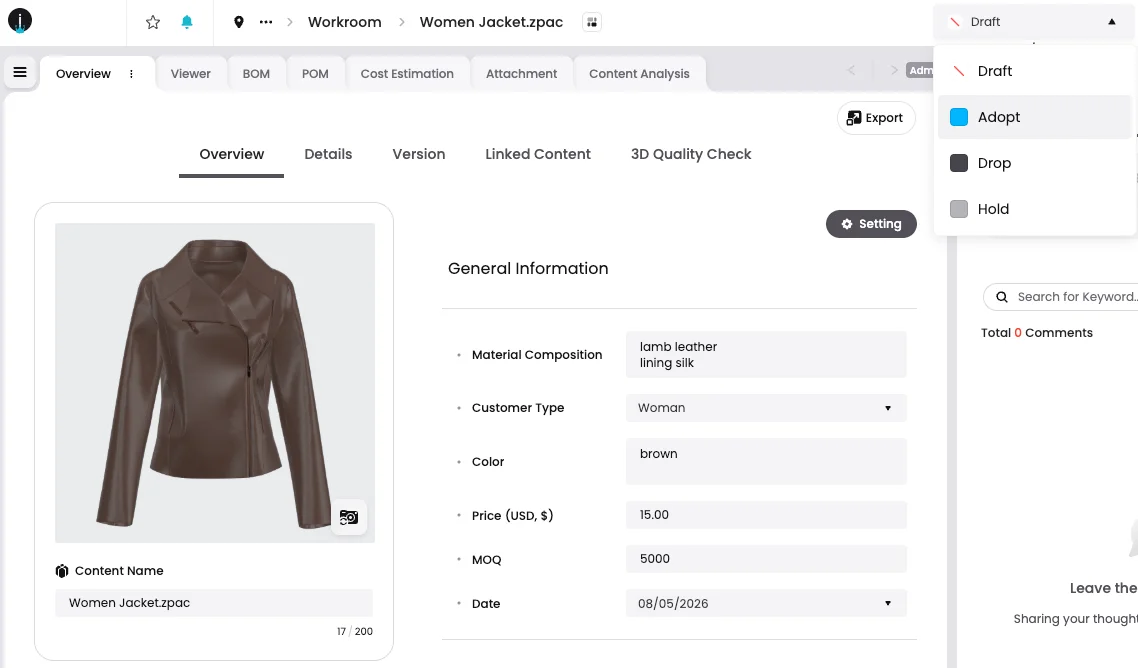
A lightweight apparel product platform needs enough structure to coordinate styles, statuses, assets, comments, and vendor handoffs.
The minimum model should be practical, not overloaded. A team replacing spreadsheets does not need every enterprise PLM object on day one. It needs a shared vocabulary for what each style is, where it sits in the season, what files define it, who has reviewed it, and what action comes next.
This is where combining planning tools, asset management, and real-time collaboration becomes relevant. The workspace does not need to imitate every enterprise PLM module. It needs to keep the apparel team aligned around the work that changes every day during a season.
Traceability also changes the data model. A product data workspace gives teams a better foundation for keeping traceable product information connected to the assets and decisions that shaped it.
Clean product data does not mean collecting every possible field. It means agreeing on which fields drive decisions, which fields support compliance, which fields suppliers need, and which fields must remain consistent across the collection.
How should teams evaluate ROI and implementation timelines?
Teams should evaluate ROI by considering rollout speed, potential reductions in manual work and errors, and the cost of delayed seasonal decisions.
Ask each supplier for a rollout plan covering your actual data, integrations, permissions, migration and training. Compare the same scope, including the work your own team must provide. A small pilot and an organization-wide implementation are not equivalent timelines.
Schedule the pilot and migration around the collection calendar. If implementation spans a season, define how existing records will stay usable until the new workflow is ready.
A simple evaluation framework should ask:
- How many styles are managed each season?
- How many people update or depend on collection status?
- How many spreadsheets, email threads, or file locations define the current truth?
- How often do sample approvals change after files have already been shared?
- How much time is spent preparing status reports that are outdated soon after the meeting?
- Does the team need enterprise financial modules now, or does it first need cleaner seasonal collaboration?
Cost evaluation should include hidden operational work, not only licensing. Depending on the implementation, this can include consulting, administration, training, and productivity costs associated with delayed adoption.
Evaluate CLO-SET when your immediate need is shared collection context, 3D review and coordinated status updates. If you also need ERP integration, financial planning or specific approval controls, include those requirements in the same pilot and compare the documented scope of each proposed system.
FAQS
Frequently asked questions
When should a brand consider a lightweight workspace instead of enterprise PLM?
A brand may consider a narrower workspace when its immediate need is seasonal visibility, review coordination and file handoffs. Compare the actual migration, training, integration and governance work against the proposed enterprise system; require a plan for your own scope instead of relying on generic rollout averages.
How does a product data workspace improve sample tracking?
A product data workspace can improve sample tracking by connecting sample status, review comments, and approved files to one product record. Keeping sample approval status and version context in a unified view can reduce the risk of decisions being made from outdated spreadsheets, attachments, or local file links.
Can a product data workspace replace spreadsheets without replacing PLM?
Yes. A product data workspace can replace spreadsheet-based seasonal coordination without necessarily replacing an existing PLM system. Teams can use a lightweight workspace for collection status, 3D review, approvals, and vendor handoffs while keeping enterprise systems for ERP-connected records, broader governance, or other business processes. The right boundary depends on which system owns which data and decisions.
Why is 3D asset management important for collection status?
3D asset management can help keep product decisions and visual review activity connected. When 3D files are managed separately from collection data, teams may need to manually reconcile comments, versions, and approval status. CLO-SET connects 3D assets, version history, review feedback, and product information in a centralized workspace, helping product, design, and sourcing teams work from the same style context.
What product data should teams clean before moving out of spreadsheets?
Clean the fields that drive seasonal decisions first: style identity, collection structure, material references, status values, file versions, and approval ownership. Agree on who maintains each field and how a change is reviewed before migrating the records.
See your collection status in one live view
Map your spreadsheet-based workflow to a single CLO-SET workspace — 3D assets, sample approvals, and vendor handoffs on one product record.