Secure 3D Asset Portal for Apparel Vendor Access
Secure 3D portals help apparel teams control vendor access, review 3D garments in-browser, and reduce file handoff gaps.
Key takeaways
- A secure 3D asset portal gives apparel teams one controlled place to review and share garment assets with vendors.
- When large 3D files are shared through generic folders, version context can be harder to track and reviewers may need to work from downloaded source files.
- A dedicated 3D workspace supports digital asset management best practices, visual review, and cross-team collaboration without scattered files.
Why are apparel teams moving from generic storage to 3D portals?
When reviewing storage options, test how the team will identify a garment’s version, share its review context and restrict access for each vendor.
Apparel teams often start with shared drives because they are familiar. A designer exports a 3D garment file, uploads it to a folder, sends the folder link to merchandising, then forwards another link to a vendor. That workflow works until the product line scales, multiple vendors need different access, and the team has to answer a basic question: which version is approved for production?
The core limitation is that general storage is not designed specifically around apparel 3D assets. A folder can show basic file details. In the sources reviewed for this page, VNTANA notes that CAD files can be large, proprietary, and require specialized software to open, and that they are often stored in shared drives or systems that are difficult for non-specialists to access (VNTANA, 2026).
A secure 3D portal changes the access model from “send the file” to “invite the right person into the right review context.”
Measure whether shared 3D review improves your team’s turnaround time and continuity. A useful pilot keeps the garment, version and feedback together while recording the work needed to set up and maintain that process.
What access controls do secure apparel 3D libraries need?
Secure apparel 3D libraries need role-based access, limited vendor sharing, and enterprise security review readiness for external collaboration.
The access problem in apparel is rarely solved by hiding or showing a whole folder. A sample vendor may need a garment view and fit-related details, while internal teams may need costing, bill of materials, development comments, and commercial planning data. A secure portal should separate those needs instead of forcing teams to create duplicate folders or redacted file copies.
echo3D’s security overview describes role-based controls for viewing, modifying and deploying assets. Confirm the exact permission set for the proposed users and deployment.
echo3D’s sharing guide recommends permissioned, expiring links and describes their use in a customer example. For temporary vendor access, test expiry, revocation and download permissions in the selected plan.
VNTANA reports SOC 2 Type II status and publishes a security overview. Request the current attestation report and review its scope and coverage period for the proposed deployment. The vendor’s statement does not establish the security of every customer workflow.
For vendor access, the practical goal is simple: the workspace should make oversharing harder. Ideally, teams should be able to give vendors access only to the assets, review context, and information they need, without exposing unrelated line plans, internal comments, or commercial data.
How does a 3D collaboration workspace compare with cloud storage, DAM, and PLM?
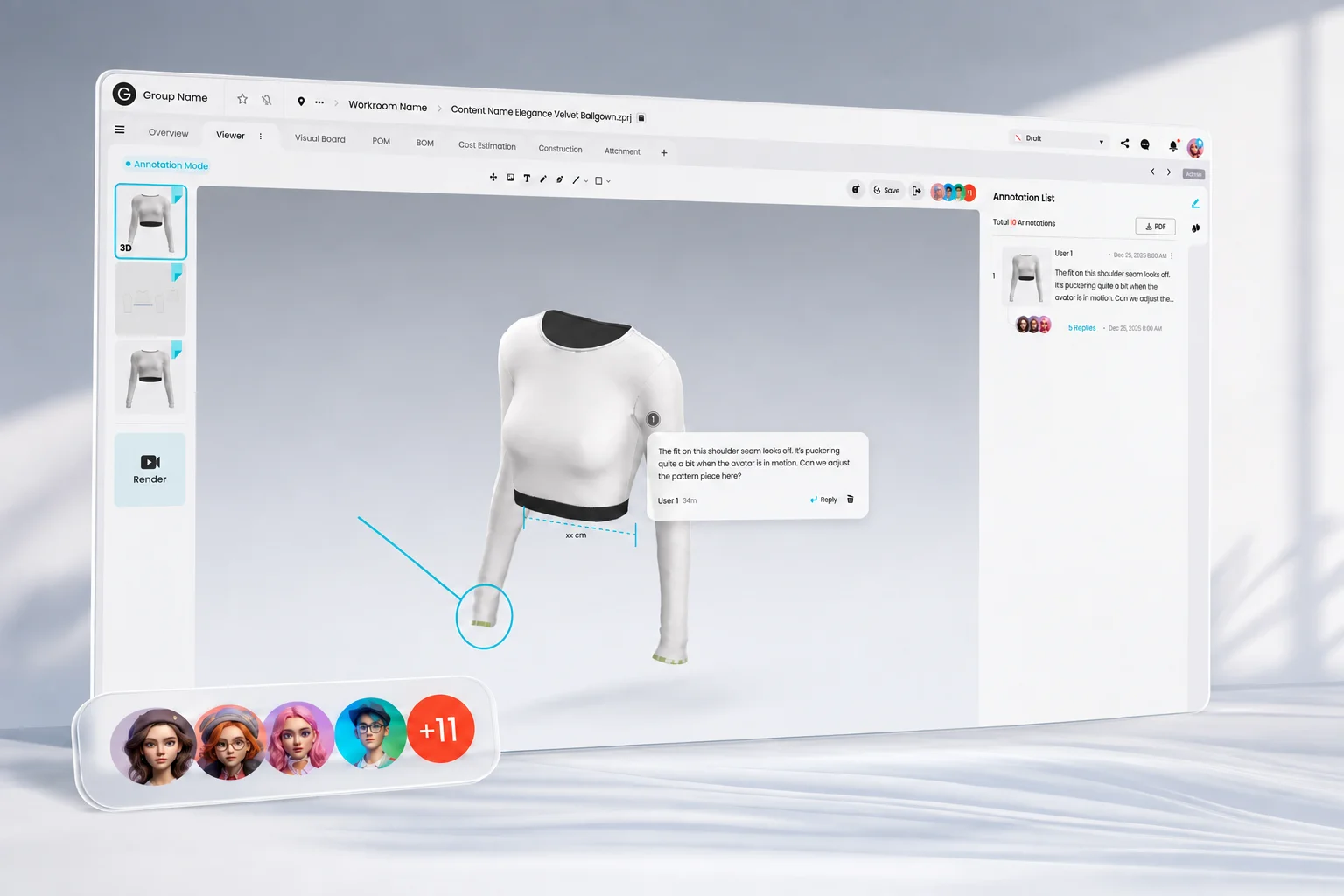
3D collaboration workspaces can provide browser-based visual review of 3D assets without requiring teams to rely on the original files for every review.
Generic cloud storage, digital asset management systems, and product lifecycle management systems each solve a real problem. The distinction becomes more relevant when apparel teams need a dedicated environment for reviewing 3D garments. Cloud folders are easy to share but are not specifically designed around garment review workflows. Traditional DAM systems are often centered on managing and distributing digital assets, while their support for interactive, production-focused 3D review varies by platform.
The comparison is not that one system replaces every other system. Apparel companies often need several systems working together. The question is where 3D garment collaboration should happen. When the daily task involves visual review across designers, merchandisers, technical teams, and vendors, a dedicated 3D collaboration workspace can provide a more purpose-built environment for that interaction.
CLO-SET is designed to serve that specific collaboration layer.
How does browser-based 3D viewing reduce review friction?
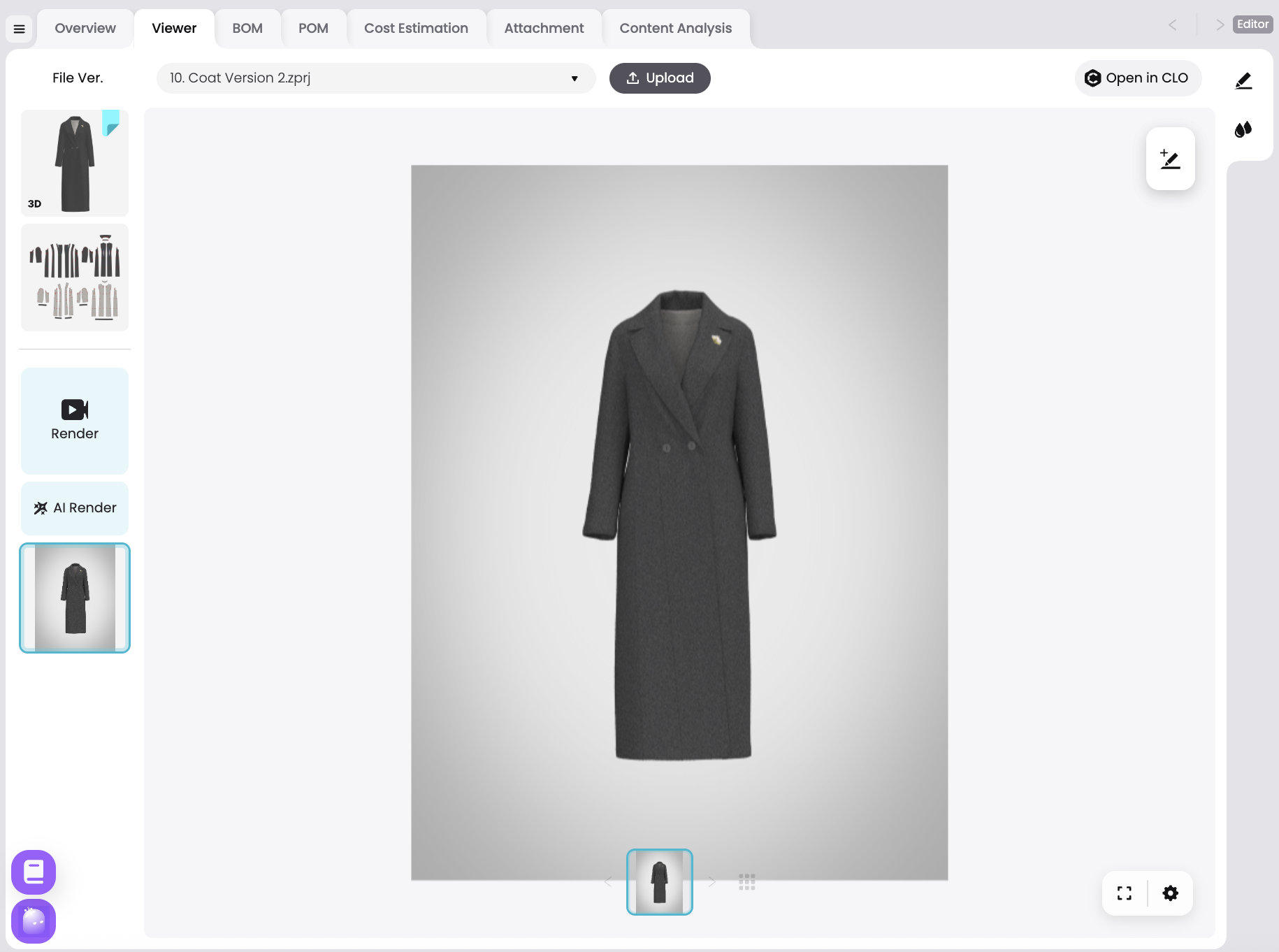
Browser-based 3D viewing reduces review friction by letting reviewers rotate, zoom, and inspect a garment in the browser instead of downloading and opening a heavy CAD file. The reviewer sees proportion, construction, and fit intent without a plugin or a local 3D tool. That can remove a common source of delay in remote review: a vendor or merchandiser being unable to open the file. When the asset loads in the browser, feedback can happen in the same session the link is opened, instead of after a round of "I can't view this" emails.
How do team permissions reduce file handoff gaps?
Team permissions can reduce file handoff gaps by giving each collaborator access to the assets and workspace areas relevant to their role, instead of relying on separate copies sent through email or shared folders.
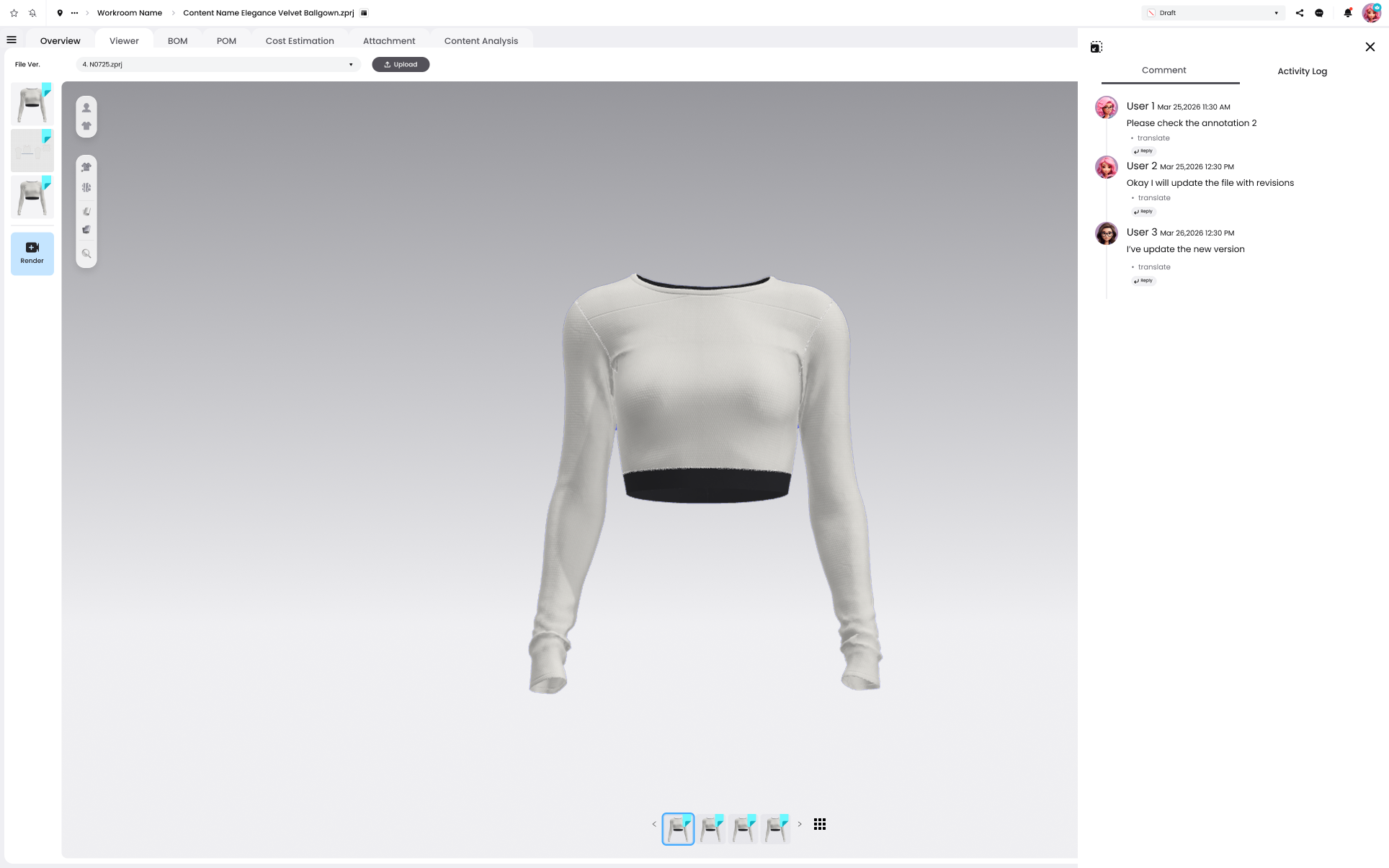
When designers, merchandisers, technical teams, and vendors work within the same controlled environment, teams can limit unnecessary access while keeping review context, feedback, and version history connected to the garment being discussed. This reduces the need to create and circulate additional file copies for different participants.
Where does CLO-SET fit in secure 3D asset management for apparel teams?
CLO-SET provides 3D content and review tools, role permissions, comments and content versions. Test the intended vendor role with representative content to establish exactly what that user can view, change or download.
CLO-SET is not positioned as a generic folder system. It is a collaborative 3D creation workspace for centralizing 3D assets and connecting stages of the product life cycle in one digital space. For apparel teams working with vendors, that makes it most relevant when the core problem is not storage capacity, but review reliability.
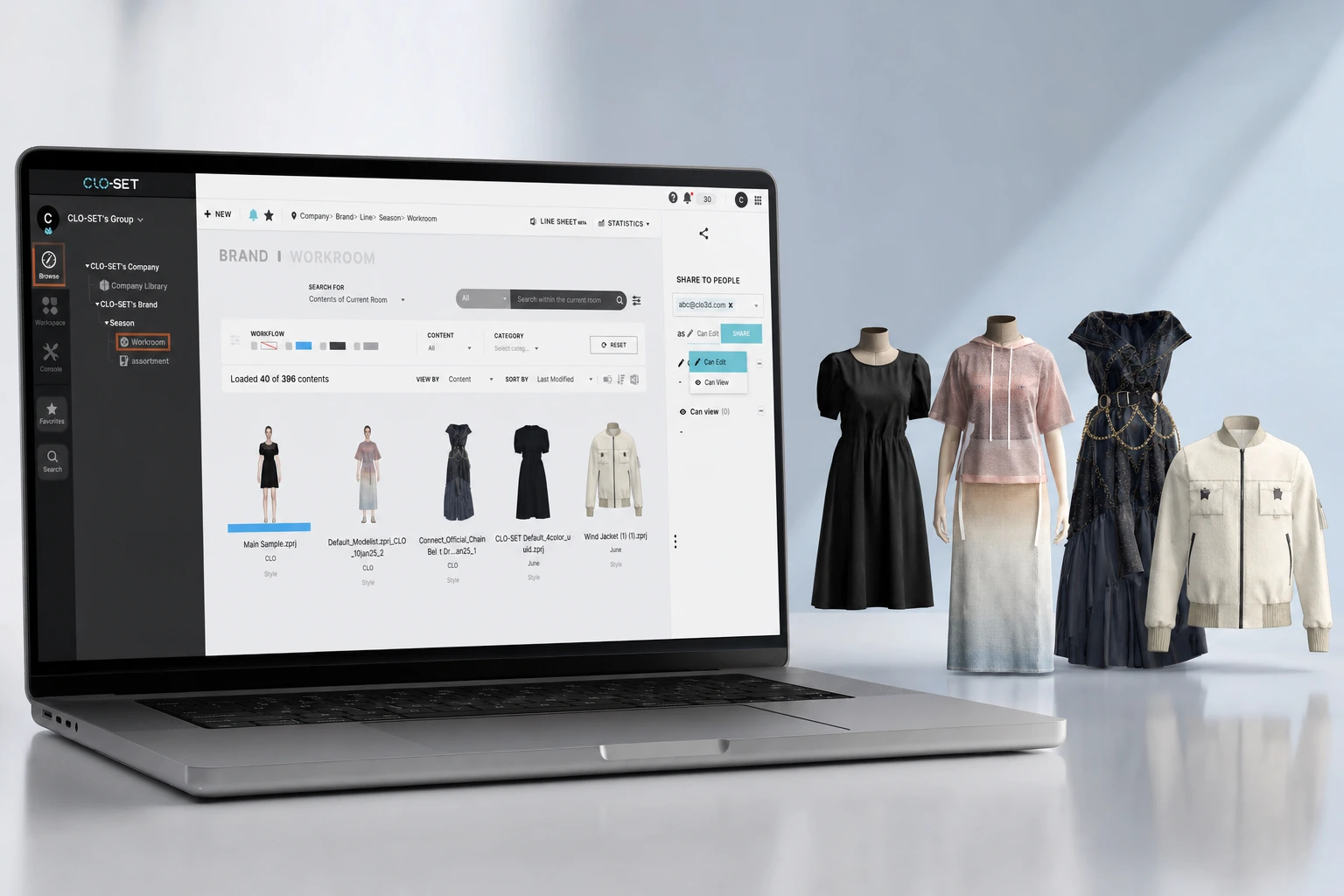
The main fit is a workflow where the 3D garment is the collaboration object. Internal teams and vendors can review assets through a shared visual environment, rather than relying on downloads, screenshots, and detached comments. CLO-SET’s value in this page context is strongest for teams that need:
- A centralized 3D asset library for garment files and related product context
- A browser-based 360° review experience for remote inspection
- Collaboration across design, merchandising, technical teams, and external vendors
- Reduced dependence on scattered drives, email attachments, and duplicate exports
- A way to keep review conversations tied to the garment asset
For external vendor access, CLO-SET supports the broader best practice of moving from file handoff to controlled collaboration. The goal is not to send every vendor every product detail. The goal is to provide enough visual and product context for the vendor to act, while the brand maintains control of the asset library and review process.
This is especially relevant for brands industrializing digital product creation. When 3D assets are used only as design files, they stay isolated. When they are managed as shared product assets, they can support sampling, review, merchandising, wholesale presentation, and production alignment.
What business impact can secure 3D sharing have for wholesale teams?
Secure 3D sharing can improve wholesale review quality by giving buyers controlled, high-clarity product views before physical samples arrive.
Wholesale teams need visual confidence. A buyer evaluating a line sheet or digital showroom wants to understand proportion, construction, material impression, and fit intent. Static photography and flat sketches can support that decision, but a 3D view adds spatial context. When that view is delivered through a secure portal, the brand can share product visuals while maintaining control over access to the underlying asset library.
VNTANA reports a 5–15% conversion lift across eCommerce deployments it powers. This is the vendor’s reported range; the page does not provide enough study detail to treat it as a forecast for another deployment or as a result for wholesale review. Measure the outcome relevant to your own audience.
For apparel brands, secure 3D sharing also protects optionality. The same 3D asset can support internal design review, vendor clarification, wholesale presentation, and downstream product storytelling when the platform manages access and context. Teams can reduce the need to create a new unmanaged copy for every audience.
The business value is clearest when three conditions are present:
- The brand already creates 3D garment assets during design or sampling.
- External partners need to inspect those assets before physical samples are ready.
- The team needs to control what each partner can see, download, or review.
When those conditions exist, a secure 3D portal becomes more than a file cabinet. It can become the controlled collaboration layer between creative intent, vendor execution, and commercial review.
Explore CLO-SET to review its tools for sharing 3D assets and coordinating feedback.
FAQS
Frequently asked questions
What are the 'blind spots' in traditional folder sharing?
Traditional folder-sharing can create blind spots when teams rely on separate file copies and manual version tracking. Generic folders are not necessarily designed around garment-specific 3D review, so it can become harder to keep visual feedback, version context, and access aligned around the same asset.
Why can PLM systems be difficult for external vendor review?
PLM and PDM systems are designed primarily to manage structured product data and development processes. Depending on the platform and configuration, the experience for external 3D review may differ from a workspace designed specifically for browser-based visual collaboration.
How can a centralized 3D workspace reduce handoff points?
A centralized 3D workspace can reduce unnecessary handoffs by allowing teams to review, comment on, and reference the same garment asset instead of circulating separate exports, screenshots, and email attachments. The exact number of handoffs varies by workflow and organization.
What is meant by industrializing digital product creation (DPC)?
Industrializing DPC means making digital product creation a repeatable process across teams and development stages. Define shared asset, version, review and handoff procedures, then measure their effectiveness in your own organization.
How does 3D compression help with vendor communication?
3D optimization can make large product assets easier to access through web-based viewers by reducing file size and preparing them for browser delivery. For vendor collaboration, this can reduce dependence on downloading and opening large source CAD files with specialized local software.