Do You Need a Fashion PLM? 8 Product Development Tools Compared
If a vendor has ever cut a sample from an outdated tech pack, you already know that figuring out whose fault it was is beside the point. As long as your specs live scattered across email attachments, Excel sheets, and chat threads, the same mistake will happen again. You can muscle through it with ten styles a season. At several dozen styles and three rounds of revisions, it stops being a diligence problem and becomes a tooling problem.
 If a vendor has ever cut a sample from an outdated tech pack, you already know that figuring out whose fault it was is beside the point. As long as your specs live scattered across email attachments, Excel sheets, and chat threads, the same mistake will happen again. You can muscle through it with ten styles a season. At several dozen styles and three rounds of revisions, it stops being a diligence problem and becomes a tooling problem.
Here's the tricky part: whether you search for "fashion PLM" or "tech pack software," the results have very little in common. Everything from Illustrator plugins to enterprise PLM systems shows up side by side.
TL;DR
The eight tools compared in this guide, from dedicated tech pack software to full PLM platforms:
Techpacker: dedicated tech pack tool, from ~$49/user/mo
Tech Pack Wizard: AI plugin inside Illustrator
CLO-SET: product development platform with 3D review built in, by the makers of CLO
Backbone PLM (Bamboo Rose): lightweight PLM for growing DTC brands
Onbrand PLM: web-based, always-current tech packs
Delogue PLM: supplier collaboration and costing, from ~€169/user/mo
WFX PLM: apparel supply chain in one system
Centric PLM: enterprise-track PLM with an SMB entry point
Skip to the comparison table below, or read on for the criteria.
How We Compared These Tools
We took the tech pack fundamentals as a given (BOM, points of measurement, revision control) and looked at three things beyond that: how vendor collaboration works (one shared link, or does the other side need an account too?), whether 3D design files can live alongside your specs, and how long it takes to get up and running. Feature descriptions are based on each company's official website, published documentation, and public G2/Capterra data (verified July 2026). Where nothing is public, we say so.
One note: this list mixes dedicated tech pack tools with PLM platforms, and that's intentional. Half the teams that start searching because of a tech pack problem end up asking a bigger question: do we fix the tech pack, or move our whole development process?
One thing this comparison shouldn't imply: for many teams, this isn't an either/or decision. Larger organizations often run PLM as the system of record and use a platform like CLO-SET alongside it for the 3D-centered work that PLM wasn't built to host, such as design reviews, sample decisions, and vendor communication. If you already have PLM, the question isn't whether to replace it, but where your 3D workflow should live.
1. Techpacker
A widely adopted first step out of Excel tech packs. It works on a card system: you build specs as individual cards and assemble tech packs by drag-and-drop, and a measurement spec or trim card you've made once can be reused across other styles. If your brand repeats similar silhouettes season after season, you'll feel the difference by season two.
Its published feature set centers on tech pack creation and sharing (per official documentation, as of July 2026).
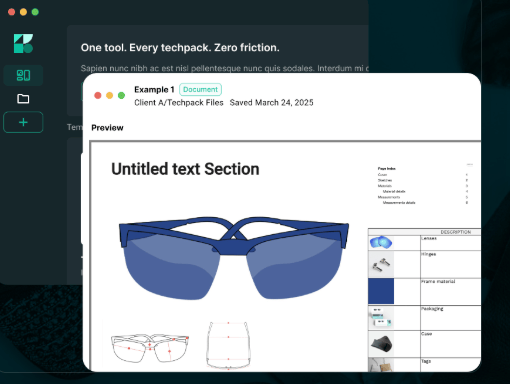 Source: techpacker.com
Best for: Small brands and freelance teams graduating from Excel.
Pricing: Starting from ~$49/user/mo (Essentials tier, per official pricing page, as of July 2026).
2. Tech Pack Wizard
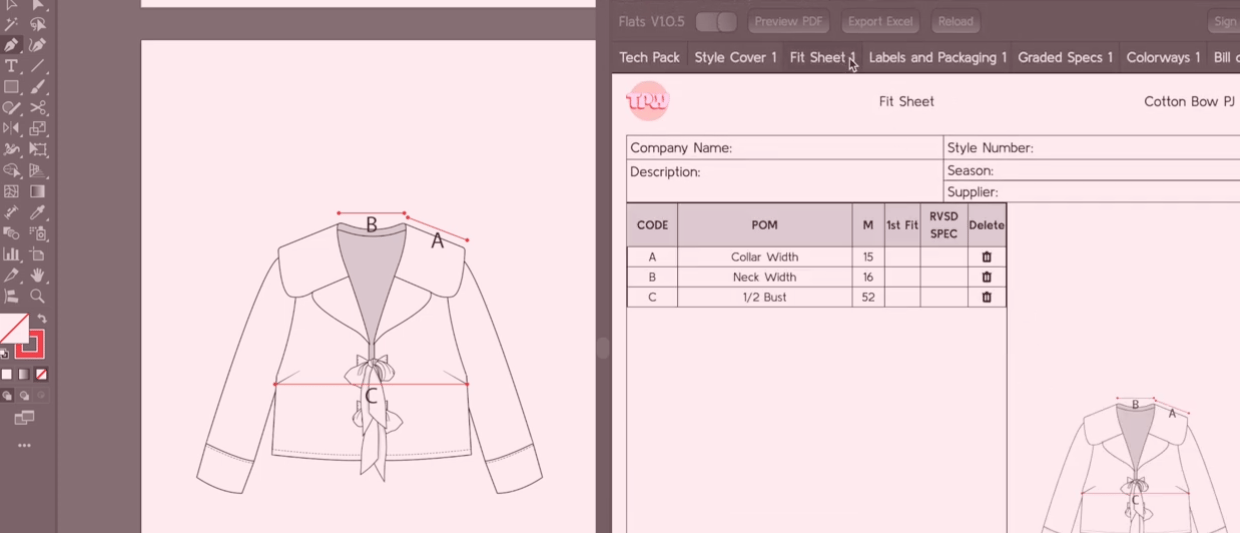
A tool for designers who don't want to leave Illustrator. It's not a separate platform but an AI plugin, so you annotate, add specs, and export right on the screen where you were drawing flats. Almost nothing new to learn, and that's its biggest strength.
Version control and vendor sharing are handled by exchanging exported files.
 Source: techpackwizard.com
Best for: Solo freelancers and one-to-two-person studios living in Illustrator.
Pricing: Contact vendor for pricing (not publicly listed as of July 2026).
3. CLO-SET
CLO-SET is built by CLO Virtual Fashion, the team behind CLO, the 3D garment design software used across the fashion industry. It manages product development in the order the work actually happens. Planning starts with a mood board, where the team gathers ideas and references right in CLO-SET. Once a design is sampled in 3D with CLO, the garment comes into CLO-SET for the reviews and communication that lock the final style: team and vendors comment, revisions accumulate, the style gets confirmed. And once it is, the tech pack follows from the 3D file, including BOM, measurements, and specs. From first idea to production handoff, the whole development lives in one place.
At the center of that flow is 3D review. CLO-SET opens and reviews 3D garments directly in its own browser viewer, so the review itself happens on the 3D garment. Vendors spin it around in a browser without installing any software and leave comments directly. Catch issues in 3D before the first physical sample, and an entire sample round disappears. Given what one sample costs and the two-to-three-week round trip it takes, this is where the cost savings are most direct. And because review lives in the same place as the rest of development, 3D reviews connect straight into specs and tech packs without a handoff.
There are limits. If you're a freelancer who just needs to turn out a few tech pack documents quickly, the dedicated tools above are lighter. CLO-SET earns its keep when the problem is the process, not the document.
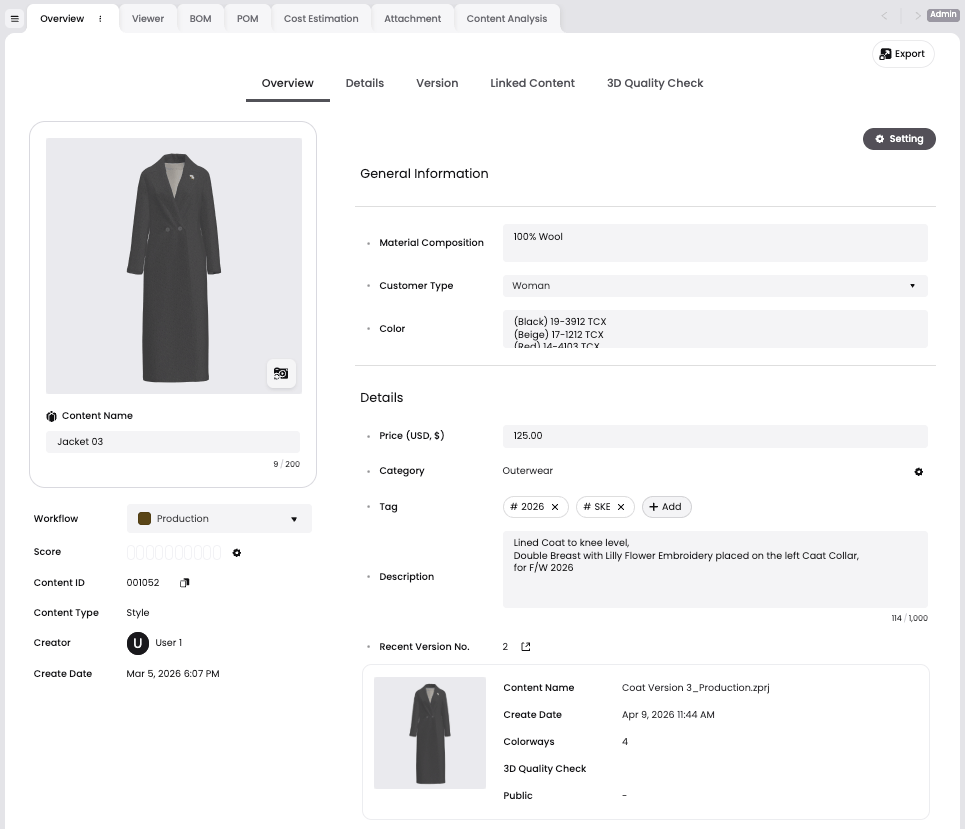
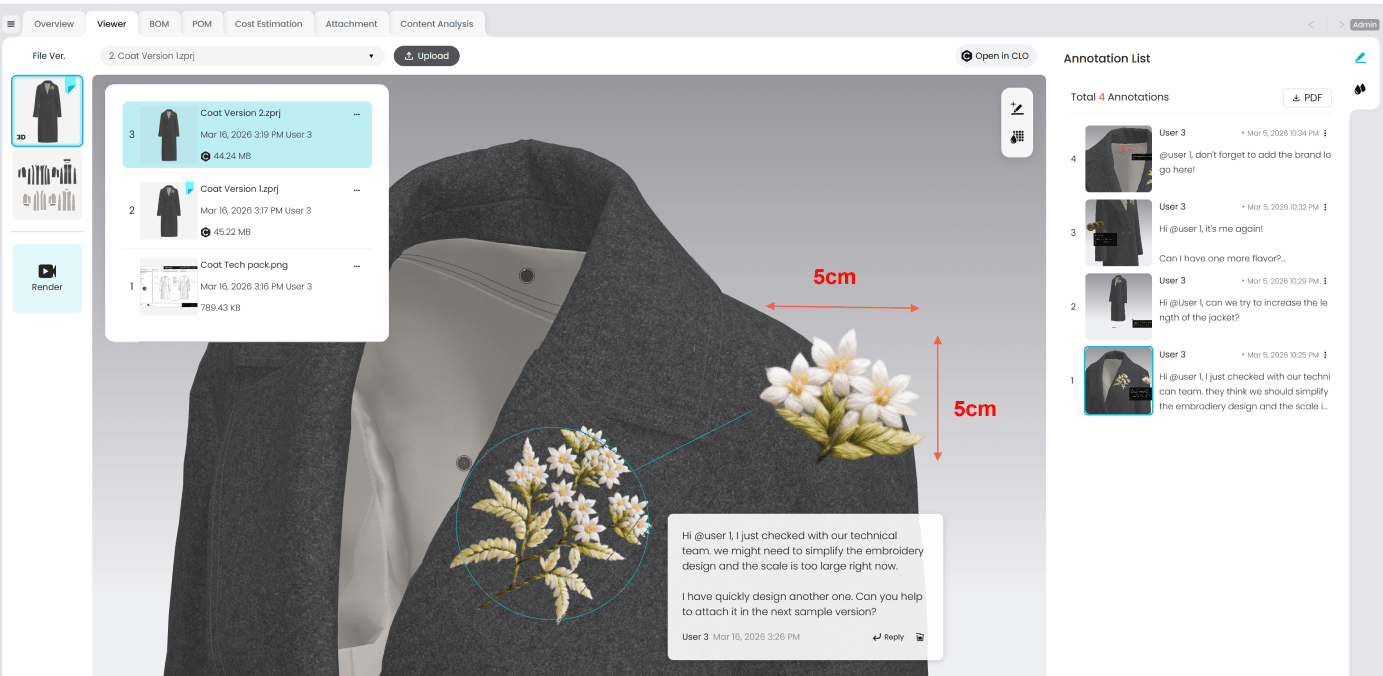
Best for: Brands and vendors that want the whole journey in one place, from mood board to reviews, specs, and vendor sharing, especially teams that use 3D or plan to.
Pricing: CLO-SET pricing
Start for free → sign-up link
4. Backbone PLM (Bamboo Rose)
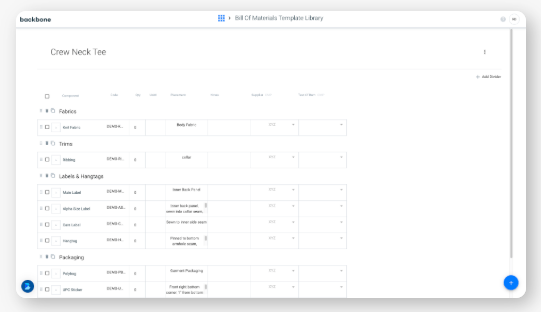
A lightweight PLM that growing DTC brands commonly consider when dedicated tech pack tools start to feel narrow. It suits teams that want materials, product data, and line planning managed in one place, not just tech packs.
3D is supported through an officially announced connector with CLO (the 3D Smart Connector, 2022) rather than in-platform garment handling; the 3D work itself happens in the external 3D application.
 Source: bamboorose.com
Best for: Growing brands for whom dedicated tools are too narrow and enterprise PLM is more than they need.
Pricing: Contact vendor for pricing (demo-based; not publicly listed as of July 2026).
5. Onbrand PLM
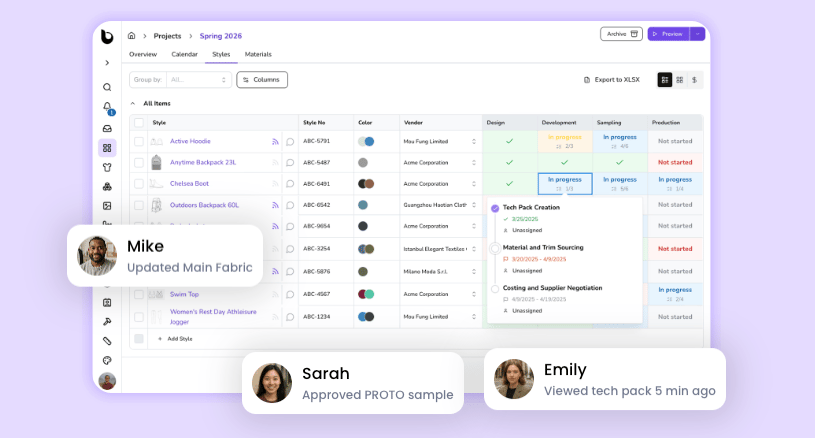
One interesting idea here: the moment you export a tech pack to PDF, that document is dead. Onbrand starts from that premise and keeps tech packs alive on the web, always current. Whether a style moves into sampling or production, what the vendor sees is always the latest version. It's a design decision aimed squarely at killing the outdated-spec accident at the source.
 Source: onbrandplm.com
Best for: Brands that have graduated from basic tech pack tools and need visibility across the whole development stage.
Pricing: Contact vendor for pricing (not publicly listed as of July 2026).
6. Delogue PLM
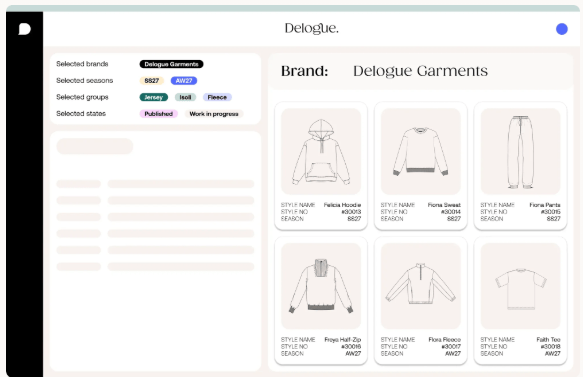
Danish-built, with a deep bench of European brand references. Its strength is supplier collaboration: you can invite unlimited suppliers, and price calculations attach at the style level, which suits teams that want costing running in the same system. The integration ecosystem (ERP, B2B platforms) is well documented.
 Source: delogue.com
Best for: Small-to-mid-size brands structuring supplier collaboration and costing, especially in Europe.
Pricing: Starting from ~€169/user/mo (Essential tier, per Capterra listing, as of July 2026).
7. WFX PLM
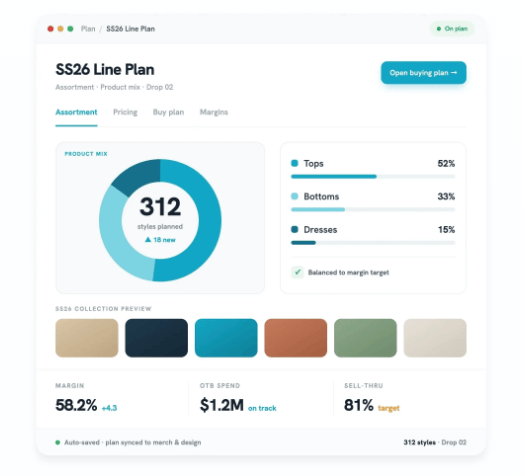
For WFX, the tech pack is just one part of its territory. The scope is the entire apparel supply chain in one system, covering seasonal collection planning, sourcing, costing, and compliance. Because it was designed around apparel processes from the start, it differs from generic PLM retrofitted for fashion.
Which also means: if the tech pack is the only problem you want to solve, its scope goes well beyond that need. Implementation is scoped per company through the vendor.
 Source: worldfashionexchange.com
Best for: Mid-size and larger companies running multiple product lines and vendors, looking to integrate the supply chain.
Pricing: Contact vendor for enterprise tier pricing (inquiry-based; not publicly listed as of July 2026).
8. Centric PLM
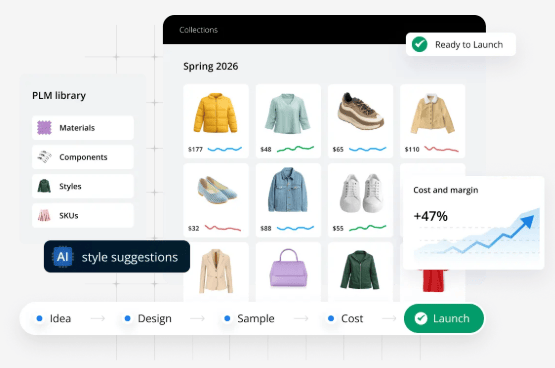
One of the most-cited names in enterprise PLM, with packaging aimed at smaller teams as an entry point. The point here is the growth path: if you're starting small but are certain you'll move to full PLM within a few years, starting on Centric workflows and adding modules avoids replatforming later. 3D works through Centric 3D Connect, which integrates external 3D design tools (CLO, Browzwear, and Optitex, per official announcements); the 3D authoring itself happens in those tools.
Conversely, if that expansion plan doesn't exist, its scope goes well beyond a tech-pack-only need.
 Source: centricsoftware.com
Best for: Teams with a confirmed growth path toward enterprise PLM.
Pricing: Contact vendor for enterprise tier pricing (inquiry-based; not publicly listed as of July 2026).
Comparison at a Glance
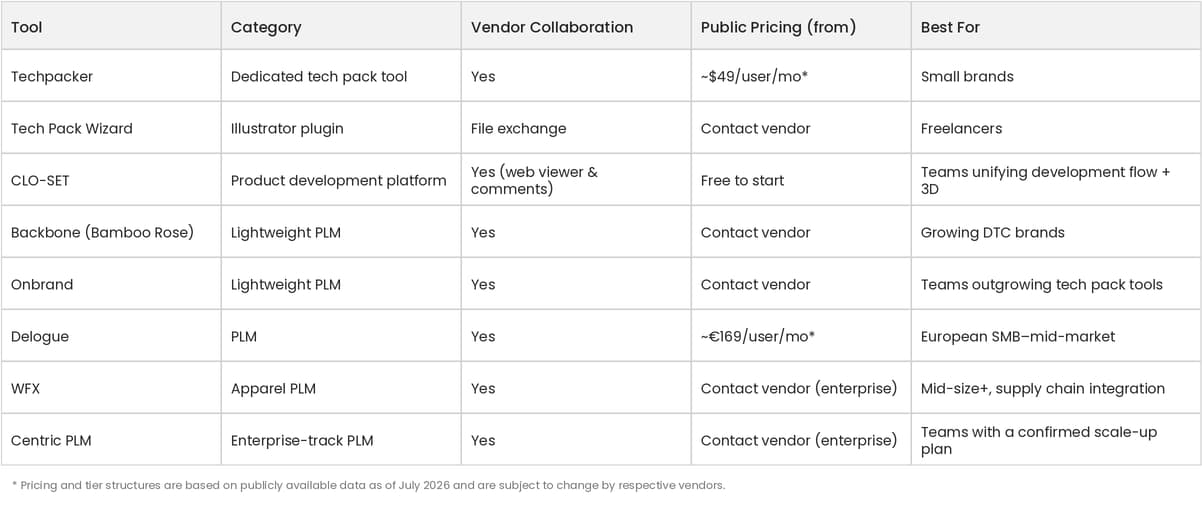 Pricing and tier structures are based on publicly available data as of July 2026 and are subject to change by respective vendors.
How to Choose: Fashion PLM, or Something Lighter?
What are the alternatives to fashion PLM?
It depends on what's driving the search. If PLM feels like too much system for your team, lighter options fall into two groups: dedicated tech pack tools (Techpacker, Tech Pack Wizard) that fix the document, and product development platforms (CLO-SET, Onbrand) that cover reviews, specs, and vendor sharing without full PLM scope. The comparison table above maps all eight by team size and need.
How much does a tech pack cost?
It depends on how it's made. Outsourcing to a freelancer or agency is priced per style and scales with garment complexity and revision rounds; software is priced as a subscription, so the per-style cost drops as your style count grows. The bigger number to watch is what an inaccurate tech pack costs. One wasted sample round typically exceeds a month of software.
What's the difference between tech pack software and PLM?
Tech pack tools focus on creating and sharing spec documents, while PLM manages product data across the entire lifecycle, from planning to production. More recently, product development platforms like CLO-SET have been filling the space in between, tying design reviews, tech packs, and vendor sharing into one flow, with 3D attached where it's needed.
Which tools can you start with for free?
CLO-SET free tier.
Techpacker offers a 7-day free trial (per official page, as of July 2026).
How do you manage 3D files and tech packs together?
To open and review a 3D garment on the web and have that review flow straight into specs and tech packs, you need a platform that supports 3D natively. That's the workflow CLO-SET is built around.
Design reviews, tech packs, and vendor sharing: your development flow in one place. Ready to fix the process, not just the document? Start with CLO-SET for free today.
Pricing and tier structures are based on publicly available data as of July 2026 and are subject to change by respective vendors. Feature descriptions reflect each vendor’s official website and public documentation as of the same date.
続きを読む
すべて見るTop 5 3D Product Collaboration Tools for Fashion Brands (2026)
Ask a fashion team why they’re looking at 3D collaboration tools and the answer is rarely about 3D. It’s about the Tuesday a vendor built a sample from the version that got superseded on Monday, or th
3D Sample Review vs Physical Sample Rounds: Cost, Lead Time, and When You Still Need the Real Thing
The pitch for 3D sampling usually overshoots. Somebody demos a garment rotating in a browser and the conclusion lands as “we can stop making samples,” which isn’t true and sets the project up to be ju
Pre-Production Sample Review: What to Check, Who Signs Off, and When It Happens
By the time a pre-production sample arrives, the interesting decisions are over. The silhouette was settled at proto. The fit was settled two rounds ago. What’s left is the dullest and most expensive